Preview every page
Read the document as you fill in the form.
Describe what is being shipped, where it is going and which order it belongs to. Choose a packing slip or delivery note.
5 things missing
These pictures show the same document generator with fictional example details.
Replace the example names and contact details in the form. Keep only information that belongs in this document.
Check the page preview after changing the text. Read the amounts, dates and page breaks before exporting.
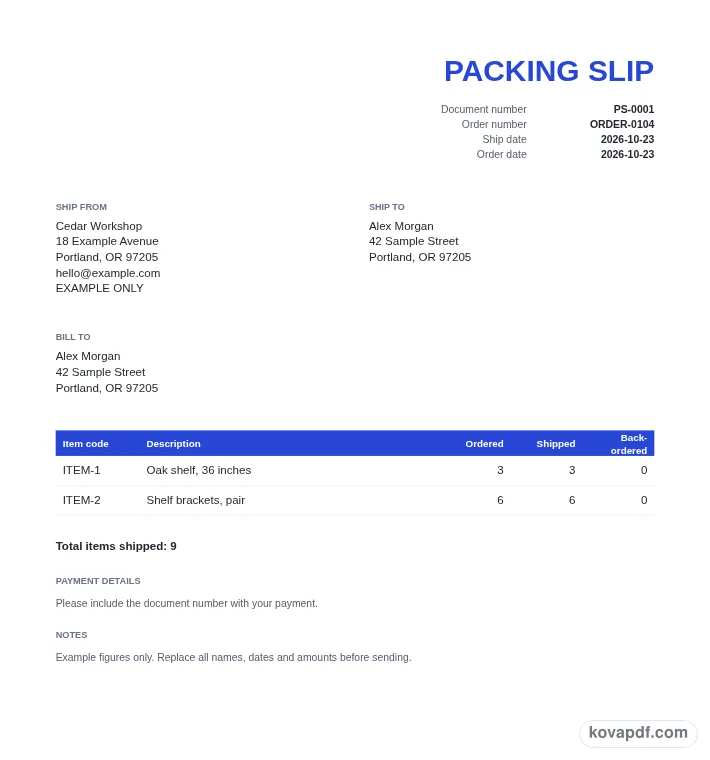
Use the download controls above the preview. Open the saved file and give it one final read before sharing.

Read the document as you fill in the form.
Compare Classic, Modern and Minimal layouts.
Save a copy when the names and figures are right.
The generator works on this device.
Use A4 or Letter and check the page breaks.
Return to the form to correct a detail before sharing.
These are fictional details. Choose an example, then replace them with your own.
Select Packing slip or Delivery note, then identify the business shipping and the recipient. Check the Ship to address. If the billing address is different, clear Same as ship to and enter the Bill to details separately.
Add item codes and descriptions, then enter Ordered and Shipped quantities on each row. The remaining back-ordered quantity is calculated for you. Give the document an order number and ship date so the contents can be connected with the shipment.
Read the total items shipped and inspect each line against the parcel contents. Add carrier, tracking information or notes if useful. Decide whether to include Received by, Signature and Date lines, then download the shipment document.
A packing slip describes the goods included in a shipment. It gives the person packing, receiving or checking the parcel a readable item list linked to the order. This form concentrates on item codes, descriptions and quantities. Keeping the shipment record focused on those details makes it easier to compare the paper with the goods in front of you.
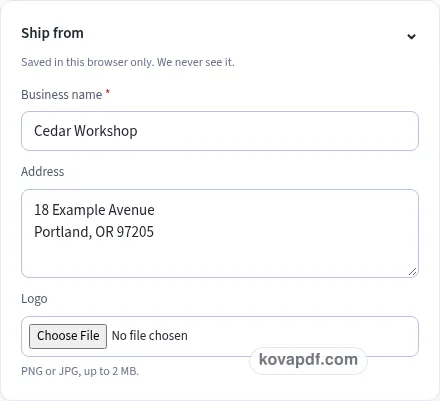
Start with Ship from and Ship to. The first block identifies the sending business, and the second identifies the recipient and destination. A logo can help identify the sender, but check the written business name and address as well. On the recipient side, include the part of the address that distinguishes the delivery location, particularly when an organisation has several offices or receiving areas.
Bill to begins with Same as ship to selected. Leave it that way when the same details should be printed for billing, or clear it to enter a different block. The ship-to address remains the destination either way. Read the blocks together before downloading so a billing office does not accidentally become the only location described on a parcel's contents document.
Ordered records the quantity from the order you are describing, while Shipped records the quantity in this shipment. Back-ordered is the ordered quantity less the shipped quantity, with a minimum of zero. That field is read-only. When more is entered as shipped than ordered, the remaining figure stays at zero rather than becoming a negative quantity.
The calculated back-order is a document figure based on your inputs. It does not check stock or update an order system. Compare the entered quantities with the physical goods and the order record you normally use. A correct-looking total cannot tell you whether a code was copied from another product or whether a line describes a different size of the same item.
Use an item code when it helps identify a specific product, then give the item a description that someone can read without memorising the codes. Separate rows make partial shipments easier to inspect. Total items shipped combines the shipped quantities below the table, giving you another figure to compare with your packing check. If the list is long, inspect the repeated headings and quantities on every page, including the final page with the combined shipped total.
The title chips let you switch between Packing slip and Delivery note. A packing slip starts with number PS-0001 and its Received by block turned off. A delivery note starts at DN-0001 and turns that block on. You can change the number to match your records and choose the block setting directly before exporting.
The optional block has Received by, Signature and Date lines. It provides writing space on the document; it does not collect a signature, confirm a delivery or contact the recipient. Decide how you want to use those lines in your own delivery process. Read the shipment date, order reference and recipient details before you give anyone the document to sign.
Order number is required, and Order date is available separately. Carrier / service and Tracking number let you describe the shipment information you want printed. Adding a tracking reference does not create a tracking link or connect to a carrier. Keep notes brief and specific to this shipment, especially if they explain that only part of the order is included.
Country changes the paper size for this document. The packing slip and delivery note have no currency selection, tax or money totals. Choose a style that keeps the descriptions and counts readable, then download the PDF. Browser saving can retain the sender and a draft, but the finished file is the copy you can keep with the shipment record. Clear the saved business details after use on a shared browser.
Choose Delivery note at the top of the form. The title and default number prefix change, and the Received by block starts enabled. You can review those choices in the preview before downloading the delivery note PDF.
The displayed figure is Ordered minus Shipped, with a minimum of zero. It is read-only and updates when either quantity changes. Check both inputs against the order and actual shipment rather than treating the calculation as a stock check.
The shipment table shows item code, description, ordered quantity, shipped quantity and back-ordered quantity. It does not include price or tax columns. The total beneath the table is the number of items shipped.
Clear Same as ship to to enter a separate Bill to block. The recipient and shipping address remain in Ship to. Review both locations in the preview so the document describes the destination and billing details you intended.
The Tracking number field prints the reference as document text. It does not contact a carrier or add an external link. Use it to keep the shipment's reference beside the order and ship-date information.
Enable Add Received by block in Notes and receipt. The PDF includes Received by, Signature and Date lines. This is writing space for your delivery process; the generator does not receive or verify a signature.