Preview every page
Read the document as you fill in the form.
Set out the proposed work and price as a quote or estimate. Add a valid-until date and an optional acceptance block.
5 things missing
These pictures show the same document generator with fictional example details.
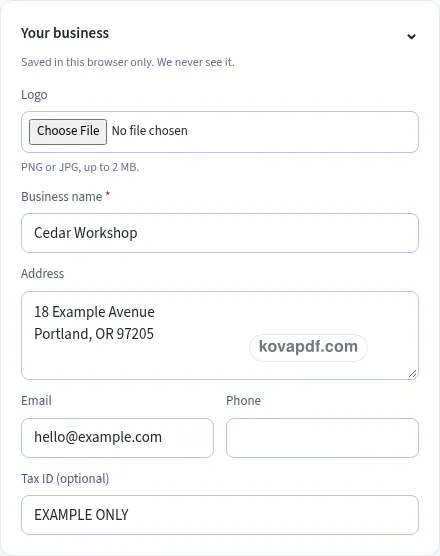
Replace the example names and contact details in the form. Keep only information that belongs in this document.
Check the page preview after changing the text. Read the amounts, dates and page breaks before exporting.
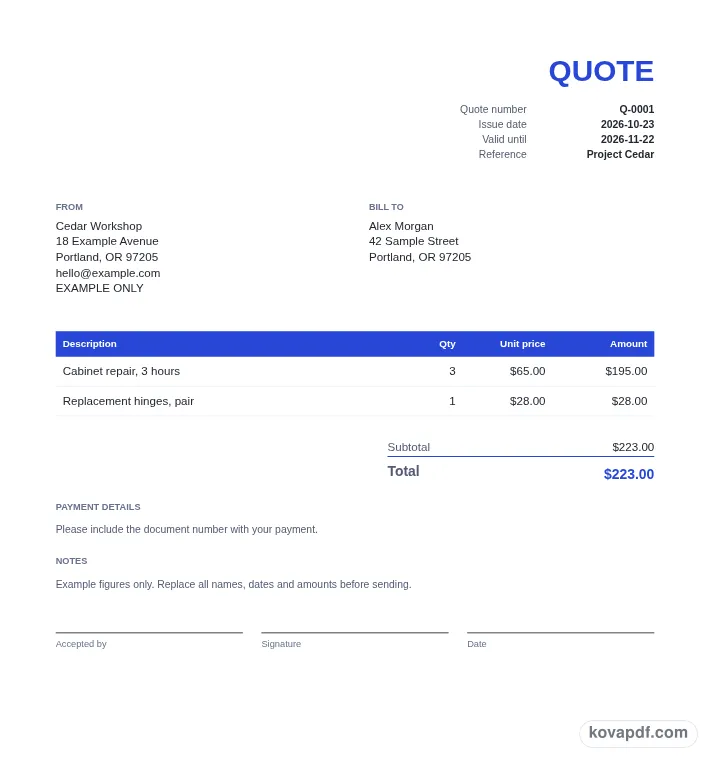
Use the download controls above the preview. Open the saved file and give it one final read before sharing.

Read the document as you fill in the form.
Compare Classic, Modern and Minimal layouts.
Save a copy when the names and figures are right.
The generator works on this device.
Use A4 or Letter and check the page breaks.
Return to the form to correct a detail before sharing.
These are fictional details. Choose an example, then replace them with your own.
Select Quote for a fixed price offer or Estimate for an approximate price. Fill out your business and the customer's details, then choose a document number. Check that the title matches the kind of proposal you want the customer to read.
Give each part of the proposed job its own description, quantity and unit price. Set the issue date and Valid until date. Use Notes and Terms to explain the scope in your own words instead of squeezing everything into a short item name.
Decide whether to include an acceptance block. Inspect the proposed total, the validity date and the spaces for name, signature and date. Download the quote or estimate when those details are ready for the customer to review.
A quote is a fixed price offer. An estimate is an approximate price. Choosing the right title helps the customer understand how to read the figures you are presenting. Use Quote when that is the offer you mean to make, and Estimate when you are giving an approximation. This generator changes the heading and starting number pattern when you switch the title.
Before entering amounts, think about the work the customer is deciding on. A description such as a broad project name can leave room for confusion if neither side can tell what the price includes. Write individual rows for the parts you want to show separately. Quantity can describe the number of units or a measured amount of work, depending on how you price the job.
Read the proposal as a customer who has not seen your working notes. Your name and contact details should be recognisable, the customer should be identified correctly, and the descriptions should connect to the conversation about the job. Use a clear reference if it helps connect the document to an enquiry. The purpose is to make the proposed work and price understandable before anyone moves on to an invoice.
Valid until is required and starts 30 days after the issue date. You can choose another date to match the proposal you are preparing. The date gives the customer a clear point to refer to when reviewing the offer. Read it beside the issue date before sending, particularly if you began the draft on an earlier day and have come back to it.
Use the note fields to describe the scope in plain language. Say what the listed work covers, identify assumptions you want the customer to notice, and keep the wording connected to this particular job. If you need to show different proposed parts of the work, separate item rows can make the total easier to follow than a long paragraph with several amounts scattered through it.
A discount can be a percentage or a fixed amount. It is shown separately in the totals, which helps the customer see the change from the subtotal. There is no Amount paid field on a quote or estimate because this document is setting out a proposal. If you later need to ask for payment or record a completed payment, the invoice and receipt generators provide those separate documents.
Add an acceptance block starts enabled. The PDF then has lines labelled Accepted by, Signature and Date. These spaces give you a place to record the customer's response on the proposal. Turn the block off if you prefer to arrange acceptance another way. The generator lays out the lines; it does not send the document, collect a signature or decide whether a particular response is sufficient for your situation.
Before sharing, check the number, title, total and validity date together. A fixed offer labelled Estimate or an old validity date can make an otherwise tidy document difficult to understand. Look through every preview page if the work description is lengthy. The total stays together as a block, and the acceptance area follows the proposal's other details rather than interrupting the item list.
Save the finished PDF with the proposal record you use for that customer. If you revise the work, review both the descriptions and the figures before making a new version. Your browser can remember the seller and design so another proposal is quicker to prepare, while the new document still needs its own customer and scope review. On a device used by several people, clear the saved draft when you are done. A saved browser draft is local to that browser, so download the file you intend to keep or share.
Use Quote for a fixed price offer and Estimate for an approximate price. Select the matching title at the top of the form, then read your descriptions and terms to make sure they express the proposal you intend to give the customer.
Set Valid until in the document details card. It begins at issue date plus 30 days, and you can change it. That date is printed with the quote details so it can be read alongside the number and issue date.
Leave Add an acceptance block enabled in Acceptance. The final document includes Accepted by, Signature and Date lines. Check the last preview page to see their position, or switch the option off if you do not need those spaces.
Choose the percentage discount option in Tax & totals and enter the value. The preview displays the discount separately beneath the subtotal. Review the item prices and the final total together before downloading the proposed offer.
It prepares a PDF for you to download. You choose how to share that file and how to receive the customer's response. Nothing in this generator emails the proposal or submits the acceptance lines to another service.
The initial quote number is Q-0001, while an estimate starts at EST-0001. You can enter a different number before exporting. Check the title and number after switching between the two document choices so they match your own proposal records.