Preview every page
Read the document as you fill in the form.
Fill in your details, edit the last will and testament text and check each page before downloading.
1 Tick the box → 2 Remove DRAFT (optional) → 3 Download, sign or send
↑ Tick the box in Step 1 to remove DRAFT and sign.
These pictures show the same document generator with fictional example details.
Replace the example names and contact details in the form. Keep only information that belongs in this document.
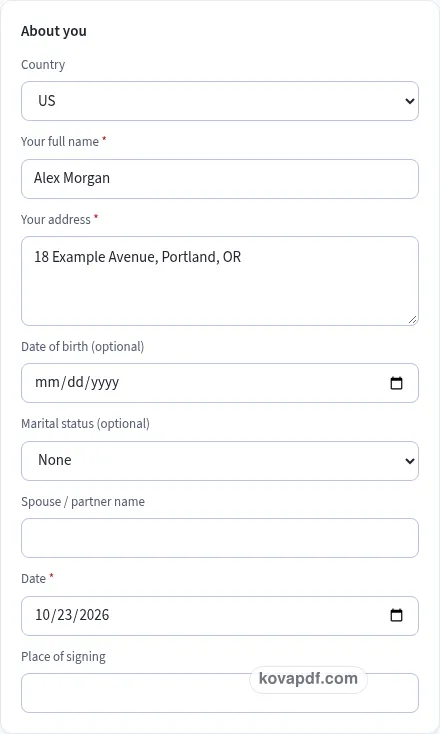
Check the page preview after changing the text. Read the amounts, dates and page breaks before exporting.
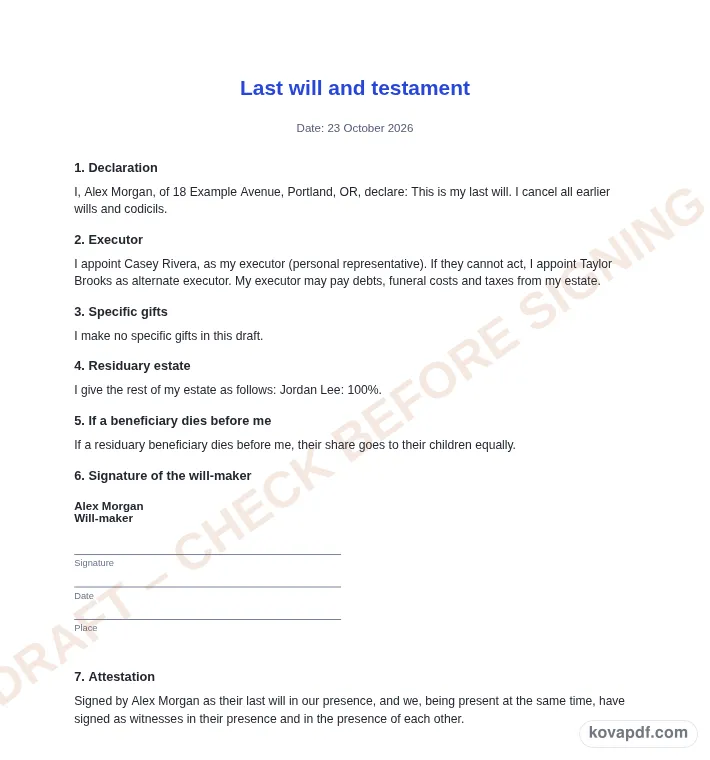
Use the download controls above the preview. Open the saved file and give it one final read before sharing.

Read the document as you fill in the form.
Compare Classic, Modern and Minimal layouts.
Save a copy when the names and figures are right.
The generator works on this device.
Use A4 or Letter and check the page breaks.
Return to the form to correct a detail before sharing.
These are fictional details. Choose an example, then replace them with your own.
Begin with your name and address, executor, beneficiaries, residue shares and witness blocks. Keep your source notes beside you while entering them. The last will and testament preview follows those fields, so check names and dates before working on the wording. Leave a detail blank while you look it up rather than entering an answer that you have not confirmed.
Open the Text card and read each paragraph for a record of your wishes to have checked before signing and witnessing. You can change individual wording, turn optional passages off and move optional passages with Up or Down. An Edited label means that paragraph now keeps your own words. Reset to default text makes it follow the fields again. Read the complete result after every substantial change.
Use the checklist and page preview to review this last will and testament. Look at the final page as well as the first one. Download PDF for a fixed page layout or Download Word (.docx) for further editing. If you change the downloaded Word file, check its page breaks again before sharing it with the intended reader.
A will only works if it is written, signed and witnessed the way the law where you live requires. If it is not, it may not be valid and your wishes may not be followed. This template is a plain-English starting point, not legal advice. Have it checked by a lawyer or against the official rules where you live before you sign.
Use your full name and address to identify yourself clearly. The optional date of birth, partner and children fields give context for your wishes. Read those details carefully, especially if another person has a similar name. This page presents the instructions you type; it does not investigate family circumstances or decide which arrangements suit them.
An executor is the person you name to carry out the wishes recorded in the will. A beneficiary is someone you name to receive a gift or a share of the residue. A guardian nomination concerns care for children under eighteen. These are different roles. Think about each separately instead of entering one name repeatedly just to finish the form.
Add an alternate executor when possible and check the warning if the field is empty. If you include a guardian nomination, there is room for an alternate there as well. Speak with the people you intend to name and have the proposed wording checked. The draft does not determine whether someone can or will act in the role.
A specific gift identifies an item or amount and a beneficiary. You can say who should receive it if that beneficiary dies before you, or mark that gift as lapsing. Keep item descriptions understandable and avoid names that only make sense to you. Review the gift list when the things you own or the people you want to name change.
The residuary section addresses the rest of the estate after the specific gifts. Add the intended beneficiaries and shares. Those shares must total exactly one hundred percent before this tool downloads the will. The alternative wording for a beneficiary who dies first is a separate choice. Read it alongside the shares rather than assuming the arithmetic answers that question.
Digital-account instructions, funeral wishes and pet care are optional passages. If you add funeral wishes, tell your family too — a will is often read after the funeral. Avoid putting passwords into a draft you may share for review. Keep the signed original somewhere safe and tell your executor where it is.
Marriage, divorce, children and moving country can affect your will; check the rules where you live. Revisit your draft after those changes and have the revised wording checked. The witness count control offers two or three blocks for drafting; it does not decide the witnessing requirements that apply to you. Keep the final review note and draft watermark visible until you have considered the next steps.
Read the last will and testament as a recipient would. Confirm your name and address, executor, beneficiaries, residue shares and witness blocks, then compare the wording with a record of your wishes to have checked before signing and witnessing. A field can be filled in and still contain an error, so the checklist is a prompt for your review rather than proof that the document is right. A complete-looking draft is still a starting point for the required review. Remove notes meant only for you and make sure optional text does not contradict a sentence you have edited elsewhere.
The browser keeps this last will and testament draft on the device you are using when storage is available. Avoid leaving personal information on a shared computer. Use Clear saved details to remove this draft when you have finished, and keep a downloaded copy somewhere you control if you need it later. A PDF preserves the displayed wording and page arrangement. A Word file lets you revise the document in another editor; compare that version with your intended meaning before you send it. Preview the longest paragraphs, confirm the typed names at the end and give the file a name that helps you find the right version.
That depends on the law where you live. Have the will checked, and sign it with witnesses in the way that law requires. The country selection and witness boxes do not establish validity.
For simple wishes many people start with a template. For property in more than one country, a business or a blended family, ask a lawyer. Have this draft checked before you sign it.
The tool needs a complete percentage allocation for the beneficiaries you list in the residue section. It blocks download if the entered shares do not total one hundred percent, so you can correct the figures.
No. The select only changes the number of witness blocks in the draft. Check the rules where you live and have the will signed and witnessed as those rules require before treating it as complete.
Yes. Draft PDF and Word downloads retain the watermark by default. The Step 1 checkbox unlocks removal and signing controls, while the last-page reminder stays even after the watermark is removed.
Tell your executor where you keep the signed original so it can be found. Review that practical arrangement when your circumstances change, and avoid leaving the only copy of important instructions in an unfinished browser draft.