Preview every page
Read the document as you fill in the form.
List dated tasks, hours and rates in a time sheet. Review the total hours and amount due before downloading the invoice.
4 things missing
Invoice rules in the US depend on your state. This tool helps you lay out an invoice; it is not tax advice.
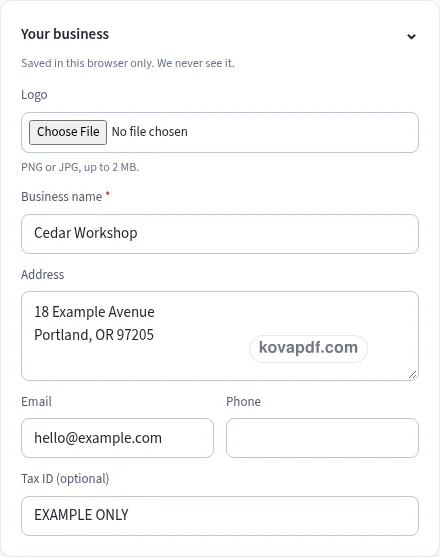
These pictures show the same document generator with fictional example details.
Replace the example names and contact details in the form. Keep only information that belongs in this document.
Check the page preview after changing the text. Read the amounts, dates and page breaks before exporting.
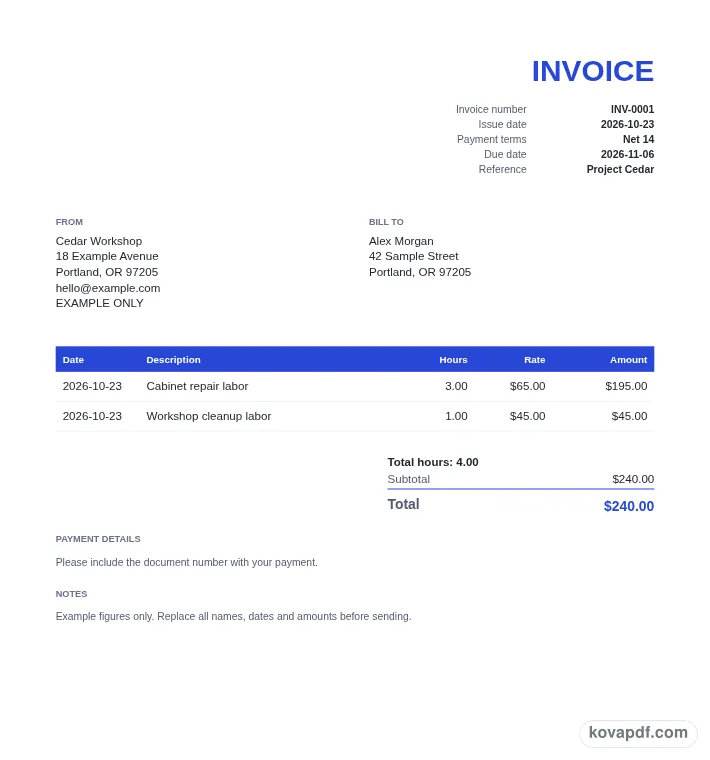
Use the download controls above the preview. Open the saved file and give it one final read before sharing.

Read the document as you fill in the form.
Compare Classic, Modern and Minimal layouts.
Save a copy when the names and figures are right.
The generator works on this device.
Use A4 or Letter and check the page breaks.
Return to the form to correct a detail before sharing.
These are fictional details. Choose an example, then replace them with your own.
Fill in your business and the customer, then choose the document date, number and payment terms. Enter a Default rate above the time sheet if you want new rows to start with the same hourly rate. You can still change a rate on an individual row.
Add the work date and a description for each line. Type hours as a decimal such as 1.5 or as hours and minutes such as 1:30. The calculation stores whole minutes and uses that time with the line's hourly rate.
Read the total hours above the subtotal, then check each task and rate. Look at any discount, tax and amount already paid. Download the invoice once the time sheet and remaining balance match what you intend to bill.
An hourly invoice connects time spent with the work it covered. A date, task description, hours and rate make that connection visible on each row. Start from your work record and group entries in a way that the customer can understand. A short task name may be enough for familiar work, while a more specific description can help distinguish similar sessions on different days.
The date column belongs to the task row, so the invoice can show work from several days without hiding those dates in a paragraph. The invoice's issue date remains in the document details block. Keep those two uses of a date separate as you review the page. A task date describes the entry; the issue date belongs to the invoice you are preparing now.
Use a new line when the rate changes or when a task needs a separate explanation. That lets the amount be calculated from the hours and rate on that row, rather than requiring the customer to untangle several charges within one sentence. The row menu can move an entry up or down if you want related work to sit together. Check descriptions after reordering so the time sheet reads in the order you intended.
You can type 1.5 for an hour and a half, or type 1:30 for the same duration. The colon form means hours followed by minutes. For example, 0:45 is 45 minutes. The generator stores the duration as an integer number of minutes and prints it as decimal hours with two places. An entry of one hour and thirty minutes therefore appears as 1.50 in the PDF's Hours column.
The row amount is the duration in minutes divided by 60, multiplied by the hourly rate, and rounded to the currency's minor unit. This avoids treating the digits after a colon as a decimal fraction. Review the formatted hours alongside the amount whenever you have entered time in clock notation, especially for short sessions that are easy to misread.
Default rate fills the rate of new lines. It does not overwrite rates you have already entered, so you can keep earlier work at one rate and later work at another. Set it before adding a batch of similar entries to reduce repeated typing. If you change it halfway through the time sheet, inspect the rates on both the earlier and newer rows before downloading.
Total hours appears before Subtotal in the totals block. Compare that figure with your own time record before checking the money totals. A correct rate cannot catch an extra hour that was typed into the wrong task. Likewise, the correct total hours does not tell you whether each task was billed at the intended rate. Read both columns, then review the subtotal and any discount.
The rest of the document follows the invoice form: business and customer blocks, an invoice number, issue date, payment terms and payment instructions. The hourly generator shares the ordinary invoice number counter, starting with INV-0001. That means the next stored invoice number can be used whether you prepare an item-based invoice or a time-based one. You can still edit the number to match your records before exporting.
Choose the country to set the initial currency, paper and tax presets, then review the selected settings. No additional tax rules are supplied for time-based work. If part of the invoice has been paid, Amount already paid produces a balance due in the totals. Read the finished preview from the first task through the last payment note. Download the PDF you want to keep, since the saved draft belongs to this browser. On a shared device, remove the stored business details when you finish the billing work.
When the work has an agreed price rather than a time sheet, the Freelance Invoice Generator is the better fit. It lists the work as items and keeps track of a deposit you have already received.
Yes. Type an entry such as 1:30 for 90 minutes or 0:45 for 45 minutes. A decimal such as 1.5 also represents 90 minutes. The PDF prints decimal hours with two places while the calculation uses the stored minutes.
The colon form is hours and minutes, so 1:30 is an hour and a half. A decimal entry is read as decimal hours. Use 1.5 if you want to express an hour and a half without the colon notation.
The default is used for new lines. Existing rows keep their own rates so that you can show different prices for different work. Edit a row directly if its previously entered rate needs to change.
Look for Total hours above the subtotal in the preview's totals block. The figure combines the stored minutes from the task rows and displays them as decimal hours. Compare it with your time record before sending the invoice.
It shares the invoice counter with the regular invoice generator. The starting pattern is INV-0001, and the next invoice number is saved after downloading. Review the number whenever you switch between an item invoice and an hourly invoice.
Each time sheet line has its own Rate field. Separate the tasks and enter the appropriate rate on each row. The document calculates those row amounts separately before combining them into the subtotal and final total.