Preview every page
Read the document as you fill in the form.
Fill in your details, edit the bill of sale text and check each page before downloading.
These pictures show the same document generator with fictional example details.
Replace the example names and contact details in the form. Keep only information that belongs in this document.
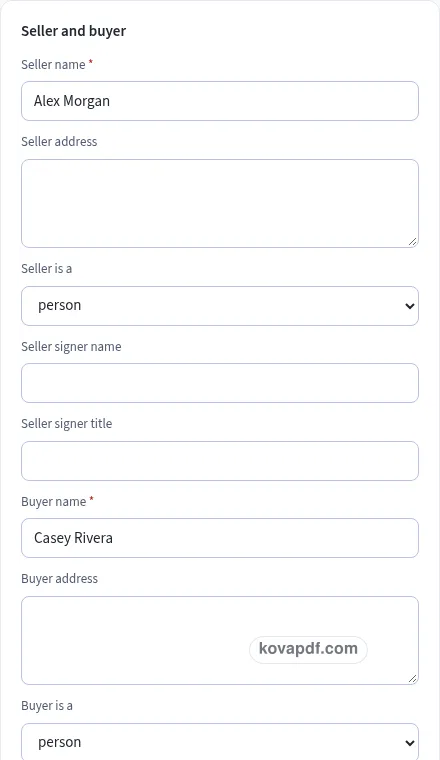
Check the page preview after changing the text. Read the amounts, dates and page breaks before exporting.
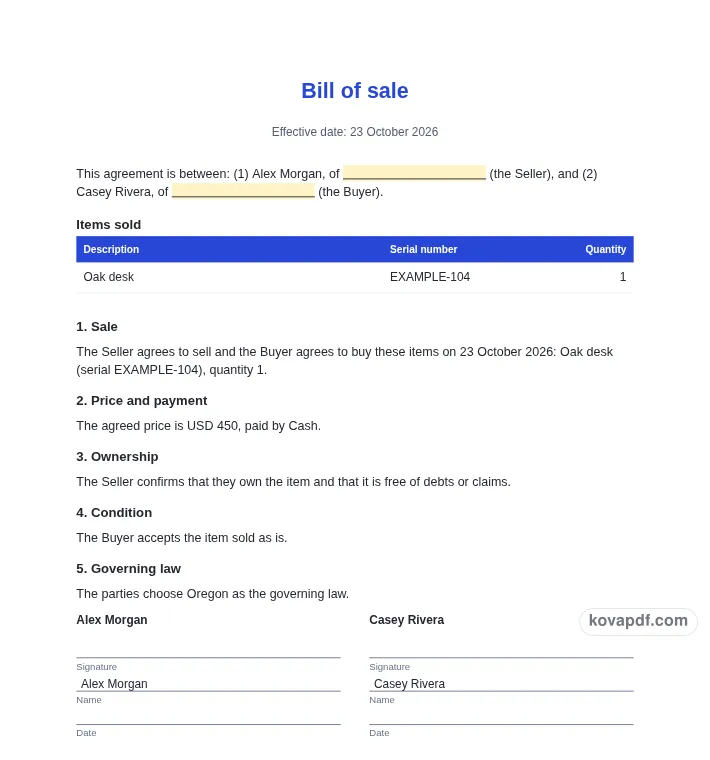
Use the download controls above the preview. Open the saved file and give it one final read before sharing.

Read the document as you fill in the form.
Compare Classic, Modern and Minimal layouts.
Save a copy when the names and figures are right.
The generator works on this device.
Use A4 or Letter and check the page breaks.
Return to the form to correct a detail before sharing.
These are fictional details. Choose an example, then replace them with your own.
Begin with seller, buyer, item descriptions, quantities, price and sale date. Keep your source notes beside you while entering them. The bill of sale preview follows those fields, so check names and dates before working on the wording. Leave a detail blank while you look it up rather than entering an answer that you have not confirmed.
Open the Text card and read each paragraph for a written record of the sale the parties intend to make. You can change individual wording, turn optional passages off and move optional passages with Up or Down. An Edited label means that paragraph now keeps your own words. Reset to default text makes it follow the fields again. Read the complete result after every substantial change.
Use the checklist and page preview to review this bill of sale. Look at the final page as well as the first one. Download PDF for a fixed page layout or Download Word (.docx) for further editing. If you change the downloaded Word file, check its page breaks again before sharing it with the intended reader.
This template is a starting point in plain English. It is not legal advice, and laws differ between states and countries. For anything important or high in value, ask a lawyer to check it before you sign. A bill of sale draft brings the seller, buyer, item description, price and sale date into one document. Enter the parties’ names and addresses so the reader can tell who is involved. If a company is involved, add the signer and title. Do not rely on a nickname or a message thread to identify an important part of the proposed transaction.
Use separate rows when the sale includes several distinct items. A useful description can include the type of item and distinguishing details. A serial number is optional, but it can help distinguish one item from another when available. Check the quantity rather than assuming one is correct. Compare the table with what the seller and buyer actually intend to include.
Avoid filling the description with claims you have not checked. The form presents your words; it does not inspect the item or verify a serial number. If accessories or other components matter, describe them explicitly. Read the entire sale clause after editing the rows because the item list becomes part of that wording.
Price and payment method describe the financial side of the proposed sale. Sold as is starts on, and you can switch to your own warranty text instead. The seller ownership statement is a separate toggle: it says the seller owns the item and it is free of debts or claims. Only include statements the seller is prepared to make. The generator does not check ownership or decide what a warranty means in a particular place.
If a date or place of delivery matters, enter it so the optional delivery clause appears. Fill in governing law rather than relying on a preselected jurisdiction; there is no default. The notary acknowledgment option adds an empty area only, with no statement about any location’s requirements. Read the proposed agreement with the other party, confirm the item and amount, and review the final PDF before either person signs.
Read the bill of sale as a recipient would. Confirm seller, buyer, item descriptions, quantities, price and sale date, then compare the wording with a written record of the sale the parties intend to make. A field can be filled in and still contain an error, so the checklist is a prompt for your review rather than proof that the document is right. Confirm condition and ownership statements instead of treating a checked box as verification. Remove notes meant only for you and make sure optional text does not contradict a sentence you have edited elsewhere.
The browser keeps this bill of sale draft on the device you are using when storage is available. Avoid leaving personal information on a shared computer. Use Clear saved details to remove this draft when you have finished, and keep a downloaded copy somewhere you control if you need it later. A PDF preserves the displayed wording and page arrangement. A Word file lets you revise the document in another editor; compare that version with your intended meaning before you send it. Preview the longest paragraphs, confirm the typed names at the end and give the file a name that helps you find the right version.
Yes. Add a row for each item and set its description, optional serial number and quantity. Read the generated sale clause afterwards to confirm that all intended items are identified clearly.
The serial field is optional. Use it when it helps identify the item, and compare it with the item or your records. A completed field does not mean the generator has checked that number.
Sold as is starts on. Turning it off uses the warranty text you supply. Review that clause carefully and seek advice where needed; the generator does not determine its effect for your transaction.
No. The ownership clause is a statement for the seller to review and make if appropriate. No ownership search or outside verification takes place when you fill in the bill of sale.
Only a Notary acknowledgment heading and blank lines. It does not contain wording about a state or country’s requirements. Check separately what, if anything, is needed for your situation.
Download Word (.docx) if you want to continue editing in another editor. Recheck the wording, item list, signatures and page arrangement after those edits before sharing a final version.