Every PDF job,
without limits.
Start free with all 50+ tools. When PDFs are part of your day, go Pro from $3.99 a month.
Free
For the odd job, now and then.
$0forever
No card. No account needed.
Start freeYou get:
- All 50+ PDF tools
- Limited use
- Web, Windows and phone apps
- Files deleted after processing
Pro Best value
For everyday document work.
$3.99/ month
Billed $83.88 $47.88 a year · save 43%
14-day money-back guarantee on your first payment
Everything in Free, plus:
- Unlimited use of every tool
- Unlimited signature requests
- Larger files with more pages
- Unlimited OCR and more AI summaries
- Unlimited offline work in the Windows app
- Priority email support
Team
For teams of 3 to 50 people.
$4.99/ month
Per user · billed $59.88 a year
$299.40 a year for 5 users
15% off for the whole team above 15 users
Everything in Pro, plus:
- Pro for every person
- One bill for the whole team
- Team chat and support requests
- Add or remove people any time
- Priority support for the team
Business
For organisations of more than 50 people.
Custom
Priced for your number of people
Get a quoteYour quote by email in minutes
Everything in Team, plus:
- Seats shared out by department
- The owner can require two-step sign-in for every member
- Help moving your team over
- A named person on our team for setup and questions
- Cancel any time
- 14-day money-back guarantee
- Secure checkout
- Files deleted after processing
Paid plans open soon. Create a free account today and you can upgrade from your account as soon as checkout is live.
Find your plan in three clicks
Optional. Answer three quick questions, or go straight to the plans above.
Your best fit
Your plan appears here
Pick an answer to each question. It takes about ten seconds.
Compare every plan instead ↓Four tools you would pay for separately
A PDF editor, an e-signature service, OCR software and a converter. Pro is all of them, in one place.
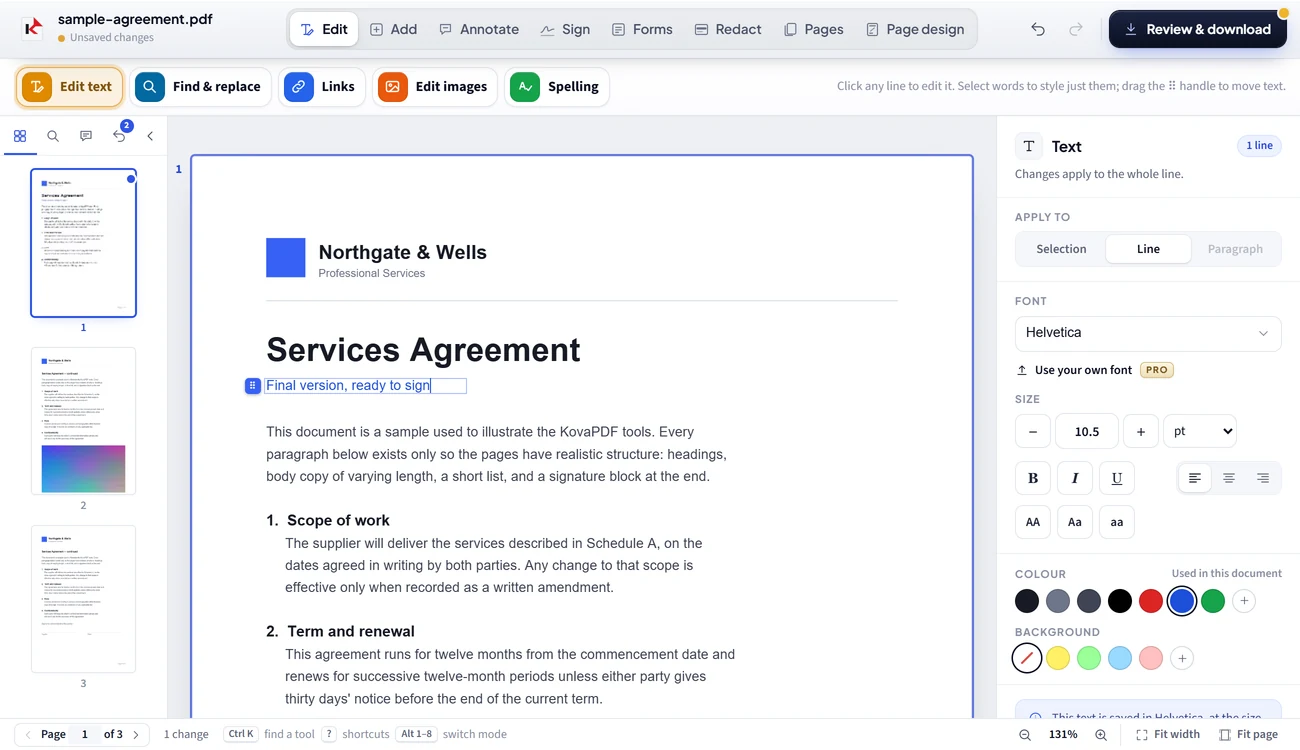
Change the words already on the page
Fix a typo, swap a date, add a logo or a signature, without starting again.
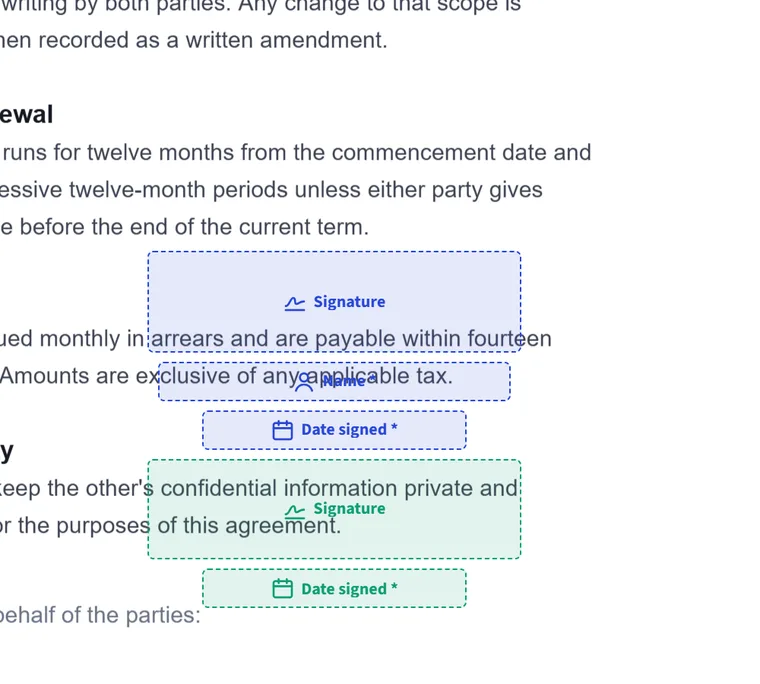
Send for signature
Place fields, add signers, get it back signed. Unlimited on Pro.
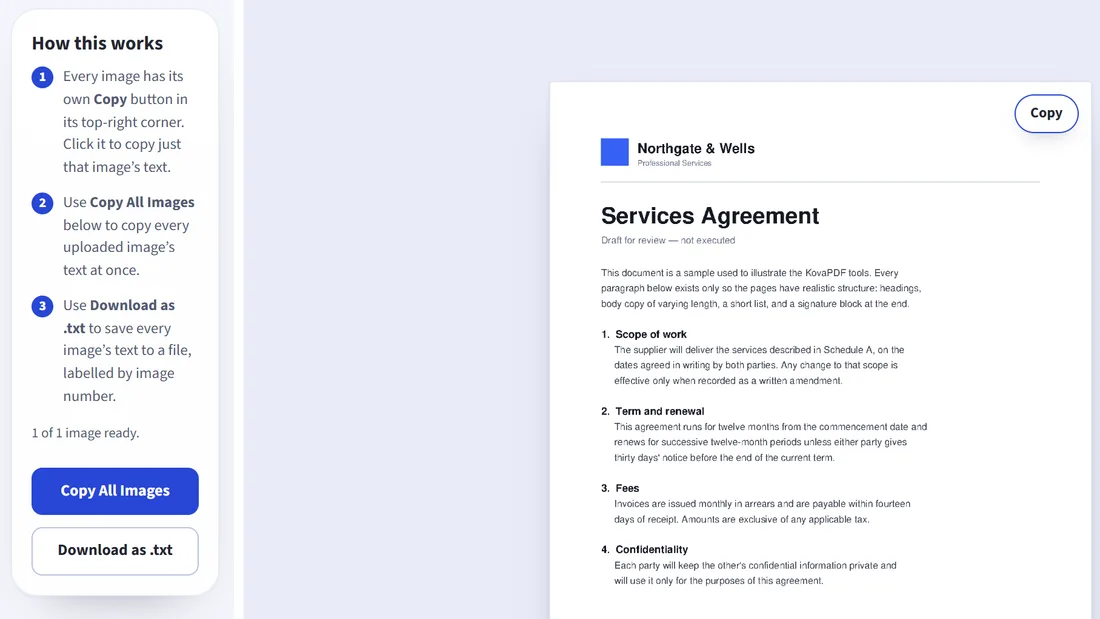
Turn scans into text you can copy
OCR in nine languages, unlimited on Pro.
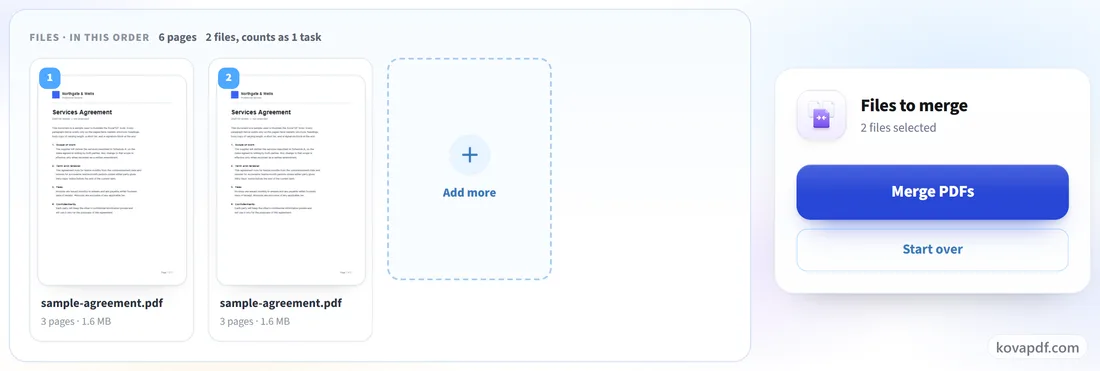
Whole folders at once
Merge, compress and convert many files in one go.
A busy day, on Free and on Pro
Free
LimitedYou have reached the free limit for nowCome back later, or go Pro to keep working.
Fine for the odd job. On a busy day, you wait.
Pro
No limitsKeep going all day. Nothing to count, nothing to wait for.
Things you will not find everywhere
Built for people who care where their documents go, and who do not always work in English.
24
tools never upload
Merge, Split, Protect and more run entirely in your browser.
Offline
Windows app
Keep working on a plane or a bad connection.
27
languages
The whole site, not just the menus.
9
OCR languages
Including Spanish, Portuguese, Arabic and Chinese.
The plans, side by side
| Feature | Free$0 | Pro$3.99 / mo | Team$4.99 / user | BusinessCustom |
|---|---|---|---|---|
| All 50+ PDF tools | Free | Pro | Team | Business |
| Tasks | FreeLimited | ProUnlimited | TeamUnlimited | BusinessUnlimited |
| Pages per document | FreeLimited | ProMore pages | TeamMore pages | BusinessMore pages |
| File size | FreeLimited | ProLarger files | TeamLarger files | BusinessLarger files |
| Signature requests | FreeLimited | ProUnlimited | TeamUnlimited | BusinessUnlimited |
| OCR | FreeLimited | ProUnlimited | TeamUnlimited | BusinessUnlimited |
| AI summaries | FreeLimited | ProMore AI summaries | TeamMore AI summaries | BusinessMore AI summaries |
| Windows app offline | FreeLimited | ProUnlimited | TeamUnlimited | BusinessUnlimited |
| Support | FreeStandard | ProPriority | TeamPriority | BusinessDedicated |
| One bill for the team | Free– | Pro– | Team | Business |
See all 49 featuresShow fewer features
| Feature | Free | Pro | Team | Business |
|---|---|---|---|---|
| Usage | ||||
| PDF tools | FreeAll 50+ | ProAll 50+ | TeamAll 50+ | BusinessAll 50+ |
| Tasks | FreeLimited | ProUnlimited | TeamUnlimited | BusinessUnlimited |
| File size | FreeLimited | ProLarger files | TeamLarger files | BusinessLarger files |
| Pages per document | FreeLimited | ProMore pages | TeamMore pages | BusinessMore pages |
| Files at once (batch)Larger batches with a free account | Free | Pro | Team | Business |
| Use without an account | Free | Pro– | Team– | Business– |
| Compress | ||||
| Compress PDFThree levels | FreeLimited | Pro | Team | Business |
| Compress to an exact sizeFor upload forms with a KB or MB limit | FreeLimited | Pro | Team | Business |
| SmartShrinkFewer pages, same content | FreeLimited | Pro | Team | Business |
| Convert | ||||
| PDF to and from Word | FreeLimited | Pro | Team | Business |
| PDF to and from Excel | FreeLimited | Pro | Team | Business |
| PDF to and from PowerPoint | FreeLimited | Pro | Team | Business |
| PDF to and from imagesJPG, PNG and more | FreeLimited | Pro | Team | Business |
| PDF to PDF/AFor archives and government portals | FreeLimited | Pro | Team | Business |
| HTML, ZIP, CSV and text to PDF | FreeLimited | Pro | Team | Business |
| Organise | ||||
| Merge PDF | FreeLimited | Pro | Team | Business |
| Split PDF | FreeLimited | Pro | Team | Business |
| Rotate, delete and reorder pages | FreeLimited | Pro | Team | Business |
| Crop and resize pages | FreeLimited | Pro | Team | Business |
| Page numbers, header and footer | FreeLimited | Pro | Team | Business |
| Edit | ||||
| PDF EditorChange the text already on the page | FreeLimited | Pro | Team | Business |
| Edit scanned PDFs | FreeLimited | Pro | Team | Business |
| Watermark | FreeLimited | Pro | Team | Business |
| RedactRemove text for good | FreeLimited | Pro | Team | Business |
| PDF forms | FreeLimited | Pro | Team | Business |
| Repair and enhance scans | FreeLimited | Pro | Team | Business |
| Sign | ||||
| Sign PDFDraw, type or upload your signature | FreeLimited | Pro | Team | Business |
| Digital signatureWith your own certificate | FreeLimited | Pro | Team | Business |
| Request signaturesSend a PDF to others to sign | FreeLimited | ProUnlimited | TeamUnlimited | BusinessUnlimited |
| Verify signaturesWith a full report | FreeLimited | Pro | Team | Business |
| Read and AI | ||||
| OCR: make scans searchableNine languages, including Spanish, Arabic and Chinese | FreeLimited | Pro | Team | Business |
| Image to text and PDF to text | FreeLimited | Pro | Team | Business |
| AI summaries | FreeLimited | ProMore | TeamMore | BusinessMore |
| Translate PDF | FreeLimited | Pro | Team | Business |
| Secure | ||||
| Protect PDF with a password | FreeLimited | Pro | Team | Business |
| Unlock PDF | FreeLimited | Pro | Team | Business |
| Encrypted file transfers | Free | Pro | Team | Business |
| Files deleted after processing | Free | Pro | Team | Business |
| Tools that never upload your file | Free24 tools | Pro24 tools | Team24 tools | Business24 tools |
| Apps | ||||
| Web app, in any browser | Free | Pro | Team | Business |
| Phone app, installed from the browser | Free | Pro | Team | Business |
| Windows app: offline work | FreeLimited | ProUnlimited | TeamUnlimited | BusinessUnlimited |
| Support and billing | ||||
| Help centre and step-by-step guides | Free | Pro | Team | Business |
| Email support | FreeStandard | ProPriority | TeamPriority | BusinessDedicated |
| Invoice for every payment | Free– | Pro | Team | Business |
| One bill for the whole team | Free– | Pro– | Team | Business |
| Add or remove users at any time | Free– | Pro– | Team | Business |
| Volume discount | Free– | Pro– | Team15% above 15 users | BusinessCustom pricing |
| Help moving your team over | Free– | Pro– | Team– | Business |
Unlimited plans are for your own work and your team's, under fair use: automated or extremely heavy use may be slowed so the service stays fast for everyone.
Plans and billing, answered
What do I get on the Free plan?
Every KovaPDF tool, with limits on how much you can do. You do not need an account, and your files are handled with the same care as on any paid plan.
Why upgrade to Pro?
Pro lifts the limits: unlimited tasks and OCR, unlimited signature requests, larger files with more pages, more AI summaries, unlimited offline work in the Windows app and priority email support.
What does unlimited mean?
There is no count of tasks or signature requests on Pro, Team and Business. Fair use applies: the plans are for your own work and your team's, and automated or extremely heavy use may be slowed so the service stays fast for everyone. Files, pages per file and AI summaries are more generous than on Free, but not unlimited.
How does Team pricing work?
Team is priced per user, from 3 to 50 users. Above 15 users the whole team gets 15% off. Everyone is billed together on one invoice, and the team's Owner can add or remove users at any time. For more than 50 users, Business gives you a custom offer.
Can I switch plans or cancel?
Yes. You can switch between monthly and yearly billing and cancel whenever you like, from Plan & billing in your account. After cancelling, your plan stays active until the end of the period you paid for. To move between Pro and Team, write to us and we will move you over.
Can I get a refund?
Yes. If a new subscription is not right for you, ask within 14 days of your first payment and we will refund it in full. The details are in our refund policy.
Which payment methods can I use?
Credit and debit cards, PayPal, Apple Pay and Google Pay. We collect payments securely through Lemon Squeezy, our merchant of record. Your card details go straight to them and never touch our servers.
Do prices include tax?
Prices are shown in US dollars. Any sales tax or VAT that applies in your country is calculated at checkout before you pay.
Can I get an invoice with my company details?
Yes. Every payment comes with an invoice, and you can add your company name, address and VAT number at checkout.
Are my files safe on every plan?
Yes. Encrypted transfers, deletion after processing and the tools that never upload your file are the same on every plan, Free included.
Start free today. Upgrade when it pays for itself.
14-day money-back guarantee · Cancel any time