Preview every page
Read the document as you fill in the form.
Record a rent payment with the tenant, property and period in one place. Add an optional balance remaining and signature space.
6 things missing
These pictures show the same document generator with fictional example details.
Replace the example names and contact details in the form. Keep only information that belongs in this document.
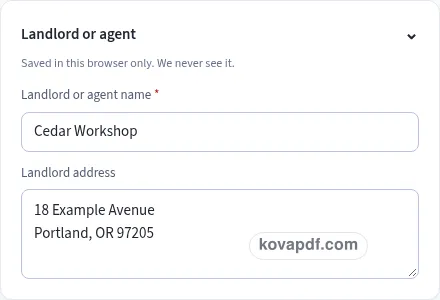
Check the page preview after changing the text. Read the amounts, dates and page breaks before exporting.
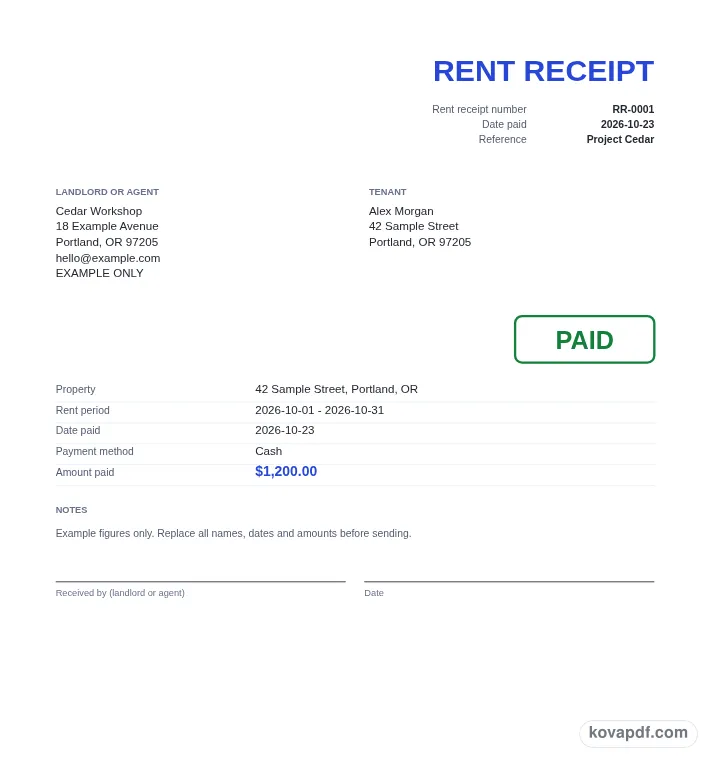
Use the download controls above the preview. Open the saved file and give it one final read before sharing.

Read the document as you fill in the form.
Compare Classic, Modern and Minimal layouts.
Save a copy when the names and figures are right.
The generator works on this device.
Use A4 or Letter and check the page breaks.
Return to the form to correct a detail before sharing.
These are fictional details. Choose an example, then replace them with your own.
Enter the landlord or agent name and the tenant name. Fill in the property address and choose the start and end of the rent period. Read the address as its own entry so the receipt clearly relates to the intended property.
Choose Date paid, enter the amount and select the payment method. Add rent still owed for this period only if you want a balance remaining printed. Keep the payment amount separate from that optional remaining figure.
Review the property, period and payment details in the two-column preview. Decide whether to show the PAID mark and the landlord or agent signature line. Download the receipt after checking the number and the amount against your payment record.
A rent receipt is a record of rent paid for a particular property and period. The tenant name identifies the payer, while the landlord or agent name identifies the person issuing the receipt. Put each name in its own field rather than combining them with an address or a payment note. Separate entries make the finished document easier to read when someone returns to it later.
The property address deserves a careful check, especially when one landlord or agent handles several properties. Include the part of the address that distinguishes this tenancy in your records. A business correspondence address in the landlord block is not a substitute for the property field. The document prints the property in its details table so the reader can connect the payment with the place it concerns.
Use Rent period from and Rent period to to show the period covered by the recorded payment. These dates are different from Date paid. The payment might have been received on a day that is not the first or last day of that period. Read all three dates before saving, and compare them with the record you use to track the tenant's payments.
Amount paid records the money received for the period shown. It is required and prints as the main amount in the receipt's detail table. Choose the country to set the currency used for the figures, then confirm the displayed currency before typing the amount. This page does not include a tax calculation or an item-pricing table. Its focus is the rent payment you are recording.
Rent still owed for this period is optional. If you enter a value, the PDF adds Balance remaining. Leaving that field empty leaves the balance row out. Keep the amount paid and the amount remaining distinct: entering the full period's rent in the paid field would describe a different payment if only part of it has been received. Compare both figures with your own records before sharing the document.
The payment method selector includes Cash, Card, Bank transfer, Cheque or check, Online payment and Other. Selecting a method prints a description of the payment; it does not receive money or connect to an account. Confirm the payment using the records you normally rely on, then choose the method that describes it. Notes can explain a detail that would otherwise be unclear, without changing the named amount fields.
Show PAID mark begins enabled. It adds the green PAID outline used on a payment receipt. You can turn it off if you prefer a simpler page. The recorded amount and optional balance still need to be read in their own rows, because a stamp cannot explain the period or amount by itself. Check those entries together before choosing the final appearance.
Add signature line also begins enabled. It leaves spaces for Received by (landlord or agent) and Date. The generator lays out those spaces on the PDF; it does not obtain a signature or decide who should sign a particular receipt. Fill or use the document in the way you intend, and check that the landlord or agent name at the top is correct.
The starting receipt number is RR-0001. You can type a number that fits your rent-payment records before downloading. The next stored number keeps the prefix and leading zeros, helping the next receipt begin with a separate reference. Make another keeps the landlord details and design while starting a fresh rent receipt, so enter the next tenant, property, period and payment rather than assuming those details should carry over.
Download the finished file if you need a copy to keep or give to the tenant. A browser draft can help you continue editing on this device, but it stays in this browser. Review the final PDF, including any notes on a later page, and clear saved details when using a computer that someone else can access.
This form separates the rent period's start and end from Date paid. Enter the period the payment covers, then record the day the payment was received. Read those dates together so the receipt does not confuse a payment day with a period boundary.
Enter the amount received in Amount paid. If you want to show an amount still owed for that period, fill in the optional remaining-rent field. The PDF prints it as Balance remaining, separate from the payment amount.
Leave Add signature line on in Notes and signature. The document includes a line labelled Received by (landlord or agent) and a Date line. Turn the option off if you want the receipt without those spaces.
The first name field is Landlord or agent name, so you can identify the person or business issuing the receipt. Add the tenant and property separately. Check that the names describe the payment record you want to give the tenant.
The rent receipt has no tax calculation. It presents the property, rent period, payment date, method and amount, with an optional balance remaining. It does not supply rules about your property or decide how a payment should be treated.
Complete the marked fields and choose Download PDF. You can inspect the receipt in the preview first and change the design or PAID mark. The generator does not require an account to make that document download.