Preview every page
Read the document as you fill in the form.
Record a credit against an earlier invoice. Identify the original document, explain the reason and show the amounts being credited.
4 things missing
This tool helps you lay out a credit note; it is not tax advice.
These pictures show the same document generator with fictional example details.
Replace the example names and contact details in the form. Keep only information that belongs in this document.
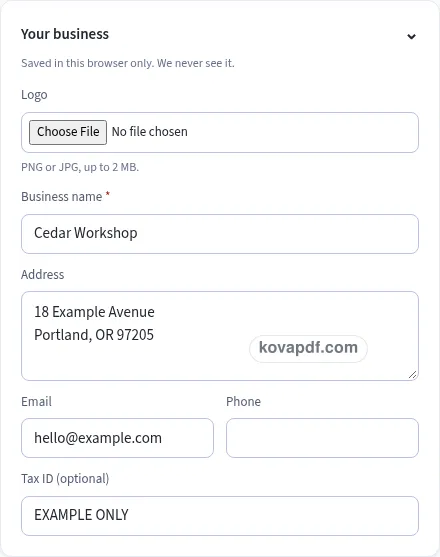
Check the page preview after changing the text. Read the amounts, dates and page breaks before exporting.
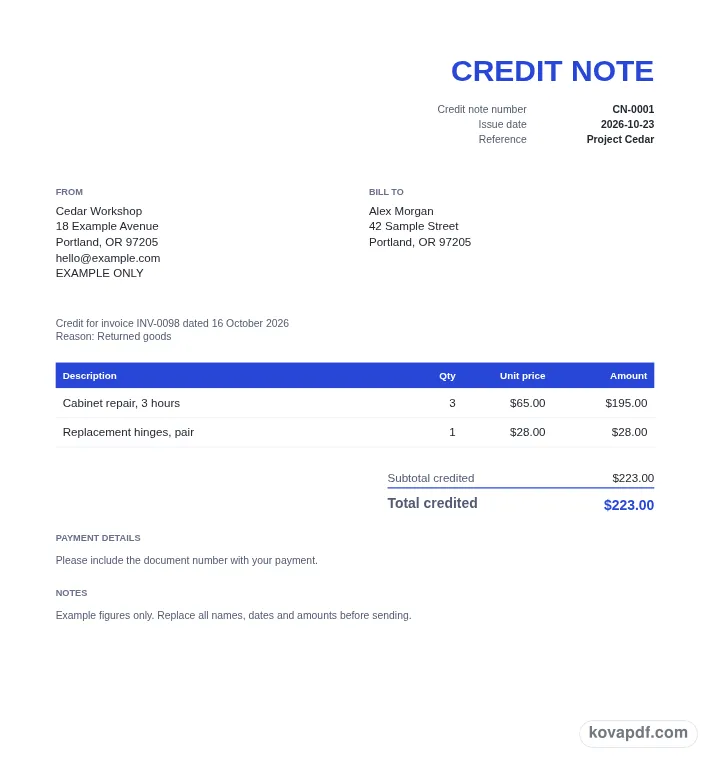
Use the download controls above the preview. Open the saved file and give it one final read before sharing.

Read the document as you fill in the form.
Compare Classic, Modern and Minimal layouts.
Save a copy when the names and figures are right.
The generator works on this device.
Use A4 or Letter and check the page breaks.
Return to the form to correct a detail before sharing.
These are fictional details. Choose an example, then replace them with your own.
Enter the credit note number and issue date, then add the original invoice number and date. Check those references against the document you are changing. Add your business and the customer so the credit can be connected with the right account.
Choose the reason for the credit, or select Other and write your explanation. Describe the credited items and enter positive quantities and prices. The resulting amounts are labelled as credited in the totals rather than being shown as a new charge.
Read the original-invoice reference, reason and total credited in the preview. Check the selected country settings and any related checklist entries. Download the PDF once the required fields are complete and the document describes the credit you intend to record.
A credit note should be easy to connect with the earlier invoice. Use the original invoice number and original invoice date fields rather than leaving that connection to a separate message. The PDF prints the reference under the parties block, so the reader can find it before reaching the credited items. Compare both fields with the source invoice before you finish.
Give the new credit note its own number. The starting pattern is CN-0001, which helps distinguish it from an invoice number in the same folder. Your credit note date identifies this document, while the original invoice date identifies the earlier one. They have different purposes, so check each rather than copying one date into both fields by habit.
The reason selector offers Returned goods, Overcharge or pricing error, Agreed discount, Cancelled order, and Other. If none of the named choices describes what you mean, choose Other and write the reason. Keep that explanation specific enough for the customer to recognise the change. The reason is printed with the original-invoice reference, placing the explanation close to the document it concerns.
Type credit note item amounts as positive numbers. The table describes the quantities and prices being credited, and the totals use Subtotal credited and Total credited. That wording makes the direction of the document visible without requiring a reader to interpret a list of negative item prices. If a value is entered with a minus sign, the form asks you to correct it before downloading.
Use a separate description for each item being credited. When only part of an earlier line is affected, make the quantity and description clear enough to read alongside the original invoice. Check the unit price and selected rate against the details you intend to credit. A familiar item name is not enough to catch a copied price or a quantity that should have been smaller.
The totals group tax by rate and label the tax amounts as credited. Read the net subtotal, the tax rows and the credited total together. The generator produces a document from those inputs; it does not change an account balance elsewhere or make a refund. Keep the final PDF with the original invoice and the records you use to track the change, so you can read the two documents together later.
For a UK VAT credit note, the checklist covers the credit note number and issue date; your name, address and VAT registration number; the customer's name and address; item descriptions; quantity and amount for each item; total credited excluding VAT; VAT rate and VAT amount credited in sterling; and the number and date of the original invoice. HMRC expects a VAT credit note to be issued within 14 days of the refund being made to the customer.
The Irish checklist includes the issue date, a unique number, your full name, address and VAT number, and the customer's full name, address and VAT number. It also covers the reason, a reference to the original invoice, the amended amount, the VAT rates that applied on the original invoice, and the VAT amount at each rate.
The UK option also provides No VAT adjustment. Enabling it removes the VAT column and VAT rows and prints This is not a credit note for VAT below the title block. Review the wording and the table together when using that setting. It changes what the document shows, so do not treat it as a purely visual style choice.
For US, Canada, Australia and Other, the credit note checklist is a good-practice review of number, date, original invoice, reason, customer and amounts. No additional legal rules are supplied for those selections. Use the checklist to locate incomplete entries, and make your own review of the figures before sharing. You can change design and paper without rewriting the item descriptions, then download the credit note without an account. Saved business information stays in this browser; remove it when you have finished on a shared device.
Enter the original invoice number and original invoice date as well as the credit note's own number and issue date. The PDF prints a reference linking the credit to that earlier document. Check the reference against your source invoice before saving.
Use positive item quantities and prices for this generator. The document labels the figures as credited amounts and ends with Total credited. A negative unit price is flagged so you can correct it before exporting this credit note.
Choose Other in Reason and type the explanation in the field that appears. That text is required when Other is selected. The PDF places the reason beneath the parties, near the reference to the original invoice.
It hides the VAT column and VAT totals rows and adds This is not a credit note for VAT under the title block. The original-invoice reference, reason and credited item amounts remain in the document for your review.
The download creates a PDF only. It does not move money, update a customer account or send the document to anyone. Use your own process to record the credit, arrange any related payment and share the finished note.
A longer list is paginated with its table heading repeated. Look at every page and check the last page for the total credited and any closing notes. The preview shows the layout used to make the downloadable PDF.