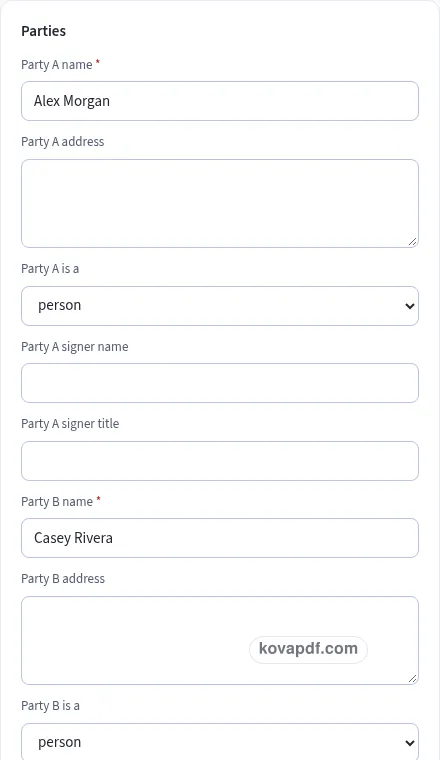
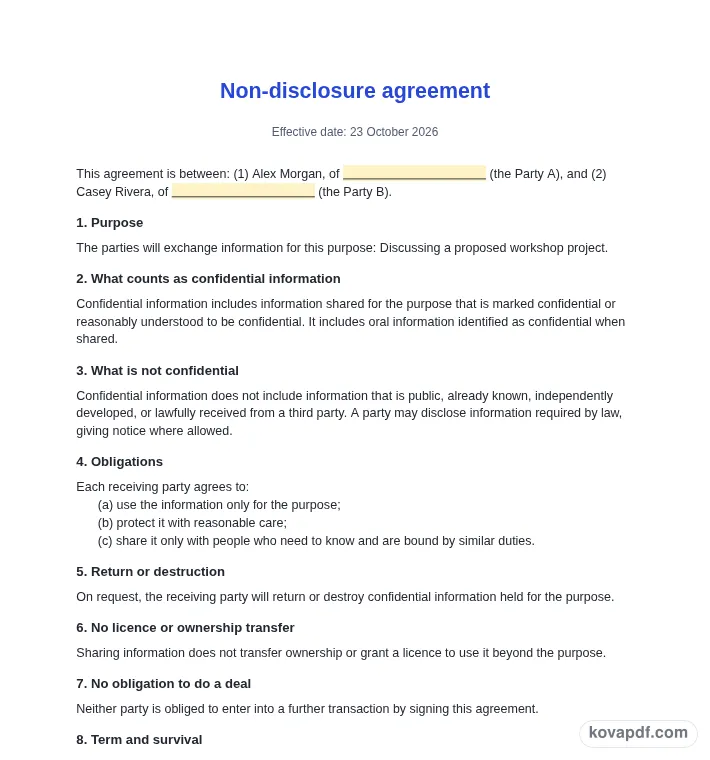
These pictures show the same document generator with fictional example details.
1
Add your own details
Replace the example names and contact details in the form. Keep only information that belongs in this document.
Add your own details
2
Read the filled document
Check the page preview after changing the text. Read the amounts, dates and page breaks before exporting.
Read the filled document
3
Save the checked copy
Use the download controls above the preview. Open the saved file and give it one final read before sharing.
Save the checked copy
What you get
Preview every page
Read the document as you fill in the form.
Three document styles
Compare Classic, Modern and Minimal layouts.
Download a PDF
Save a copy when the names and figures are right.
Details stay here
The generator works on this device.
Choose paper size
Use A4 or Letter and check the page breaks.
Keep editing
Return to the form to correct a detail before sharing.
Examples
These are fictional details. Choose an example, then replace them with your own.
How to make your nda
1
Gather the details for this draft
Begin with both parties, the purpose, agreement term, governing law and signer names. Keep your source notes beside you while entering them. The nda preview follows those fields, so check names and dates before working on the wording. Leave a detail blank while you look it up rather than entering an answer that you have not confirmed.
2
Read and edit the text
Open the Text card and read each paragraph for a proposed confidentiality arrangement the parties can read and discuss. You can change individual wording, turn optional passages off and move optional passages with Up or Down. An Edited label means that paragraph now keeps your own words. Reset to default text makes it follow the fields again. Read the complete result after every substantial change.
3
Check the finished document
Use the checklist and page preview to review this nda. Look at the final page as well as the first one. Download PDF for a fixed page layout or Download Word (.docx) for further editing. If you change the downloaded Word file, check its page breaks again before sharing it with the intended reader.
Begin with the purpose and the people
This template is a starting point in plain English. It is not legal advice, and laws differ between states and countries. For anything important or high in value, ask a lawyer to check it before you sign. Choose Mutual when both parties intend to share confidential information, or One-way when the draft describes a disclosing party and a receiving party. Enter each person or company, address and signer details. The purpose should describe the discussion or project the information will support. A specific purpose makes the later use restriction easier to read than a phrase that could cover almost any activity.
Decide what information the draft covers
The confidentiality clause describes information marked confidential or reasonably understood to be confidential. You can include oral information identified as confidential when it is shared. Read that choice alongside how the parties actually plan to exchange information. If meetings, demonstrations or written files need different wording, edit the clause to say what the parties intend and have the result reviewed where appropriate.
The exclusions identify public information, information already known, independently developed information and material lawfully received from a third party. The draft also addresses disclosure required by law with notice where allowed. These are clauses proposed for the parties to consider, not a guarantee about how a particular dispute would be decided.
Read the obligations as practical working instructions
The receiving party’s duties concern use for the purpose, reasonable care and sharing only with people who need to know and have similar duties. Think about who will handle the information and whether the wording reflects that plan. Return or destruction on request, ownership, and the absence of an obligation to do a deal are separate clauses. Check each rather than assuming a single confidentiality sentence settles every issue.
Choose the term and review the optional clauses
Set the agreement term and the period confidentiality continues after it ends. The draft offers a separate trade-secret wording choice without determining whether any particular information is a trade secret. Non-solicitation starts off. Governing law is empty so you can fill in the choice the parties intend to make. The remedies clause says a party may seek a court order; it promises no result. The counterpart clause records the parties’ agreement to accept electronic signatures.
Review your nda before sharing
Read the nda as a recipient would. Confirm both parties, the purpose, agreement term, governing law and signer names, then compare the wording with a proposed confidentiality arrangement the parties can read and discuss. A field can be filled in and still contain an error, so the checklist is a prompt for your review rather than proof that the document is right. Ask a lawyer to check important or high-value arrangements before anyone signs. Remove notes meant only for you and make sure optional text does not contradict a sentence you have edited elsewhere.
The browser keeps this nda draft on the device you are using when storage is available. Avoid leaving personal information on a shared computer. Use Clear saved details to remove this draft when you have finished, and keep a downloaded copy somewhere you control if you need it later. A PDF preserves the displayed wording and page arrangement. A Word file lets you revise the document in another editor; compare that version with your intended meaning before you send it. Preview the longest paragraphs, confirm the typed names at the end and give the file a name that helps you find the right version.
Common questions
Should I choose mutual or one-way?
Choose the arrangement that matches the proposed information exchange. Mutual describes both parties sharing information. One-way identifies a disclosing party and a receiving party. Review the resulting wording before relying on that choice.
Can oral discussions be included?
There is a toggle for oral information identified as confidential when shared. Decide whether that fits the planned discussions, then read the clause with the other definitions and exclusions in the draft.
Is non-solicitation included automatically?
No. That optional clause starts off. Turn it on only if you intend to propose it, and review its wording carefully with the rest of the agreement before asking anyone to sign.
Why is governing law blank?
The generator offers no default choice. Enter the wording the parties intend to use. If you are unsure what belongs there, get appropriate advice rather than copying a jurisdiction from an unrelated agreement.
Does the remedies clause promise a court order?
No. It says a disclosing party may seek a court order to stop a breach. The draft does not promise that a court will grant one or decide the issue in a particular way.
Can I send the completed NDA for signature?
The Send for signature button prepares the PDF and carries it to the existing request tool. First review every clause and signer detail. The handoff does not itself sign or send the agreement.
KovaPDF uses a few first-party cookies to keep you signed in, apply fair-use limits and count visits for our own statistics. No advertising, no cross-site tracking.How we use cookies