Preview every page
Read the document as you fill in the form.
Lay out an Irish VAT invoice with a rate breakdown and a checklist that follows your settings. Download after reviewing the pages.
6 things missing
If the supply happened on a different day from the invoice date, add it.
Simplified invoices may be used for amounts up to €100.
Based on official guidance from the Revenue Commissioners, checked 22 October 2026. This tool helps you lay out an invoice; it is not tax advice.
These pictures show the same document generator with fictional example details.
Replace the example names and contact details in the form. Keep only information that belongs in this document.
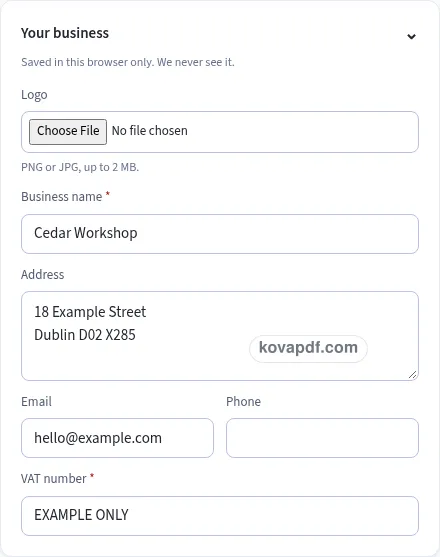
Check the page preview after changing the text. Read the amounts, dates and page breaks before exporting.
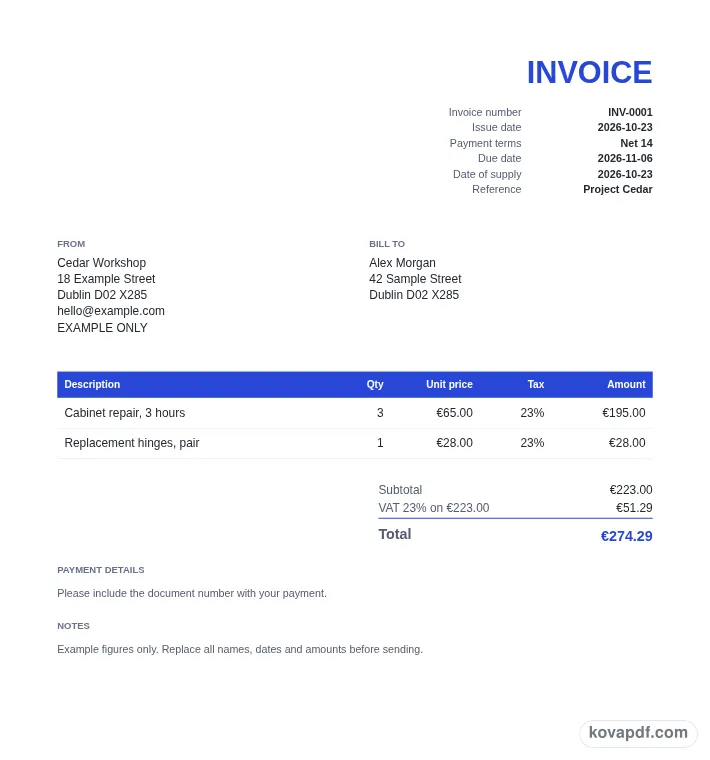
Use the download controls above the preview. Open the saved file and give it one final read before sharing.

Read the document as you fill in the form.
Compare Classic, Modern and Minimal layouts.
Save a copy when the names and figures are right.
The generator works on this device.
Use A4 or Letter and check the page breaks.
Return to the form to correct a detail before sharing.
These are fictional details. Choose an example, then replace them with your own.
Add your full business name, address and VAT number. Enter the customer's full name and address as well. These are separate checklist items, so read both blocks in the preview before spending time choosing the invoice's colours or paper.
Choose a sequential invoice number, set the issue date, and use Date of supply when needed. Describe each item and enter its quantity and unit price excluding VAT. Select the rate for each row and add any discount in Tax & totals.
If reverse charge is selected, enter the customer VAT number and review the printed note. For a currency other than EUR, enter the euro exchange rate. Check the VAT breakdown and total before downloading your Irish invoice as a PDF.
The registered invoice checklist begins with the date of issue and a unique sequential number. Keep a numbering pattern you can follow when preparing the next invoice. The seller block contains your full name, address and VAT number. The customer block contains the customer's full name and address. Reading those blocks together helps you catch an address that has been left out or placed in the wrong field.
Each item needs its quantity and description, followed by the unit price excluding VAT. The checklist also covers any discount shown, VAT broken down by rate and the total VAT. Those amounts are placed together in the totals area rather than mixed into a description. If you enter a discount, check the resulting net and the rate breakdown before sharing the document.
Date of supply is a separate field in Invoice details. The checklist passes when it has a value or when an issue date is set. If the supply happened on a different day from the invoice date, add it. Keeping a dedicated supply field avoids putting a significant date inside an unrelated note where the customer might overlook it. The preview shows the dates alongside the document number for a final reading check.
The preset line choices on this page are 23%, 13.5%, 9%, 4.8%, 0% and Exempt. Choose the applicable entry for each item; the generator cannot decide that choice for you. Items at the same rate are combined for the breakdown, and exempt lines do not receive a VAT totals row. A rate row identifies its percentage and the net amount on which it was calculated.
The Reverse charge toggle starts off. When it is turned on, all lines use 0%, the customer VAT number becomes required, and Reverse charge applies is printed below the totals. The checklist adds a check for that customer number and note. Check this setting explicitly rather than assuming an item rate alone creates the same document wording. Switching it off returns the calculation to the line rate choices.
An Irish invoice starts in EUR. If you select another currency, the exchange-rate field asks how much EUR equals one unit of that currency. A Total VAT in EUR row is then added to the totals. The non-euro checklist includes euro amounts shown. Enter a positive rate and read the converted figure alongside the original VAT amount before you finish the document.
Simplified invoices may be used for amounts up to €100. This page supplies a layout for the listed invoice information and keeps its checks visible while you type. The checklist is there to help you review your entries; it does not choose the treatment of a sale or provide tax advice. The guidance note below it identifies the source and the date on which the supplied facts were checked.
Write an item description that the customer can connect with the work or goods. Use the payment box for account instructions, Notes for an explanation, and Terms for any closing text you want printed. These blocks follow the totals in the PDF. Long descriptions wrap within the item column, and a longer list continues across pages with its table header repeated.
Choose a style after the amounts are settled so the final review focuses on both content and appearance. A4 is the initial paper for this page. The PDF has no generator branding line, and an optional uploaded logo stays with your business details in this browser. Download a copy and check the number in the filename. When preparing a fresh invoice, Make another clears the items while retaining the seller and design. If you are working on a shared computer, clear the saved details when your document is finished.
Review the issue date, unique sequential number, seller's full name, address and VAT number, and the customer's full name and address. Add quantity, description and unit price excluding VAT for each item, show any discount, and check the VAT breakdown, total VAT and supply date.
Turn on Reverse charge in Tax & totals. The form then requires the customer VAT number, calculates the lines at 0%, and prints Reverse charge applies below the totals. Read the customer's number and the note together in the preview.
Select another currency and enter the exchange rate into EUR. The totals add Total VAT in EUR and the checklist asks for euro amounts shown. The converted VAT is rounded before it is printed on the document.
Use Discount in Tax & totals and choose a percentage or fixed amount. It is shared proportionally across item lines before the tax groups are calculated. A separate discount row lets you see its effect below the subtotal.
The supply-date check can pass using the issue date. Add the actual supply date in its own field if the supply happened on a different day. That field is labelled Date of supply on this Irish version.
This browser can restore the seller details, logo, design and saved draft. Those entries are stored on this device and are not uploaded by the generator. The Clear saved details control removes them from this browser when you choose to clear them.