Preview every page
Read the document as you fill in the form.
Fill in your details, edit the lease agreement (residential) text and check each page before downloading.
1 Tick the box → 2 Remove DRAFT (optional) → 3 Download, sign or send
↑ Tick the box in Step 1 to remove DRAFT and sign.
These pictures show the same document generator with fictional example details.
Replace the example names and contact details in the form. Keep only information that belongs in this document.
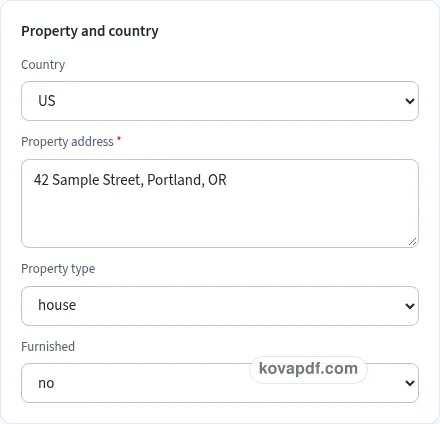
Check the page preview after changing the text. Read the amounts, dates and page breaks before exporting.
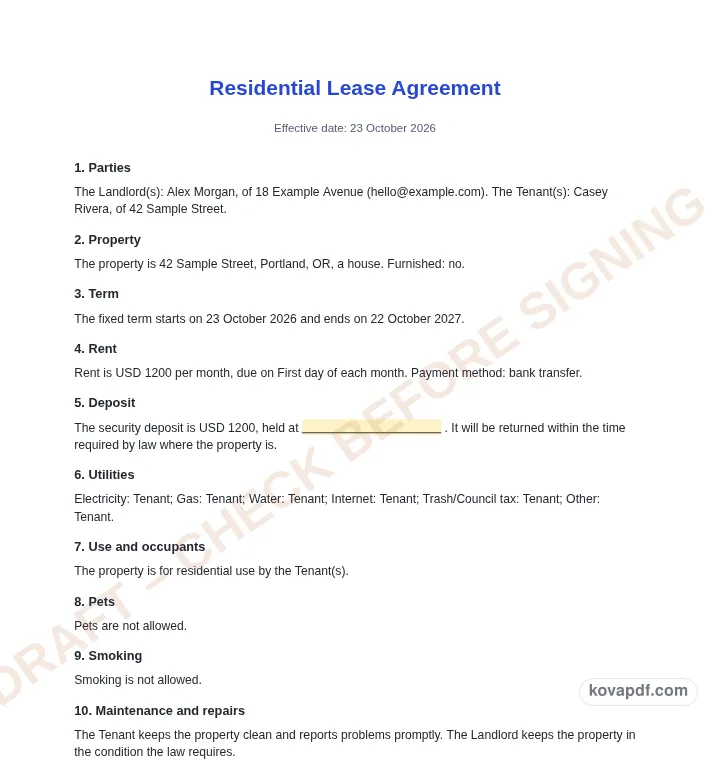
Use the download controls above the preview. Open the saved file and give it one final read before sharing.

Read the document as you fill in the form.
Compare Classic, Modern and Minimal layouts.
Save a copy when the names and figures are right.
The generator works on this device.
Use A4 or Letter and check the page breaks.
Return to the form to correct a detail before sharing.
These are fictional details. Choose an example, then replace them with your own.
Begin with landlord and tenant names, property, term, rent, due day and deposit. Keep your source notes beside you while entering them. The lease agreement (residential) preview follows those fields, so check names and dates before working on the wording. Leave a detail blank while you look it up rather than entering an answer that you have not confirmed.
Open the Text card and read each paragraph for a residential rental draft that can be checked where the property is. You can change individual wording, turn optional passages off and move optional passages with Up or Down. An Edited label means that paragraph now keeps your own words. Reset to default text makes it follow the fields again. Read the complete result after every substantial change.
Use the checklist and page preview to review this lease agreement (residential). Look at the final page as well as the first one. Download PDF for a fixed page layout or Download Word (.docx) for further editing. If you change the downloaded Word file, check its page breaks again before sharing it with the intended reader.
Rental law is different in every state and country, and it changes. This template is a plain-English starting point, not legal advice. Before you or your tenant sign, have it checked by a lawyer or against the official rules where the property is.
Start with the names of every landlord and tenant you intend to include. The form has room for up to three landlords and six tenants. Add the property address carefully and describe whether it is a house, apartment, room or another type of home. Furnishing and parking details should reflect the arrangement you are proposing, rather than a description copied from a different property.
Choose a fixed term with start and end dates or a periodic arrangement with a start date. Enter rent, currency, payment period and due day together. A weekly rent and a monthly rent should be easy to distinguish in the finished draft. Describe how payment is intended to be made and include the details needed to understand that method.
Late fees start off. If you include one, review the amount and grace days and the reminder that it is only for use if allowed where the property is. The deposit paragraph uses the fixed return wording within the time required by law where the property is. This draft supplies no number of days or country-specific deposit policy.
Use the utilities list to identify Landlord, Tenant or Shared for each named service. Check the list with the other party instead of assuming the payer is understood. Occupants, pets, smoking, parking and subletting can each affect how the proposed arrangement reads. Keep the descriptions consistent with one another, including any optional condition you write about pets.
The entry-notice field is deliberately empty. Fill it only after checking the intended wording against the rules where the property is. The maintenance, alterations, notices and move-out paragraphs are editable so you can review the whole draft with the person checking it. Do not use the country selector as a substitute for that review.
In the US, for most homes built before 1978, landlords must give tenants a lead-based paint disclosure and the official lead pamphlet before the lease starts. The US pre-1978 toggle appends the supplied disclosure attachment and shows the pamphlet reminder. Review its blank descriptions, initials and certification lines separately from the lease clauses.
Draft downloads keep a diagonal review watermark. Tick the Step 1 card only when you intend to have the lease checked as it describes. That unlocks the choice to remove the watermark and the signing handoffs. It does not certify the draft. A final boxed reminder remains in PDF and Word even after the watermark is removed.
Read the lease agreement (residential) as a recipient would. Confirm landlord and tenant names, property, term, rent, due day and deposit, then compare the wording with a residential rental draft that can be checked where the property is. A field can be filled in and still contain an error, so the checklist is a prompt for your review rather than proof that the document is right. Keep the review warning, draft mark and final note with the draft while it is being checked. Remove notes meant only for you and make sure optional text does not contradict a sentence you have edited elsewhere.
The browser keeps this lease agreement (residential) draft on the device you are using when storage is available. Avoid leaving personal information on a shared computer. Use Clear saved details to remove this draft when you have finished, and keep a downloaded copy somewhere you control if you need it later. A PDF preserves the displayed wording and page arrangement. A Word file lets you revise the document in another editor; compare that version with your intended meaning before you send it. Preview the longest paragraphs, confirm the typed names at the end and give the file a name that helps you find the right version.
It depends on local law. Have the lease checked by a lawyer or against the official rules where the property is before anyone signs. Choosing a country here does not determine whether this draft meets those rules.
The two cards share one checkbox state so you can find the review action while editing or previewing. Ticking either card unlocks watermark removal and the signing controls after you acknowledge the stated plan.
Yes. PDF and Word downloads remain available with DRAFT – CHECK BEFORE SIGNING on each page. The checkbox controls watermark removal and signing handoffs, while the final note stays in the document.
It changes currency, paper and labels. UK, Ireland and Australia use Residential Tenancy Agreement as the title. The selector does not apply local rental rules or fill in an entry-notice period for you.
The toggle appends the supplied lead-based paint disclosure attachment, with blank descriptions, initials and certification signatures. You must also give the tenant the official lead pamphlet, as the form reminder explains.
The page stays on the draft and guides you to the Step 1 card. It focuses the checkbox, outlines the card and shows Tick this box first. No signing navigation happens from that locked click.