Preview every page
Read the document as you fill in the form.
Fill in your details, edit the letter of intent text and check each page before downloading.
These pictures show the same document generator with fictional example details.
Replace the example names and contact details in the form. Keep only information that belongs in this document.
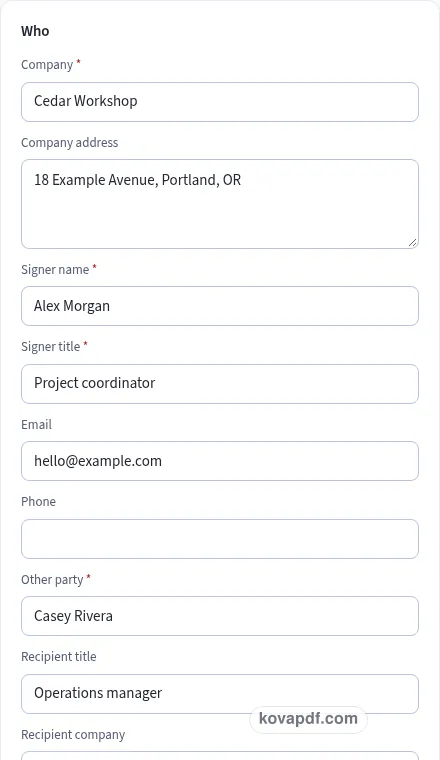
Check the page preview after changing the text. Read the amounts, dates and page breaks before exporting.
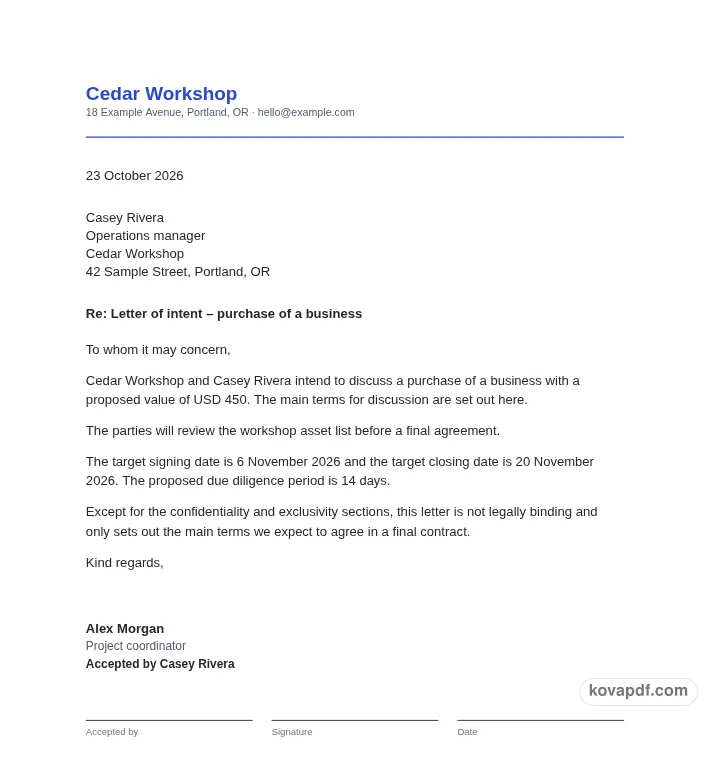
Use the download controls above the preview. Open the saved file and give it one final read before sharing.

Read the document as you fill in the form.
Compare Classic, Modern and Minimal layouts.
Save a copy when the names and figures are right.
The generator works on this device.
Use A4 or Letter and check the page breaks.
Return to the form to correct a detail before sharing.
These are fictional details. Choose an example, then replace them with your own.
Begin with both parties, deal type, main terms, target dates and the non-binding statement. Keep your source notes beside you while entering them. The letter of intent preview follows those fields, so check names and dates before working on the wording. Leave a detail blank while you look it up rather than entering an answer that you have not confirmed.
Open the Text card and read each paragraph for a business proposal the parties can discuss before a final contract. You can change individual wording, turn optional passages off and move optional passages with Up or Down. An Edited label means that paragraph now keeps your own words. Reset to default text makes it follow the fields again. Read the complete result after every substantial change.
Use the checklist and page preview to review this letter of intent. Look at the final page as well as the first one. Download PDF for a fixed page layout or Download Word (.docx) for further editing. If you change the downloaded Word file, check its page breaks again before sharing it with the intended reader.
A letter of intent puts the main points of a proposed business deal into a form the parties can discuss. Name your company, the other party and the person signing for your company. Choose the deal type, or describe it in your own words. A business purchase, asset purchase, partnership and supply arrangement may need different details, so read the generated opening rather than assuming a category is a complete description.
The price or value is optional. Include it when there is a figure the parties intend to discuss and make the currency clear. If the amount is still undecided, leaving it out may be more accurate than a number inserted just to complete the form. Keep this draft focused on the terms you are ready to put forward.
The repeating list allows up to ten short terms. Give each item one main point so the other party can respond without untangling several proposals in a single sentence. Identify what the term concerns and use concrete wording. If a point depends on another document or decision, make that clear in your edited text rather than leaving an unexplained reference.
The Text card exposes each main term as a paragraph. You can keep the generated wording or edit it independently. Edited paragraphs stay fixed when fields change, so revisit them if the commercial details move. Reorder optional points when a different sequence would help the reader follow the proposal.
Signing and closing dates describe the timetable you propose. A due diligence period can give another point for discussion. Compare those dates with the steps the parties expect to take. A date copied from an earlier version may no longer make sense beside a revised review period. The generator does not assess whether the planned work can be completed within the time entered.
Exclusivity and confidentiality have separate toggles. If exclusivity is included, specify the number of days the parties are discussing. The fixed starting note says: Except for the confidentiality and exclusivity sections, this letter is not legally binding and only sets out the main terms we expect to agree in a final contract. That paragraph is editable. Read it with the rest of the draft and seek advice where needed; this page does not decide the legal effect of the terms you write.
Read the letter of intent as a recipient would. Confirm both parties, deal type, main terms, target dates and the non-binding statement, then compare the wording with a business proposal the parties can discuss before a final contract. A field can be filled in and still contain an error, so the checklist is a prompt for your review rather than proof that the document is right. Read confidentiality, exclusivity and the binding note together before accepting a draft. Remove notes meant only for you and make sure optional text does not contradict a sentence you have edited elsewhere.
The browser keeps this letter of intent draft on the device you are using when storage is available. Avoid leaving personal information on a shared computer. Use Clear saved details to remove this draft when you have finished, and keep a downloaded copy somewhere you control if you need it later. A PDF preserves the displayed wording and page arrangement. A Word file lets you revise the document in another editor; compare that version with your intended meaning before you send it. Preview the longest paragraphs, confirm the typed names at the end and give the file a name that helps you find the right version.
The form allows up to ten short items. Use one main proposal per item. You can then review, edit or reorder the optional term paragraphs without hiding several different points inside one long sentence.
No. Price or value is optional. Add a figure and currency when that is part of the proposal you intend to make, and read the opening paragraph to confirm how it appears.
The draft adds an exclusivity paragraph using the number of days you supply. Review that wording carefully with the confidentiality and binding-note sections before asking the other party to accept the proposal.
Yes. It begins with the supplied statement about confidentiality, exclusivity and the main terms of a final contract. Editing it marks it as your own wording, so review its meaning with particular care.
It provides name, signature and date lines for the other party. Check that the identified party matches the rest of the letter. The generator does not decide what signing the proposal will mean in your situation.
Download Word (.docx) to continue editing or exchanging a draft in another editor. Keep track of versions and review all changes, dates and optional sections before preparing a final copy for signature.