Preview every page
Read the document as you fill in the form.
Choose the sale's province or territory, list the items and review the amount-based checklist before saving your invoice.
3 things missing
Based on official guidance from the Canada Revenue Agency, checked 22 October 2026. This tool helps you lay out an invoice; it is not tax advice.
These pictures show the same document generator with fictional example details.
Replace the example names and contact details in the form. Keep only information that belongs in this document.
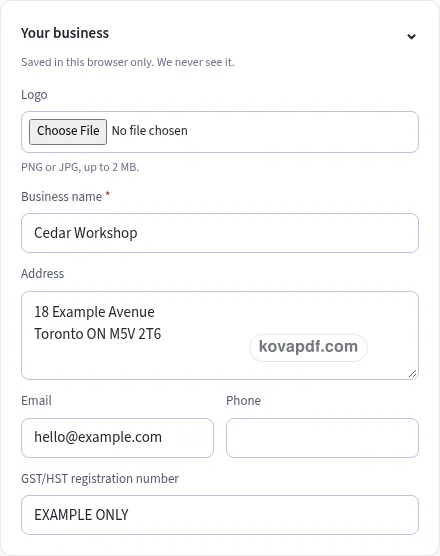
Check the page preview after changing the text. Read the amounts, dates and page breaks before exporting.
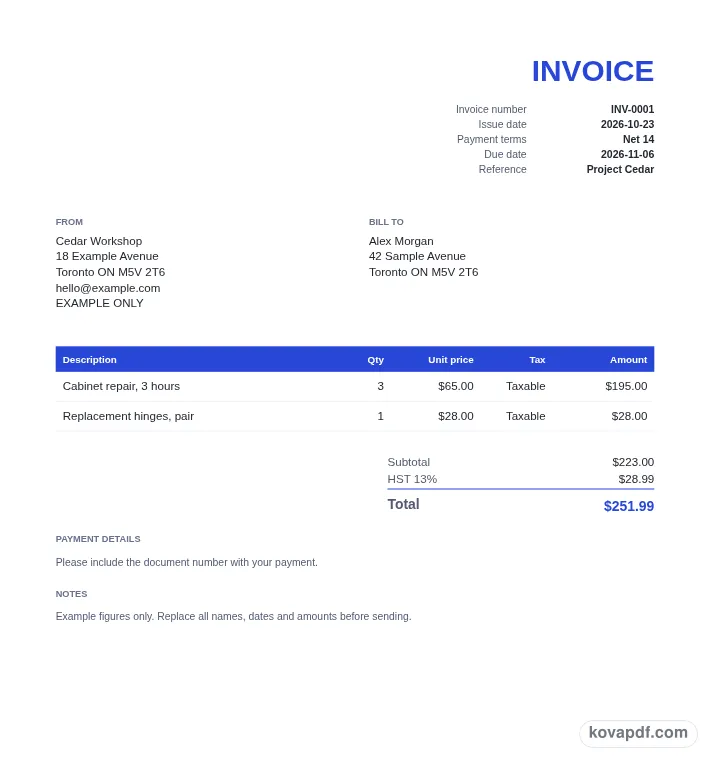
Use the download controls above the preview. Open the saved file and give it one final read before sharing.

Read the document as you fill in the form.
Compare Classic, Modern and Minimal layouts.
Save a copy when the names and figures are right.
The generator works on this device.
Use A4 or Letter and check the page breaks.
Return to the form to correct a detail before sharing.
These are fictional details. Choose an example, then replace them with your own.
Enter the seller details and select the province or territory of the sale. The location setting chooses the GST, HST or GST plus QST calculation. If registration is enabled, a location must be selected before this invoice can be downloaded.
Give each row a description, quantity and price. Choose Taxable, Zero-rated or Exempt for that row. Add the registration number and payment terms, then read the totals rather than relying only on the amounts you typed into individual cells.
The checklist changes at totals of $100 and $500 including tax. Look for the additional details requested at your amount, fill any missing customer or registration information, and download the finished PDF after checking its page preview.
The checklist describes invoice information your customer needs to claim input tax credits. At any amount, it includes your business name, the invoice date and the total amount. These give the customer a starting point for identifying the seller and the purchase. Keep the name in its own business field, and use an issue date that you have checked against the document you intend to make.
For a total of $100 or more including tax, the checklist also looks for GST/HST charged shown and your GST/HST registration number. If taxable and exempt items are mixed, each item's status is shown. The line table prints Exempt for an exempt row, so that status can be read beside its description instead of being hidden in a general note.
At $500 or more including tax, add the customer's name, a brief description of each item and payment terms. The checklist grows with the total rather than presenting every amount-based check as though it applied to every sale. If you add an item or change a price, review the checklist again. The final total may have moved into a different tier even though most of your other invoice details have stayed the same.
The province or territory of the sale selects the rates used in the calculation. Alberta, British Columbia, Manitoba, Northwest Territories, Nunavut, Saskatchewan and Yukon use GST at 5% in the supplied rate table. New Brunswick, Newfoundland and Labrador, and Prince Edward Island use HST at 15%. Nova Scotia uses HST at 14%, and Ontario uses HST at 13%. These are the table's rates in effect since 1 April 2025.
Quebec has two rows: GST 5% and QST 9.975%. Both use the same net amount, so the calculation does not apply the second tax on top of the first tax. On a net amount of $100.00, GST is $5.00 and QST rounds to $9.98, making a total of $114.98. Keeping the rows separate lets you compare each figure with the item net.
British Columbia, Manitoba and Saskatchewan have an optional provincial sales tax setting. It starts off. The optional rates are 7% in British Columbia, 7% in Manitoba and 6% in Saskatchewan, applied to the same net. Only add PST if you are registered to collect it in that province. The setting's hint stays near the toggle so you can review it before including the extra row.
Each Canadian item row has three status choices: Taxable, Zero-rated and Exempt. Zero-rated and exempt items carry no tax in this generator. Use separate rows for separate items and review the status on each. A short description that matches the purchase is more useful than repeating the same broad wording across unrelated items. Put quantity and price in their columns so the amount is calculated from the values you meant to use.
A discount is taken from the subtotal before tax and shared proportionally among lines. Rate groups are rounded at the group level in minor units. A negative unit price can represent a credit line. After either change, inspect the total and the checklist together. The document's currency and paper can be changed, while the initial Canadian settings are CAD and US Letter.
Payment terms have a dedicated selector. Pick Due on receipt, one of the Net options, or a custom due date. Keep any payment instructions in their own text box so they follow the totals clearly. Once the PDF is ready, the browser download includes the invoice number in its name. You can also carry the generated file into the PDF Editor using the next-step button. That handoff keeps the file in memory within the tab and saves you from selecting it again.
At $100 or more including tax, the checklist adds GST/HST charged shown and the seller's GST/HST registration number. For a mixture of taxable and exempt items, each item's status must be shown; the generated table displays Exempt for exempt rows.
The $500 tier adds the customer's name, brief item descriptions and payment terms. These sit alongside the lower-tier checks. Because the tier uses the total including tax, review it again after editing prices, quantities or discounts.
Quebec's GST at 5% and QST at 9.975% are each calculated on the same net. They appear on separate totals rows. The second tax is not compounded onto the first, and each group's result is rounded to the minor unit.
The optional PST control starts off in British Columbia, Manitoba and Saskatchewan. Switch it on only if you are registered to collect PST in that province. The selected province determines which of the stated optional rates is used.
Choose Exempt from the item's status selector. That line carries no tax and prints its status in the table. Leave other lines at their own settings, allowing a mixed document to show the difference between those items.
You can switch Classic, Modern and Minimal in Design without re-entering the sale. Review how the pages look before downloading, especially the totals on the last page. Business details and the selected design can be saved by this browser.