Preview every page
Read the document as you fill in the form.
Record a payment with a clear receipt number, payment date and item list. Review the receipt in your browser before saving it.
3 things missing
These pictures show the same document generator with fictional example details.
Replace the example names and contact details in the form. Keep only information that belongs in this document.
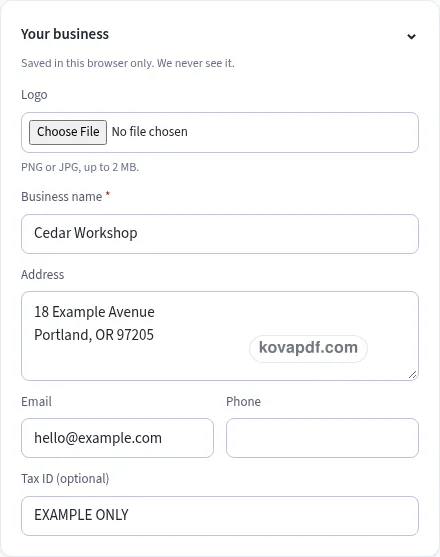
Check the page preview after changing the text. Read the amounts, dates and page breaks before exporting.
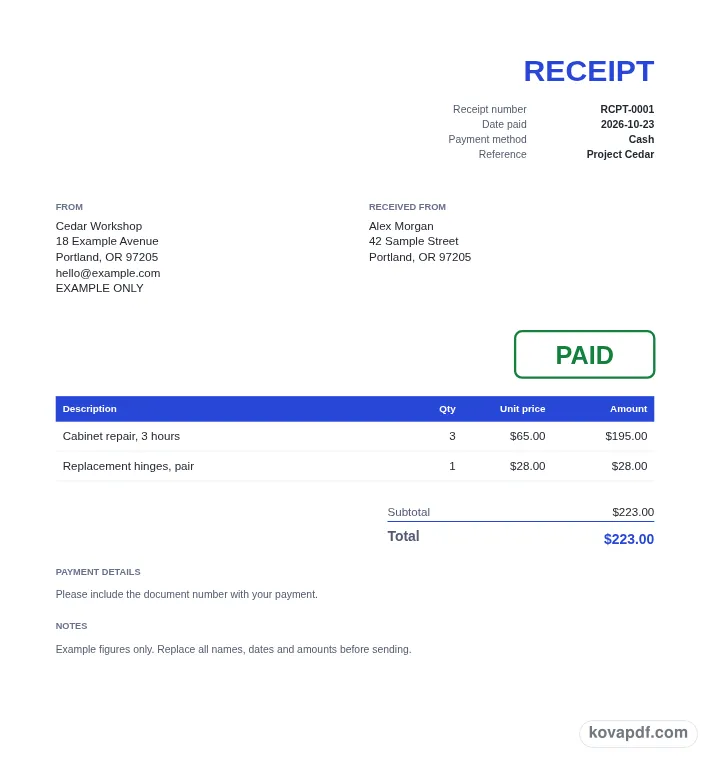
Use the download controls above the preview. Open the saved file and give it one final read before sharing.

Read the document as you fill in the form.
Compare Classic, Modern and Minimal layouts.
Save a copy when the names and figures are right.
The generator works on this device.
Use A4 or Letter and check the page breaks.
Return to the form to correct a detail before sharing.
These are fictional details. Choose an example, then replace them with your own.
Fill in the business issuing the receipt and the person who paid. Add the contact or address details that help identify those parties. A receipt should be easy to connect with the purchase when someone reads it again later.
Choose Date paid and the payment method. Give the receipt a number, then describe the paid items with their quantities and unit prices. Check the amounts against the payment you are recording before using the optional PAID mark.
Read the receipt preview, including the final amount and any notes. Choose a design that keeps the information readable. Download the PDF and give the customer the completed record, keeping your own copy where you track the payment.
Give a receipt when you want to record money received for a purchase. The customer can use it to see who received the payment, when it was paid, how it was paid and which items it covered. That is a different task from asking for money. Write the receipt around the payment that has actually taken place, using descriptions and amounts you have checked.
The Received from block identifies the payer. Use a name that both sides will recognise when looking for the record. If a business paid on behalf of a person, take care to put the intended payer into that block rather than leaving a name from an earlier draft. Your own business name appears separately, alongside any address, email, phone number or logo you choose to add.
A receipt number makes it easier to discuss one payment without relying only on a date or an amount. The initial example is RCPT-0001, and the number can be edited. After downloading, the generator saves the next number for this document kind. Keep a consistent pattern in your own records, especially if several payments have similar amounts or were received on the same day.
Choose the payment method that describes the transaction: Cash, Card, Bank transfer, Cheque or check, Online payment, or Other. The method is a description printed on the receipt. Selecting it does not process a payment or check a bank account. Confirm the payment in the records you normally use before you make a receipt that describes it as paid.
For cash, a clear payer name and date can make a small transaction easier to identify later. For a card payment, a short note can connect the receipt to the purchase without filling the document with unnecessary information. For a transfer, review the payment date you intend to record. Put any useful explanation in Notes, keeping the item descriptions focused on what the payment covered.
The Show PAID mark option starts on. It adds a green PAID outline to the document, while the receipt title and payment details still describe the record in words. Turn it off if you prefer the quieter layout. Either way, read the total before you download. A visual stamp is only useful when the rest of the receipt tells the same clear story about the payment.
An invoice requests payment for listed goods or work. A receipt records that payment. If you are still asking the customer to pay, use the invoice generator and set payment terms there. If a payment has been received and you want a record for the payer, this receipt form gives you Date paid and Payment method instead of an invoice due date.
Describe the items in a way that helps the customer recognise the purchase. Separate rows let you show quantities and prices without combining unrelated things in one long sentence. You can reorder a row from its menu or remove a line that does not belong. A country choice changes the currency default and tax labels; this receipt's checklist remains focused on receipt number, date paid, amount and who paid.
The PDF preview shows the same page layout used for the download. If the receipt grows to several pages, look through all of them, including the total and notes at the end. Your browser can retain the draft and seller details for another receipt. These saved fields remain on this device, so export the finished PDF if you need a file to share or keep elsewhere. Clear saved details when using a browser that other people can open.
Select Cash as the payment method, enter Date paid and identify the payer. Add the items covered by the cash payment and check the total. The resulting PDF can include the PAID mark if you leave that option enabled.
This form only makes a document. It does not take card details, move money or connect to an account. Use it to record a payment you have confirmed, then read the receipt before giving it to the person who paid.
The receipt is a record of payment received; an invoice asks for payment. This page uses a payment date and method. The invoice page instead provides due dates, payment terms and an amount already paid field for showing a remaining balance.
Yes. Turn off Show PAID mark in Receipt details. The payment method, date, item list and total remain part of the receipt. You can compare the preview with the option on and off before choosing the appearance you want.
You can finish the receipt and save its PDF without an account. Required fields are marked in the form. The checklist beside the preview helps you review the four main parts of the payment record before exporting it.
Make another starts a new item list and advances the receipt number while retaining your business and design. Change the payer, date and method to match the later payment. Check those fields even if the amount happens to be the same.