Preview every page
Read the document as you fill in the form.
Fill in your details, edit the promissory note text and check each page before downloading.
These pictures show the same document generator with fictional example details.
Replace the example names and contact details in the form. Keep only information that belongs in this document.
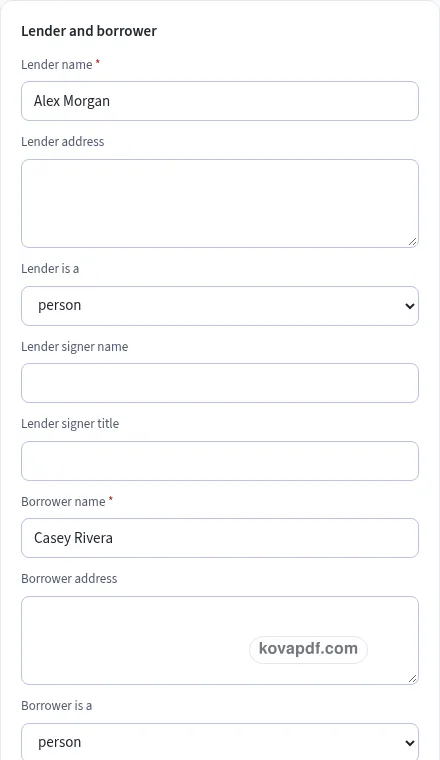
Check the page preview after changing the text. Read the amounts, dates and page breaks before exporting.
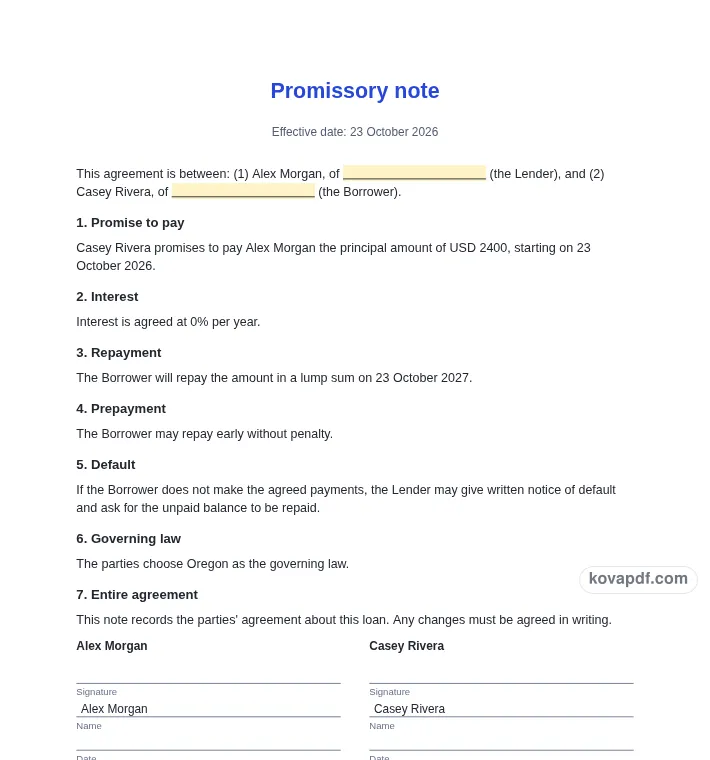
Use the download controls above the preview. Open the saved file and give it one final read before sharing.

Read the document as you fill in the form.
Compare Classic, Modern and Minimal layouts.
Save a copy when the names and figures are right.
The generator works on this device.
Use A4 or Letter and check the page breaks.
Return to the form to correct a detail before sharing.
These are fictional details. Choose an example, then replace them with your own.
Begin with lender, borrower, principal, rate, repayment choice, dates and governing law. Keep your source notes beside you while entering them. The promissory note preview follows those fields, so check names and dates before working on the wording. Leave a detail blank while you look it up rather than entering an answer that you have not confirmed.
Open the Text card and read each paragraph for a loan draft whose repayment wording matches its schedule. You can change individual wording, turn optional passages off and move optional passages with Up or Down. An Edited label means that paragraph now keeps your own words. Reset to default text makes it follow the fields again. Read the complete result after every substantial change.
Use the checklist and page preview to review this promissory note. Look at the final page as well as the first one. Download PDF for a fixed page layout or Download Word (.docx) for further editing. If you change the downloaded Word file, check its page breaks again before sharing it with the intended reader.
This template is a starting point in plain English. It is not legal advice, and laws differ between states and countries. For anything important or high in value, ask a lawyer to check it before you sign. Begin with the lender, borrower, principal and currency. The principal is the starting amount of the loan. Keep it separate from interest, a late fee or an unrelated payment. Enter the date the arrangement starts and any co-signer you intend to include. Read the promise-to-pay paragraph as a whole so the parties, amount and start date agree with each other.
Choose a lump sum due on a date or a series of instalments. For instalments, enter the number of payments, frequency and first payment date. The calculation uses the annual interest rate divided by the number of periods in a year: twelve monthly, twenty-six every two weeks or fifty-two weekly. Each period’s interest is rounded to the cent and the last payment absorbs the remaining rounding difference.
The form shows the first twelve rows so you can inspect the payment, interest, principal and balance. The PDF includes the full schedule. Check that the selected dates and frequency match the arrangement the parties intend. The calculation is based on the entered standard periodic schedule; it does not interpret an outside lender’s method or additional charges.
Prepayment without penalty starts on. Late fees and security start off. If you add a late fee, specify an amount or percentage and a grace period. If the loan is secured, describe the proposed collateral in your own words. These choices belong in the parties’ review of the draft. The generator does not determine whether a proposed rate, fee or security arrangement is suitable or permitted for a particular situation.
Schedule A follows the signatures and starts on its own page when it contains more than twelve rows. The repayment clause refers to it, so check that the complete document is included when sharing a draft. Read the default clause, fill in the agreed governing law and confirm the signer names. A changed principal, rate or payment count produces a different schedule; compare the last balance and total figures again after changes.
Read the promissory note as a recipient would. Confirm lender, borrower, principal, rate, repayment choice, dates and governing law, then compare the wording with a loan draft whose repayment wording matches its schedule. A field can be filled in and still contain an error, so the checklist is a prompt for your review rather than proof that the document is right. Have the proposed rate, fees and any security wording checked when appropriate. Remove notes meant only for you and make sure optional text does not contradict a sentence you have edited elsewhere.
The browser keeps this promissory note draft on the device you are using when storage is available. Avoid leaving personal information on a shared computer. Use Clear saved details to remove this draft when you have finished, and keep a downloaded copy somewhere you control if you need it later. A PDF preserves the displayed wording and page arrangement. A Word file lets you revise the document in another editor; compare that version with your intended meaning before you send it. Preview the longest paragraphs, confirm the typed names at the end and give the file a name that helps you find the right version.
Yes. Enter 0 for a zero-interest arrangement. For instalments the principal is divided among the payments, with the final payment taking any cent rounding difference so the schedule closes at zero.
The regular payment is rounded to the cent and each period’s interest is rounded as well. The final payment settles the remaining balance and interest instead of leaving a small unpaid rounding amount.
You can choose monthly, every two weeks or weekly. The schedule uses twelve, twenty-six or fifty-two periods per year respectively. Check the first payment date and generated dates before sharing the note.
The form shows the first twelve rows and an ellipsis if there are more. The generated PDF includes every row. Schedule A begins after the signature section and gets its own page for longer schedules.
No. The late-fee toggle starts off. If you turn it on, enter the fee type, value and grace period and review the proposed clause with the rest of the payment arrangement.
After reviewing the note and schedule, Sign it yourself opens the prepared PDF in the signing tool. Send for signature carries it to the request tool. Neither button itself completes the signature process.