Preview every page
Read the document as you fill in the form.
Fill in your details, edit the recommendation & reference letter text and check each page before downloading.
These pictures show the same document generator with fictional example details.
Replace the example names and contact details in the form. Keep only information that belongs in this document.
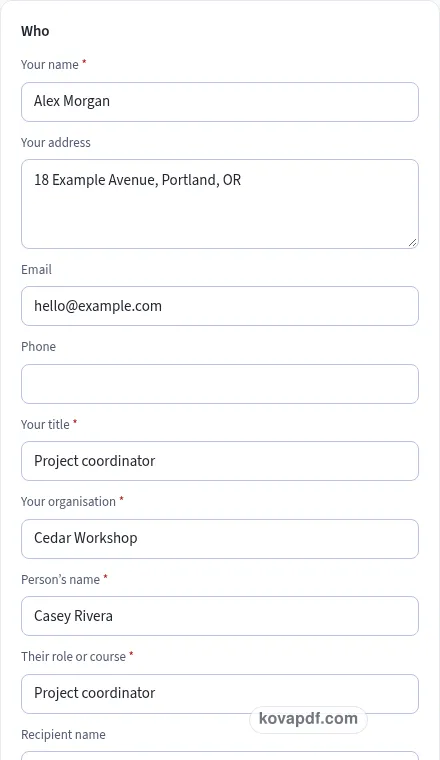
Check the page preview after changing the text. Read the amounts, dates and page breaks before exporting.
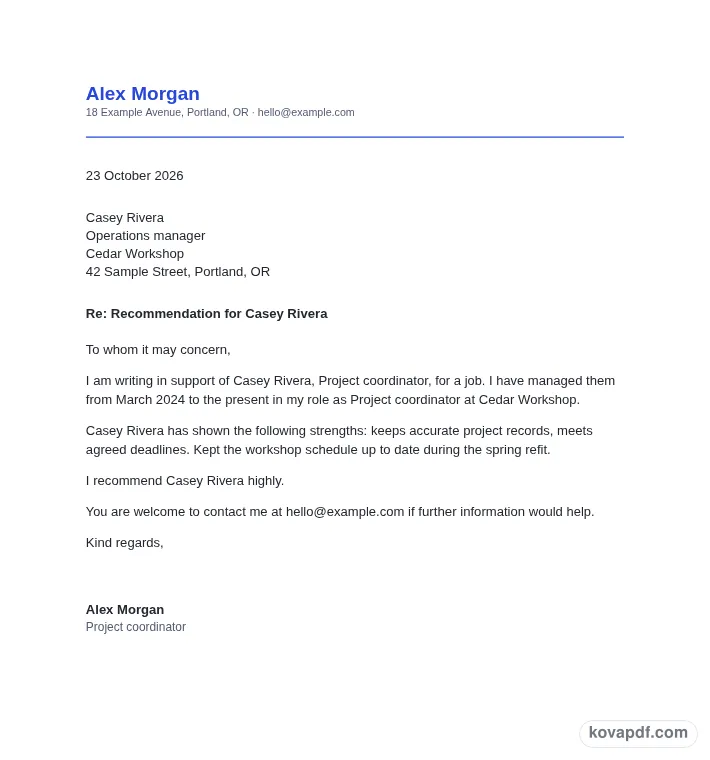
Use the download controls above the preview. Open the saved file and give it one final read before sharing.

Read the document as you fill in the form.
Compare Classic, Modern and Minimal layouts.
Save a copy when the names and figures are right.
The generator works on this device.
Use A4 or Letter and check the page breaks.
Return to the form to correct a detail before sharing.
These are fictional details. Choose an example, then replace them with your own.
Begin with your relationship, its dates, the person’s role, strengths and a real example. Keep your source notes beside you while entering them. The recommendation & reference letter preview follows those fields, so check names and dates before working on the wording. Leave a detail blank while you look it up rather than entering an answer that you have not confirmed.
Open the Text card and read each paragraph for an endorsement grounded in work or study you have observed. You can change individual wording, turn optional passages off and move optional passages with Up or Down. An Edited label means that paragraph now keeps your own words. Reset to default text makes it follow the fields again. Read the complete result after every substantial change.
Use the checklist and page preview to review this recommendation & reference letter. Look at the final page as well as the first one. Download PDF for a fixed page layout or Download Word (.docx) for further editing. If you change the downloaded Word file, check its page breaks again before sharing it with the intended reader.
A useful recommendation tells the reader how you know the person and what you have seen them do. Enter your role, organisation and the dates of the relationship. Managing someone, teaching them and working alongside them give different perspectives. Choose the relationship that fits and describe its scope accurately. A reader can then judge the context of the comments that follow.
Use Recommendation or Reference to match the document you intend to write. Add the person's role or course and the target opportunity when known. If the same draft will be used for several applications, check the target name each time. A leftover institution or employer name can distract from an otherwise thoughtful endorsement.
Select up to five strengths and add custom wording if the listed choices miss something important. Two well-supported strengths are often more useful than a long list of praise. Reliable might mean that the person followed through on a difficult task. Analytical might mean they found the reason a project was delayed. Describe what you actually observed rather than guessing about work you did not see.
The example box is the heart of this draft. Name a situation, the action the person took and a result you can explain. Keep private information out unless you have considered whether it belongs in this letter. A short real example helps the recipient understand the recommendation in a way a string of adjectives cannot.
A course application may need a different emphasis from a job reference or a tenancy reference. The For field identifies the intended use, while the Text card lets you revise the endorsement itself. Read the rating sentence carefully. Select highly, without reservation or the stronger comparative wording only if it expresses the view you are willing to put your name to.
The contact paragraph is on initially. Give a contact method you are comfortable sharing and check that it still works. Your title and organisation help identify the perspective behind the letter. Use a typed name, an uploaded signature or the drawing pad. You can download the recommendation, sign the PDF yourself or carry it into the signature request tool after checking the final wording.
Read the recommendation & reference letter as a recipient would. Confirm your relationship, its dates, the person’s role, strengths and a real example, then compare the wording with an endorsement grounded in work or study you have observed. A field can be filled in and still contain an error, so the checklist is a prompt for your review rather than proof that the document is right. Do not let a strong rating sentence imply experience you do not have. Remove notes meant only for you and make sure optional text does not contradict a sentence you have edited elsewhere.
The browser keeps this recommendation & reference letter draft on the device you are using when storage is available. Avoid leaving personal information on a shared computer. Use Clear saved details to remove this draft when you have finished, and keep a downloaded copy somewhere you control if you need it later. A PDF preserves the displayed wording and page arrangement. A Word file lets you revise the document in another editor; compare that version with your intended meaning before you send it. Preview the longest paragraphs, confirm the typed names at the end and give the file a name that helps you find the right version.
The chips change how the letter is described. Use the option that fits the request, then read and edit the actual paragraphs. The label alone does not change the evidence you should provide.
Choose up to five from the listed chips. The checklist asks for at least two strengths. You can add custom strengths as well, but keep the resulting list focused on qualities you can explain.
Use something you observed: a task, the person’s action and a result. A specific example of their work gives the reader context for the praise and makes the letter easier to assess.
Yes. Select general in the For field and leave a target name out if it is unknown. Check the draft before reusing it for a named opportunity so the wording fits that reader.
No. The contact paragraph can be switched off. If you include it, supply an email address or phone number you are happy to share and verify it before you send the letter.
You can download a copy for review if that suits your process. Check every statement yourself before signing. The signature buttons hand the PDF to the existing signing tools for the next step.