Preview every page
Read the document as you fill in the form.
Record the proposed handling of confidential information. Compare the filled example, check each detail and save your own copy.
These pictures show the same document generator with fictional example details.
Replace the example names and contact details in the form. Keep only information that belongs in this document.
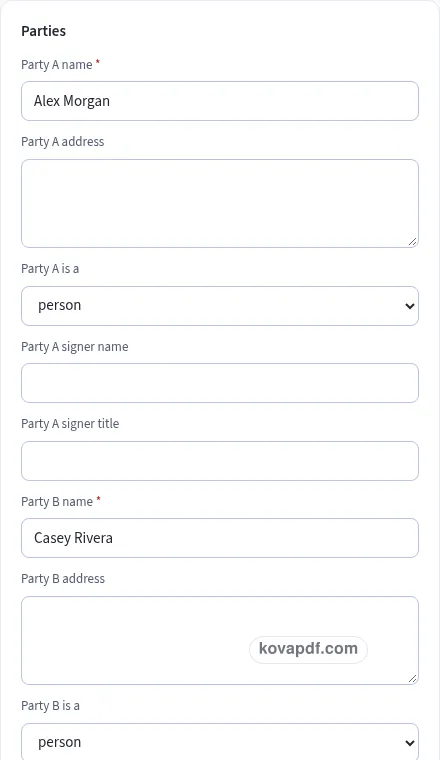
Check the page preview after changing the text. Read the amounts, dates and page breaks before exporting.
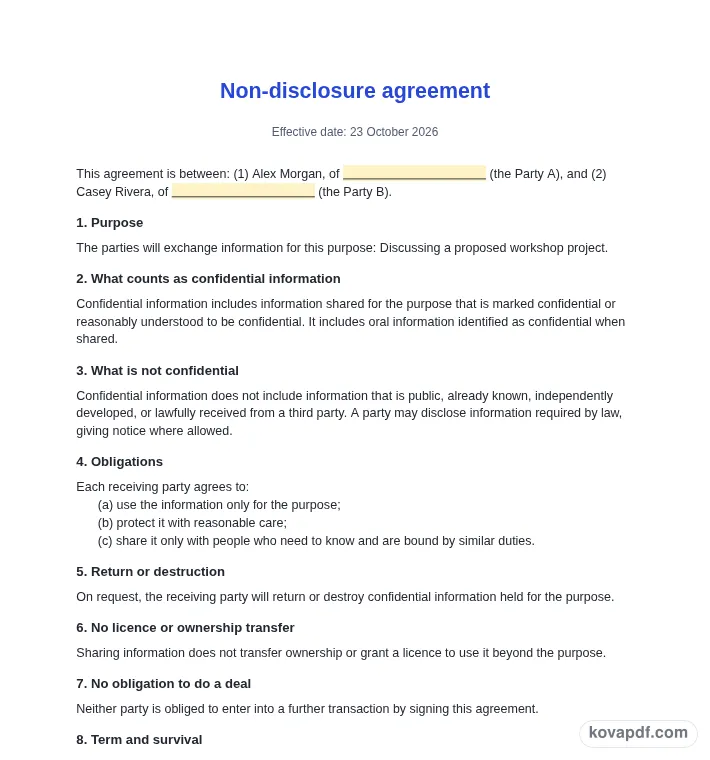
Use the download controls above the preview. Open the saved file and give it one final read before sharing.

Read the document as you fill in the form.
Compare Classic, Modern and Minimal layouts.
Save a copy when the names and figures are right.
The generator works on this device.
Use A4 or Letter and check the page breaks.
Return to the form to correct a detail before sharing.
These are fictional details. Choose an example, then replace them with your own.
Start with parties and mutual or one-way. Replace the fictional sample with information from your own records.
Check confidential information beside term. Read each page from the perspective of the parties considering an exchange of information.
Choose PDF or Word above the preview. Check signers in the saved copy before sharing it.
A professional non-disclosure agreement gives the parties considering an exchange of information a familiar structure to read. This Classic version is filled with two businesses discussing a workshop project. Use it to record the proposed handling of confidential information, then replace the fictional details before sharing it. The style is a presentation choice. It does not verify the facts or change the meaning of the wording you enter.
For the non-disclosure agreement, start this part with parties. The example uses the people or companies exchanging information. Use names that identify the actual parties. A company contact and the company itself are different, so review the signer details separately. Read this entry beside mutual or one-way before you keep it. That comparison helps the parties considering an exchange of information understand the non-disclosure agreement without a separate explanation. The Classic layout gives the wording a clear place on the page, but the information still needs your attention.
For the non-disclosure agreement, start this part with mutual or one-way. The example uses whether both parties expect to disclose information. Choose the structure that matches the discussion. A visual style does not decide who owes a confidentiality obligation. Read this entry beside purpose before you keep it. That comparison helps the parties considering an exchange of information understand the non-disclosure agreement without a separate explanation. The Classic layout gives the wording a clear place on the page, but the information still needs your attention.
For the non-disclosure agreement, start this part with purpose. The example uses discussing a proposed workshop project. Describe the activity for which the information may be used. An open-ended purpose can be difficult to understand when the discussion later changes. Read this entry beside confidential information before you keep it. That comparison helps the parties considering an exchange of information understand the non-disclosure agreement without a separate explanation. The Classic layout gives the wording a clear place on the page, but the information still needs your attention.
For the non-disclosure agreement, start this part with confidential information. The example uses the information covered by the draft wording. Read the definition in the generated text. Use the text editor if the parties need to describe the information more specifically. Read this entry beside oral information before you keep it. That comparison helps the parties considering an exchange of information understand the non-disclosure agreement without a separate explanation. The Classic layout gives the wording a clear place on the page, but the information still needs your attention.
For the non-disclosure agreement, start this part with oral information. The example uses information identified as confidential when spoken. Review this optional clause rather than leaving it on automatically. The parties should understand how the draft treats a conversation as well as written material. Read this entry beside term before you keep it. That comparison helps the parties considering an exchange of information understand the non-disclosure agreement without a separate explanation. The Classic layout gives the wording a clear place on the page, but the information still needs your attention.
For the non-disclosure agreement, start this part with term. The example uses the period selected for the agreement. Discuss the period instead of assuming the sample duration fits. Read the separate confidentiality period after the agreement ends. Read this entry beside governing law before you keep it. That comparison helps the parties considering an exchange of information understand the non-disclosure agreement without a separate explanation. The Classic layout gives the wording a clear place on the page, but the information still needs your attention.
For the non-disclosure agreement, start this part with governing law. The example uses the laws the parties agree to use. This is a field to discuss and check. The generator does not select an appropriate jurisdiction or provide legal advice about the wording. Read this entry beside signers before you keep it. That comparison helps the parties considering an exchange of information understand the non-disclosure agreement without a separate explanation. The Classic layout gives the wording a clear place on the page, but the information still needs your attention.
For the non-disclosure agreement, start this part with signers. The example uses the people who will sign for the parties. Check company roles and authority before signing. Have an important draft reviewed, including any optional non-solicitation clause, rather than treating the template as a finished legal answer. Read this entry beside parties before you keep it. That comparison helps the parties considering an exchange of information understand the non-disclosure agreement without a separate explanation. The Classic layout gives the wording a clear place on the page, but the information still needs your attention.
Before choosing a final file, compare the Classic heading with the first block of non-disclosure agreement details. Keep parties readable without enlarging the whole page. Then follow the document through oral information to the ending. On a printed copy, the reader has no form controls to reveal what an unclear entry was meant to say. Use A4 or Letter to match the paper you intend to use and read every page after switching. A longer non-disclosure agreement can flow onto another page. Keep the complete text when it is needed to explain two businesses discussing a workshop project; a conventional appearance is not a reason to cut information the reader needs. Save the version you checked so later changes do not become confused with it.
Classic gives the non-disclosure agreement a conventional heading and clear divisions. Use it when the parties considering an exchange of information needs a familiar document to file or compare. Still read purpose and oral information before saving.
No. The appearance does not verify parties or settle questions about governing law. You supply the underlying facts and arrange any review needed for the situation.
Use the form to enter mutual or one-way and then work through term. The preview updates from your entries. All names and figures in the gallery are fictional and need checking before use.
PDF preserves the previewed page arrangement. Word provides editable text and may reflow when opened. Use the current draft to record the proposed handling of confidential information; whichever format you choose, inspect the saved copy before sharing it with the parties considering an exchange of information.
No. Download the checked copy, then choose how to share it. Your entries are used on this device. On a shared computer, clear the saved draft when you no longer want those details stored in the browser.