Software engineer resume template
Engineering managers read a resume looking for two things: can this person work in our stack, and have they shipped something real? A software engineer resume should answer both before the reader reaches the second job down. This page uses the Technical layout from the CV Maker: a navy heading, a skills block near the top, then experience and projects in one clean column that copies cleanly into hiring systems.
It works for backend, frontend, full stack, mobile, platform and data engineers, from first job to staff level, and for bootcamp graduates making a switch. Fill it in one section at a time, watch the page redraw, and download a PDF or an editable Word file.
Free, no account needed. Your CV is built in your browser and downloads as a PDF or an editable Word file, in A4 or US Letter.
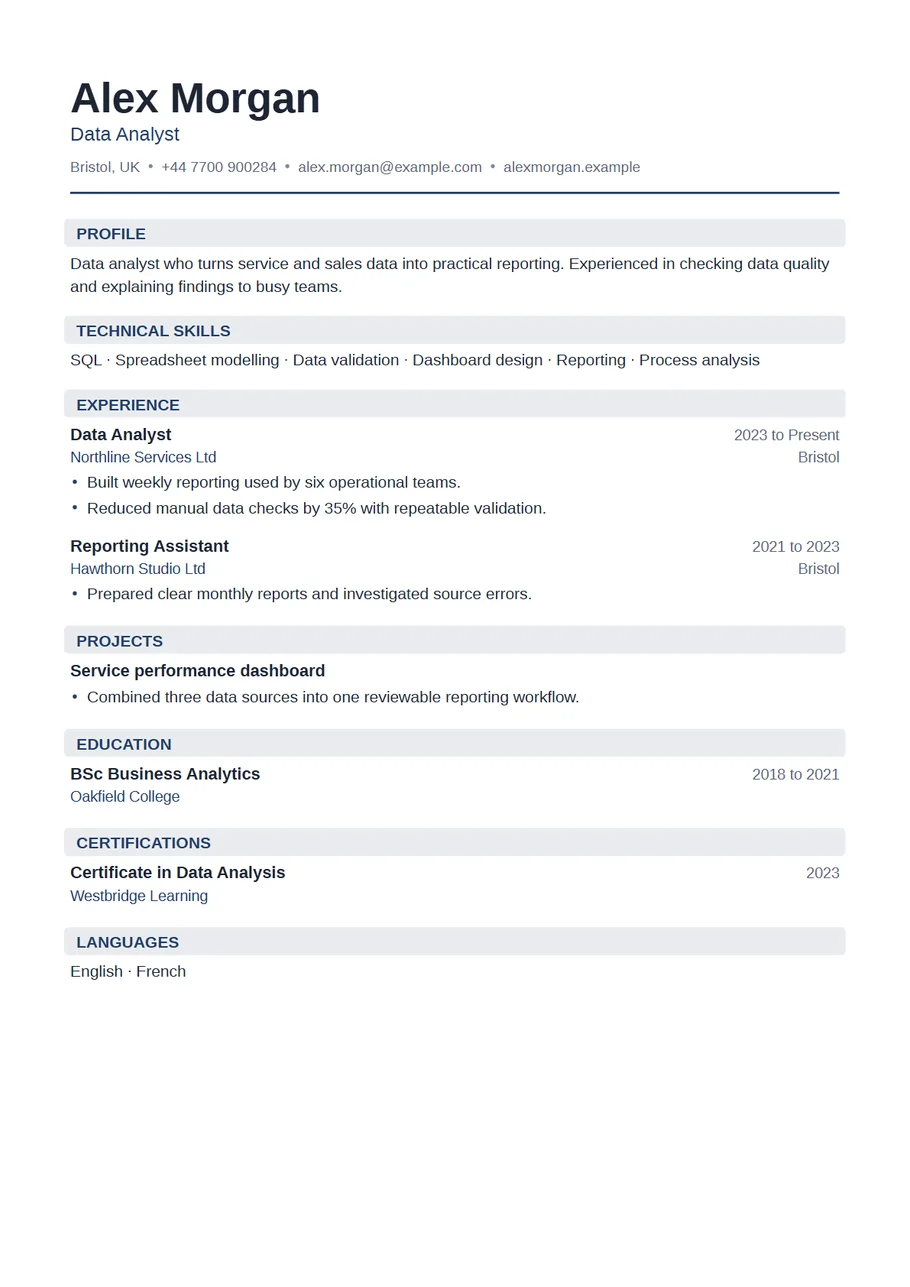
The sections, in order
- Name and links. Name, email, phone, city, and the two links that matter: a code profile and a personal site or portfolio if you have one. Check both open on a phone.
- Summary. Two lines: what you build and at what level, then what you want. Example: Backend engineer with five years building payment and billing services. Looking for a senior role on a platform team.
- Skills. Group them: languages, frameworks, data stores, cloud and tooling, practices. List only what you would be comfortable being tested on.
- Experience. Company, title, dates, then three to five lines on what you built, the scale it ran at and what changed for users or the business.
- Projects. Open source work, side projects or a substantial course project, each with a one line description and a link.
- Education. Degree or bootcamp, school and year. Once you have a few years of work, one line is enough.
Writing lines that show engineering judgement
A list of technologies is not a description of your work. Each line should say what you did, how, and what happened. Numbers help when you know them: requests per second, latency, build times, error rates, users, cost. If you do not know the number, describe the change in words rather than inventing one.
- Split a monolithic billing job into queued workers, cutting the nightly run from four hours to forty minutes.
- Built the offline sync layer for a field service app used by around 900 engineers, with conflict handling for shared jobs.
- Introduced contract tests between three internal services, which caught breaking changes before release instead of in production.
- Led the migration of a legacy reporting database to a managed service with no unplanned downtime.
- Mentored two junior engineers through their first on call rotations and wrote the runbooks they used.
How long it should be
One page for up to around eight years of experience, two pages beyond that. If you have more, keep the last three or four roles in detail and reduce older ones to a title, company and dates. A one page resume with a strong projects section beats two pages of every library you have touched. The CV Maker shows the page count as you type.
Junior engineers and career changers
Without much paid work, projects carry the page. Choose two or three you can talk about in depth, explain the problem each one solves, what you built yourself and what you learned, and link to the code. Put Projects above Experience in the editor if they are stronger. Earlier jobs in other fields still belong on the page: a support role shows you can talk to users, and a warehouse role shows you can work under pressure.
What to leave out
- Skill bars and star ratings. They tell the reader nothing and invite the question of what three stars means.
- Every tool you have ever installed. Keep the ones that match the job and that you could discuss in an interview.
- Long paragraphs about the company. One clause on what it does is enough.
- A photo, unless it is normal where you are applying.
- Code snippets or screenshots. Link to the work instead.
Keeping it readable for hiring systems
Many tech companies take applications through software that copies text from your file into a profile. The Technical layout keeps the main content in one column of real text with standard headings, so it reads in a sensible order. Write each technology the way the job advert writes it, and spell out an abbreviation once if it might be ambiguous. Use Preview the reading order on the review screen before you download.
Other layouts for engineers
If you would rather keep skills in a side column, the two column resume template does that. For a data role with more analysis than engineering, the data analyst resume template uses the same layout with advice written for analysts. And if you are applying for a first role, the one page resume template keeps everything on a single page.
This page is about the layout and what goes in it. For a longer, step by step piece on the writing itself, with more worked examples, read how to write a data analyst CV: skills, projects and examples on our blog.
Start with the Technical layout
The CV Maker opens with this template chosen. Fill in one section at a time and watch the page update beside the form. If you change your mind, switch layout on the first step or the review screen: everything you typed comes with you.
Use the Technical templateQuestions about this template
Should a software engineer resume have a summary?
A two line summary helps when you are changing focus or seniority, because it tells the reader how to read the rest. If your last job title says it all, keep the summary very short.
Should I list my code profile on my resume?
Yes, if it shows work you are proud of. Pin your best repositories and make sure each has a short readme. If it is mostly empty, leave it off and link a portfolio or project instead.
How many skills should I list?
Enough to show you fit the role, usually ten to twenty grouped by type. Every item should be something you could answer a question about.
PDF or Word for a tech application?
Follow the employer's instructions. Without one, a PDF keeps your layout exactly. The CV Maker downloads both from the same details.
Is there a cost or sign up?
No account is needed to fill in the template or download it, and the resume is built in your browser.