Minimalist resume template
Minimalism on a resume means taking away everything that does not help the reader, then giving what is left room to breathe. This template, called Slate in the CV Maker, keeps your experience in the main column on the left, where people start reading, and moves contact details and skills to a light column on the right.
It suits technology, product, research, consulting, architecture and any field where a clean, organised page says something about how you work. It is also a good choice when you want two columns but find a dark side column too heavy.
Free, no account needed. Your CV is built in your browser and downloads as a PDF or an editable Word file, in A4 or US Letter.
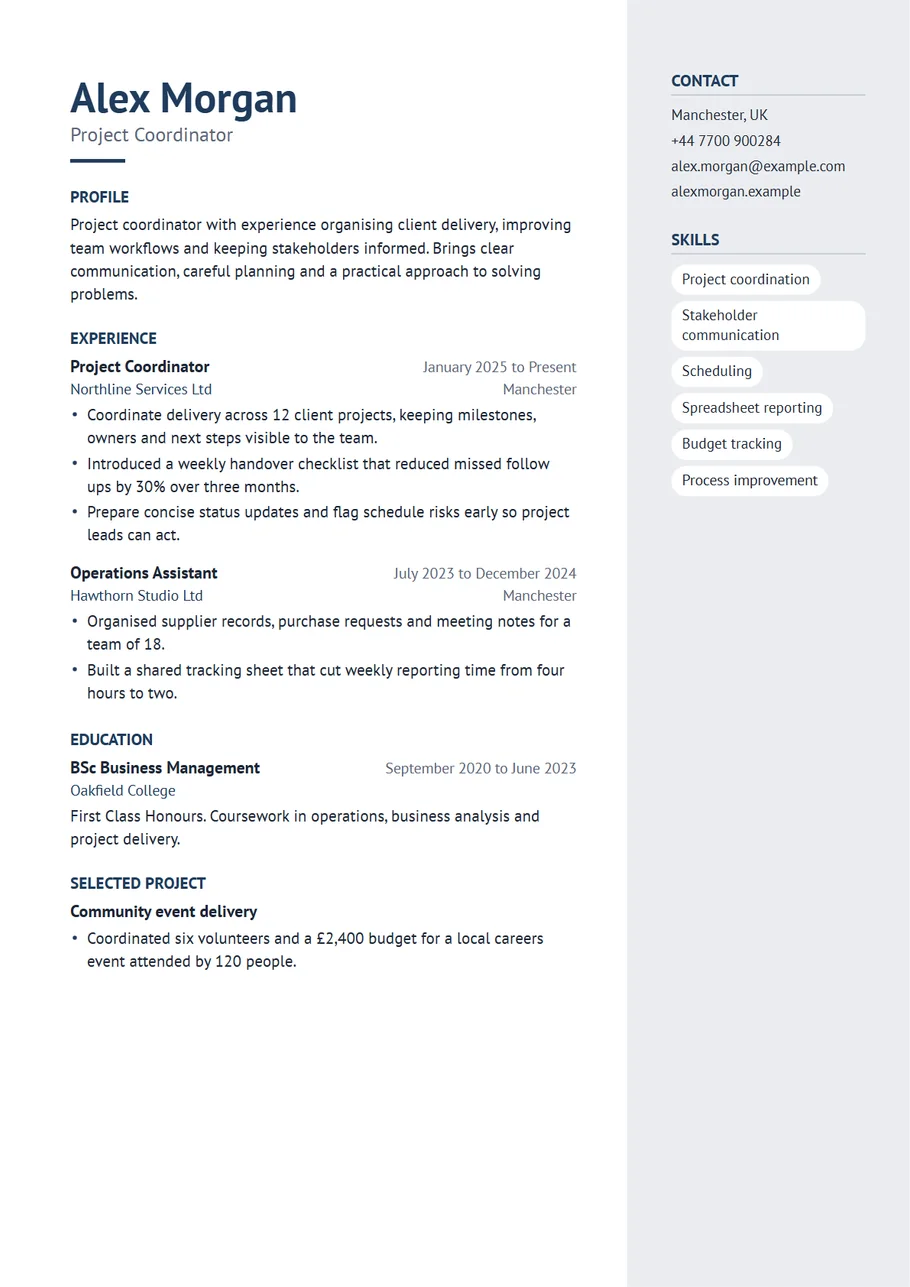
What makes a resume minimalist
- Plain headings with no boxes or bars.
- One quiet accent colour, used sparingly.
- A light side column that separates the facts from the story without adding weight.
- Short bullet points and generous space between sections.
- No icons, charts or skill bars that the reader has to decode.
Writing less, saying more
A minimalist layout exposes weak lines, so edit hard. Each bullet point should make one point. Remove words like responsible for, helped with and various. Replace them with the verb that says what you actually did, and finish with what changed.
- Before: Responsible for helping with various reporting tasks for the team.
- After: Built the weekly sales report used by six regional managers.
- Before: Worked on improving customer satisfaction.
- After: Rewrote the returns policy page, which halved repeat questions to support.
Skills as tags
Slate shows skills as soft tags in the side column. Keep each one short, two or three words, and choose the ten that matter most for this job. Languages work the same way: Spanish (fluent), German (basic). If you prefer a simple list, choose List under Skills in the Design panel.
Colour and type
Slate uses a navy accent with a humanist sans serif that feels friendly and clear. Charcoal gives an even quieter page, teal or emerald a slightly fresher one. Every option is in the Design panel, along with text size, spacing and margins. The preview updates as you click, so you can see the difference before you choose.
One page, nearly always
A minimalist resume should almost always fit on one page. The side column takes contact details and skills out of the main flow, which leaves more room for experience. If you run over, cut older roles to a title, an employer and dates before you change the design.
White space is part of the design
The space between sections is what makes a minimalist page feel calm, so resist the urge to fill it. If you are short of room, cut words rather than spacing. If you have room to spare, leave it: a page that ends two thirds of the way down looks confident, while a page packed to the margins looks anxious.
Keep each section doing one job. Experience shows what you did and what changed. Skills shows what you can do. Education shows what you studied. When a line could go in two places, put it in one.
A profile in three lines
A minimalist resume needs a short profile. Write one line on what you do now, one line of proof, and one line on what you want: Product designer working on booking and payment flows. Redesigned a checkout used by two million people a month, with fewer abandoned baskets. Looking for a senior role in a small product team. That is all the reader needs before they reach your experience.
Keeping it consistent
Consistency is what makes minimalism look deliberate rather than empty. Write every date in the same form, start every bullet point with a verb in the same tense, and keep job titles to the same style. The template takes care of alignment, spacing and colour, so the only thing left is the words.
A last check before you send it
Look at the page from a distance, or zoom out until you cannot read the words. You should still see the structure: your name, the side column, and the headings running down the left with even gaps between them. If any part looks heavier than the rest, that is usually the place where a few words can go. Then download the PDF and read it once more at full size.
Start with the Slate layout
The CV Maker opens with this template chosen. Fill in one section at a time and watch the page update beside the form. If you change your mind, switch layout on the first step or the review screen: everything you typed comes with you.
Use the Slate templateQuestions about this template
Is a minimalist resume better?
It is easier to read, which helps in most fields. It is not about having less experience on the page: it is about removing everything that does not help the reader.
Can I move the side column to the left?
Yes. Choose Side column on the left under Layout in the Design panel.
Does it work for application systems?
The PDF keeps real, selectable text in a sensible reading order. Where an advert asks for a plain file, switch to the Plain template for that application.
Can I add a photo?
Yes. It appears at the top of the side column. Many minimalist resumes leave it out, and the layout looks complete either way.