Data analyst resume template
A hiring manager for a data analyst role reads a resume with two questions in mind: can this person use the tools we use, and can they turn a messy question into an answer someone acts on? This template, called Technical in the CV Maker, is arranged around those two questions. Technical skills come first, then employment, then projects, then education and certifications.
The sample on this page is Alex Morgan as a fictional data analyst in Bristol, so you can see how SQL, reporting and a dashboard project sit on one page. The same layout suits business intelligence, reporting, operations analysis and junior data science roles.
Free, no account needed. Your CV is built in your browser and downloads as a PDF or an editable Word file, in A4 or US Letter.
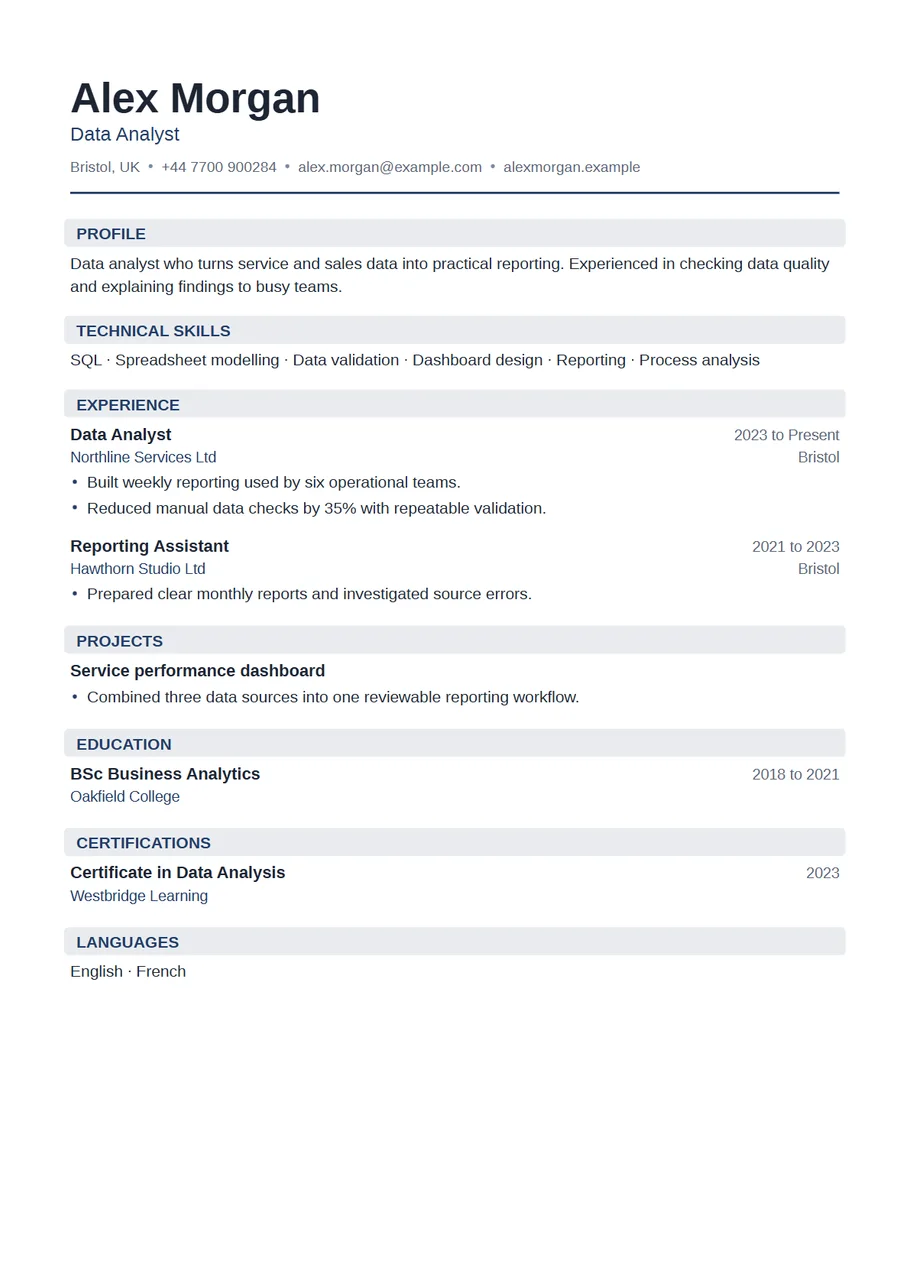
The sections, in the order the template uses
- Header: name, Data Analyst or the exact title from the advert, location, phone, email and a link to a portfolio or GitHub profile if it has work you would show in an interview.
- Profile: two lines. What kind of data you work with and what you do with it. For example: Analyst working with sales and service data, building weekly reporting and checking data quality for operations teams.
- Technical skills: grouped by kind on two or three lines. Languages and querying (SQL, Python, R), tools (Excel, Power BI, Tableau, Looker), and methods (data validation, A/B testing, forecasting). List only what you could use on day one.
- Experience: most recent first. Each role should name the question, the data, what you built and who used it.
- Projects: one to three, with the data source, your approach and the result. Essential if you are moving into data from another job.
- Education, certifications and languages to finish.
Example bullet points for a data analyst
- Wrote SQL queries against the orders database to build a weekly margin report used by six regional managers.
- Replaced a manual spreadsheet check with a repeatable validation step, cutting the time spent on data checks by about a third.
- Built a Power BI dashboard tracking call volumes and wait times, which the service team now uses in its Monday meeting.
- Investigated a 12% drop in repeat purchases and traced it to a change in the discount email schedule.
- Cleaned and joined three years of survey data in Python and summarised the findings for a non technical audience.
Notice that every line names a user or a decision. Analysis that nobody acted on is hard to sell; analysis that changed a meeting, a process or a budget is the strongest thing you can put on the page.
Projects when you are changing career
If you are moving into analytics from teaching, retail, finance or the public sector, your projects section carries the application. Pick public data related to the industry you want, such as transport, health or housing statistics, and write each project up as a short case: the question, where the data came from, what you had to clean, what you found and what you would do next. Link the write up from your header. Then rewrite your previous jobs to bring out the analytical parts, like the stock report you built or the attendance figures you tracked.
How long, and what to leave out
One page for up to about five years of experience, two at most beyond that. Leave out:
- Skill bars and self ratings for each tool.
- Every library you have imported once. Name the ones you know well.
- Course certificates the advert does not care about. Keep the recognised ones.
- Screenshots of dashboards. Describe them and link to them.
- Client names or figures from confidential work. Describe the type of client and round the numbers.
Naming your tools
Use the names the advert uses. If it asks for Microsoft Power BI, write Power BI rather than BI dashboards, because recruiters and search filters look for the exact word. Group the list so it reads at a glance: querying and languages on one line, reporting and visualisation tools on the next, methods on a third. Mention versions or cloud platforms only when the job names them.
Data analyst resume or data analyst CV?
In the US it is a resume on US Letter, usually one page, and recruiters expect the tools near the top, which is what this layout does. In the UK the same document is a data analyst CV on A4, and a short profile above the skills is common. Switch the paper size above the preview; the section order works for both.
This page is about the layout and what goes in it. For a longer, step by step piece on the writing itself, with more worked examples, read how to write a data analyst CV: skills, projects and examples on our blog.
Start with the Technical layout
The CV Maker opens with this template chosen. Fill in one section at a time and watch the page update beside the form. If you change your mind, switch layout on the first step or the review screen: everything you typed comes with you.
Use the Technical templateQuestions about this template
Should skills go before experience on a data analyst resume?
For technical roles, usually yes. Recruiters look for specific tools first. The Technical template puts skills at the top by default, and you can move them down if your experience is the stronger part.
Can I use this template for other technical jobs?
Yes. It suits software, IT support, engineering and business intelligence roles as well. Rename Technical skills and Projects to fit.
How many projects should I list?
One to three. One well explained project with a clear result is worth more than five titles.
Should I link to GitHub or a portfolio?
Yes, if it holds work you are happy to talk through. Put the link in the portfolio or profile field so it appears in the header.