Preview every page
Read the document as you fill in the form.
Bill for a discovery engagement followed by a fixed-price findings report. Replace the fictional example with your own work and agreed prices.
All set
Invoice rules in the US depend on your state. This tool helps you lay out an invoice; it is not tax advice.
These pictures show the same document generator with fictional example details.
Replace the example names and contact details in the form. Keep only information that belongs in this document.
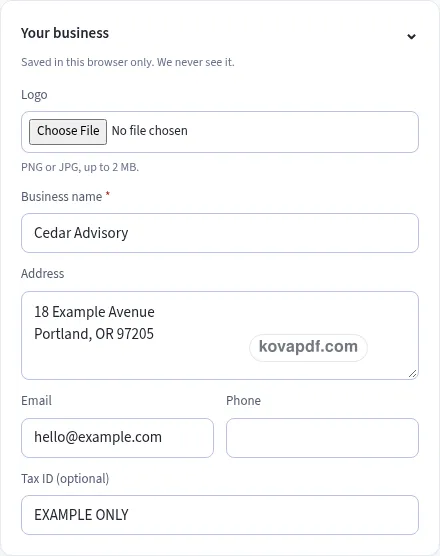
Check the page preview after changing the text. Read the amounts, dates and page breaks before exporting.
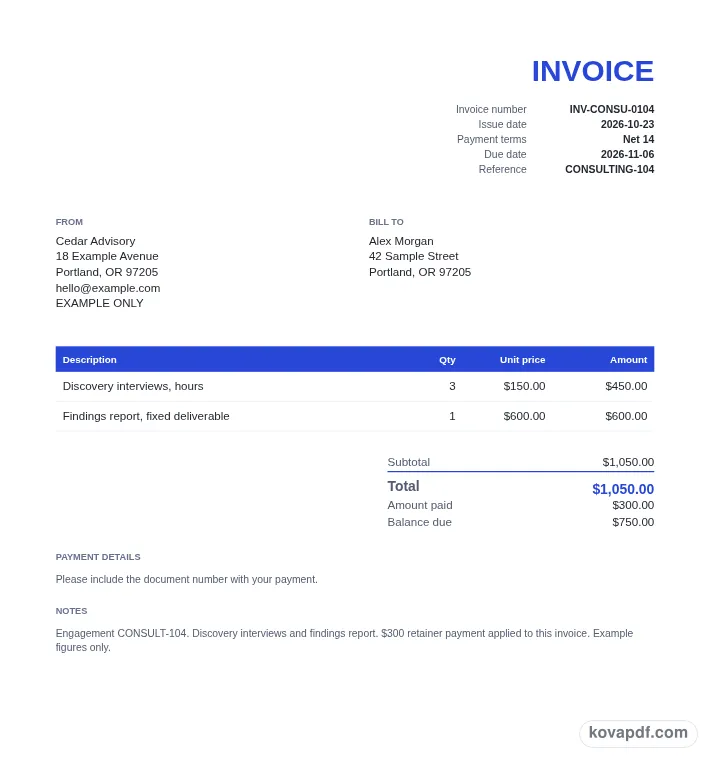
Use the download controls above the preview. Open the saved file and give it one final read before sharing.

Read the document as you fill in the form.
Compare Classic, Modern and Minimal layouts.
Save a copy when the names and figures are right.
The generator works on this device.
Use A4 or Letter and check the page breaks.
Return to the form to correct a detail before sharing.
These are fictional details. Choose an example, then replace them with your own.
Enter the customer and project reference. Replace the sample discovery time and fixed report entries with the actual agreed work.
Read retainer application and expenses. Put received money in Amount paid and compare the balance with your records.
Check approval context in the preview. Save PDF or Word, open the file and read the job description and balance before sending.
This modern consulting invoice uses an accent band to separate the document heading from its content. The filled preview concerns a discovery engagement followed by a fixed-price findings report. It is intended to help you bill for a discovery engagement followed by a fixed-price findings report. Start with the example to compare the visual layout, then work through the details below from the perspective of the client reviewing the consulting work.
A Modern consulting invoice should make engagement reference easy to find. Try the filled example, cONSULT-104, to see how this detail sits in the document. Use the project name or purchasing reference the client recognizes. Then turn to discovery time: the two entries need to describe the same situation. Use the preview to check your replacement text, especially when a name or description is longer than the sample.
A Modern consulting invoice should make discovery time easy to find. Try the filled example, three interview hours at 150 per hour, to see how this detail sits in the document. Separate recorded time from fixed deliverables. Then turn to fixed report: the two entries need to describe the same situation. Use the preview to check your replacement text, especially when a name or description is longer than the sample.
A Modern consulting invoice should make fixed report easy to find. Try the filled example, one findings report at 600, to see how this detail sits in the document. Describe the deliverable rather than inventing an hourly quantity for it. Then turn to retainer application: the two entries need to describe the same situation. Use the preview to check your replacement text, especially when a name or description is longer than the sample.
A Modern consulting invoice should make retainer application easy to find. Try the filled example, 300 received and applied to this bill, to see how this detail sits in the document. Explain which payment has been credited against the invoice. Then turn to billing period: the two entries need to describe the same situation. Use the preview to check your replacement text, especially when a name or description is longer than the sample.
A Modern consulting invoice should make billing period easy to find. Try the filled example, the dates covered by the engagement work, to see how this detail sits in the document. Make the period clear for a recurring advisory arrangement. Then turn to expenses: the two entries need to describe the same situation. Use the preview to check your replacement text, especially when a name or description is longer than the sample.
A Modern consulting invoice should make expenses easy to find. Try the filled example, only separately agreed reimbursable items, to see how this detail sits in the document. Describe an expense and its basis when it belongs on the invoice. Then turn to example balance: the two entries need to describe the same situation. Use the preview to check your replacement text, especially when a name or description is longer than the sample.
A Modern consulting invoice should make example balance easy to find. Try the filled example, 1050 in charges, less 300 received, leaving 750, to see how this detail sits in the document. These fictional figures demonstrate the mixed hourly and fixed structure without added tax. Then turn to approval context: the two entries need to describe the same situation. Use the preview to check your replacement text, especially when a name or description is longer than the sample.
A Modern consulting invoice should make approval context easy to find. Try the filled example, the client contact or purchase reference, to see how this detail sits in the document. Help the reviewer connect the work with the engagement. Then turn to engagement reference: the two entries need to describe the same situation. Use the preview to check your replacement text, especially when a name or description is longer than the sample.
The accent heading should leave the main consulting invoice information easy to read. Check a long entry such as engagement reference after typing it, since a real name may take more room than the fictional one. Continue down to billing period and check where the next section starts. Use the preview controls to compare a page at fit width and at a larger zoom. On a phone, switch from Edit to Preview to read the page without the form taking the screen. Before exporting, select the intended paper size under Design. Recheck the last page after that change. The file should present the complete consulting invoice, including any final note or signing area that belongs with a discovery engagement followed by a fixed-price findings report.
The Modern design uses a stronger accent band and a different visual hierarchy. The fields still describe a discovery engagement followed by a fixed-price findings report. Check the longest entries, including billing period, in the page preview after you edit them.
Use the accent controls under Design. Compare the heading with engagement reference and read the body text at normal size. A color choice should support the document rather than draw attention away from its meaning.
Use the form to enter discovery time and then work through expenses. The preview updates from your entries. All names and figures in the gallery are fictional and need checking before use.
PDF preserves the previewed page arrangement. Word provides editable text and may reflow when opened. Use the current draft to bill for a discovery engagement followed by a fixed-price findings report; whichever format you choose, inspect the saved copy before sharing it with the client reviewing the consulting work.
No. Download the checked copy, then choose how to share it. Your entries are used on this device. On a shared computer, clear the saved draft when you no longer want those details stored in the browser.