HTML en PDF
Enregistrez une page web en PDF, telle qu'elle s'affiche, depuis son adresse ou un fichier.
- Conserve votre mise en page
- Fonctionne sur tous les appareils
- Supprimé après traitement
- Un vrai moteur de navigateur
- CSS grid et flexbox intacts
- Polices web chargées
- Une page, un fichier ou un dossier
URL · .html · .zip
Turn a web page into a PDF
Paste the address of any public page. It is loaded and rendered exactly as a browser would show it.
Pages behind a login can't be reached, and addresses on a private network are refused.
Comment ça marche
HTML en PDF en trois étapes
Choose where the page comes from
Paste a web address, upload an .html file, drop in a .zip of a whole site, or paste the markup straight in.
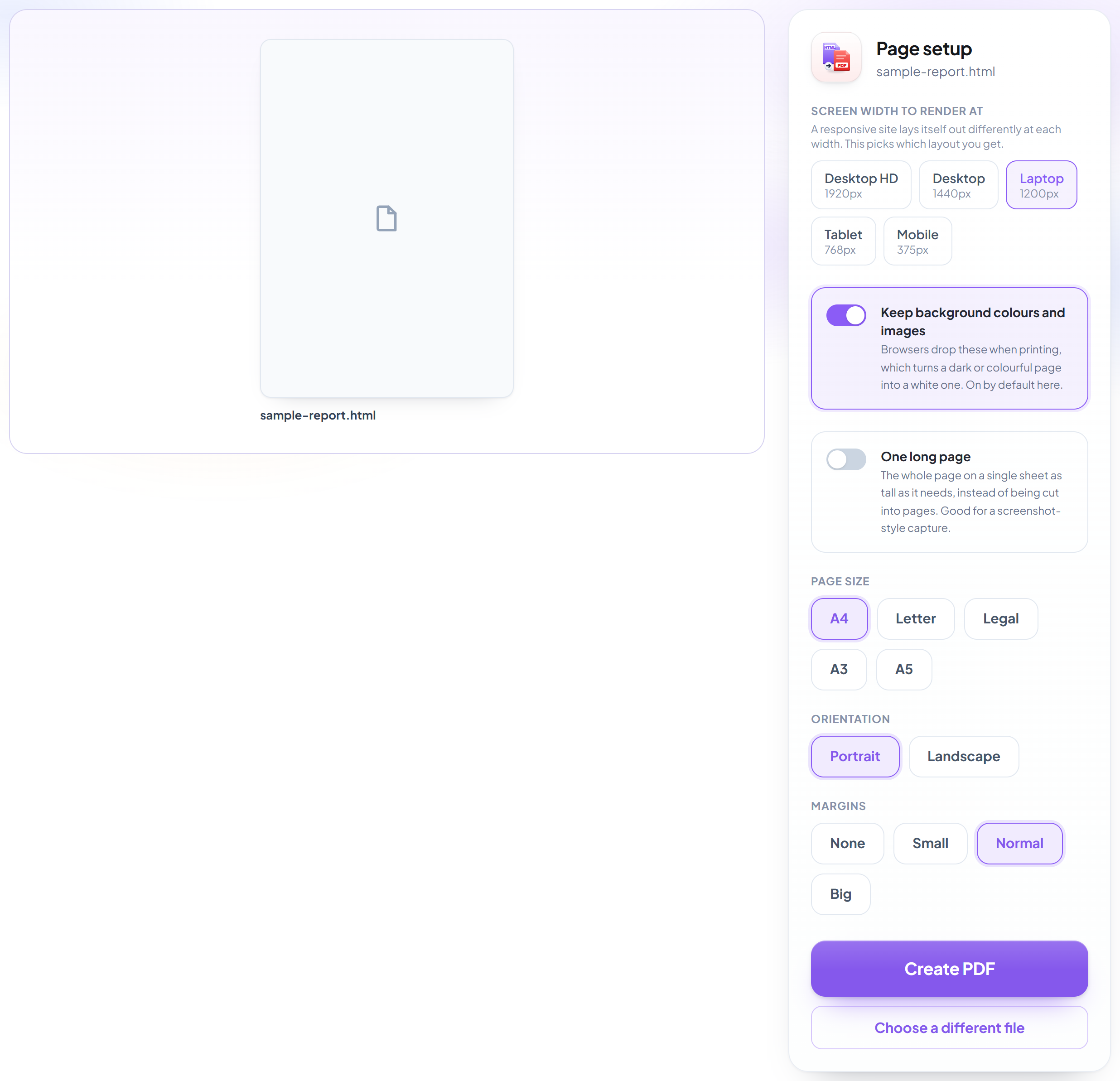
Pick the screen width
A responsive site lays itself out differently at 1920px and at 375px, so this decides which layout you get. Background colours stay on by default -- browsers drop them when printing, which is what turns a dark page white.
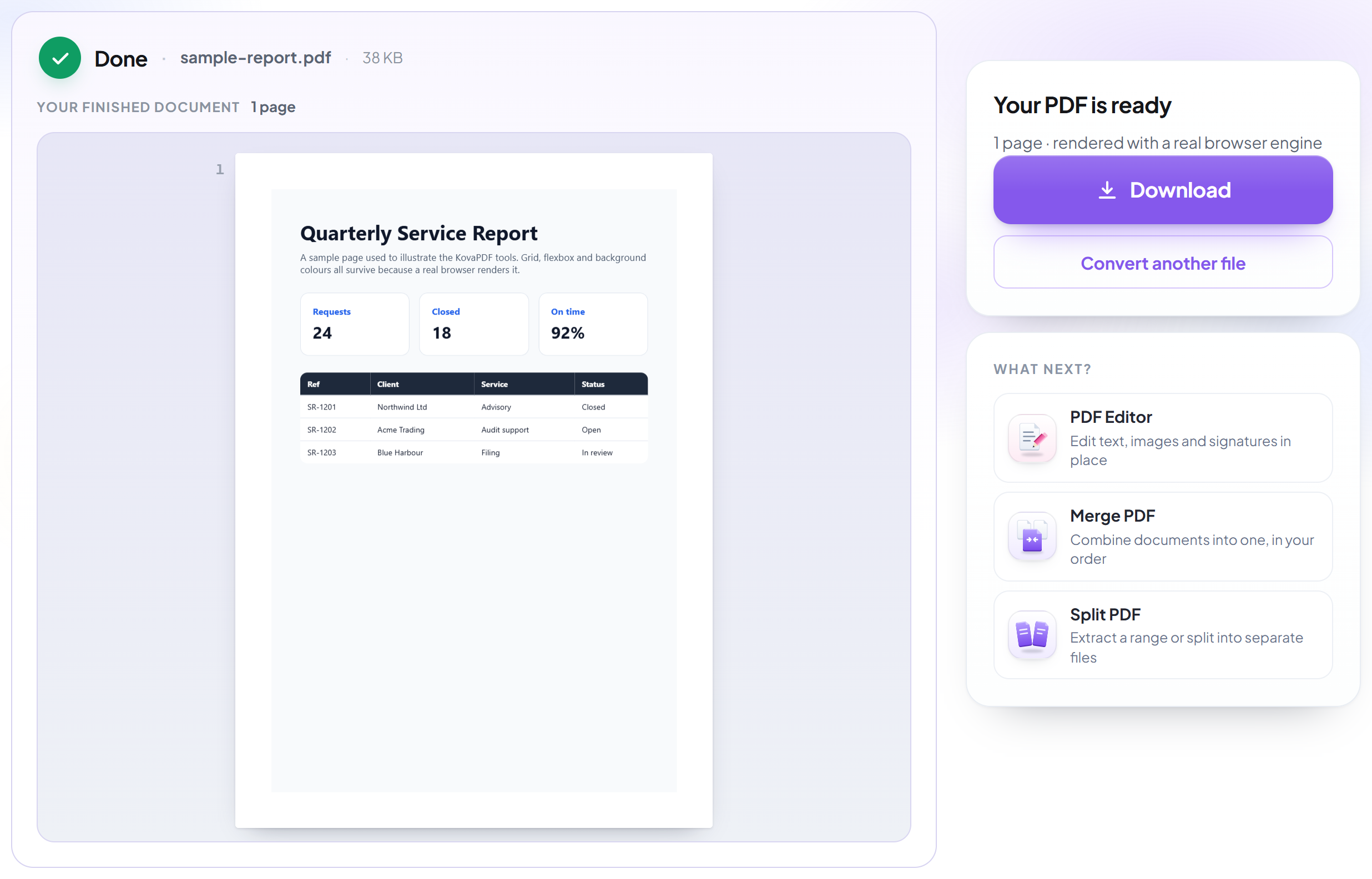
Download your PDF
CSS grid, flexbox and web fonts all survive, because a browser did the rendering rather than an office suite's HTML import.
How to turn a web page into a PDF
Rendered by a real browser engine, so the page looks like the page.
Choose where the page comes from
Paste a web address, upload an .html file, drop in a .zip of a whole site, or paste the markup straight in.

Pick the screen width
A responsive site lays itself out differently at 1920px and at 375px, so this decides which layout you get. Background colours stay on by default -- browsers drop them when printing, which is what turns a dark page white.
Download your PDF
CSS grid, flexbox and web fonts all survive, because a browser did the rendering rather than an office suite's HTML import.
Frequently asked questions about HTML en PDF
Will my CSS actually work?
Yes. The page is rendered by a real browser engine, so CSS grid, flexbox, web fonts, media queries and anything positioned all behave exactly as they do on screen. Converters built on an office suite's HTML import cannot do this -- that is why their output rarely resembles the page.
Why is my dark page coming out white?
It should not here: browsers drop background colours and images when printing, and this tool turns that back on by default. If you want the printer-friendly version instead, switch 'Keep background colours and images' off.
Can I convert a page that needs a login?
No. The page is fetched by our server, which has no access to your session or cookies. Save the page from your browser and upload the .html file, or a .zip of it, instead.
What can I upload?
A web address, a single .html file, a .zip containing the page with its CSS and images, or HTML pasted straight in.
Why was my address refused?
Addresses on private networks -- localhost, internal IP ranges and cloud metadata endpoints -- are blocked, and so is anything that is not http or https. That is a deliberate safety limit, checked again on every redirect.
Is it free?
Yes. Every tool works without paying and without an account. Files can be up to 200 pages and 80 MB, and a run that fails costs you nothing.
Do I need to create an account?
No. All tools work without signing in. An account raises your hourly allowance and lets you see what you have processed.
What happens to my file?
It travels over an encrypted connection into a directory created for that single request, is processed, is returned to you, and the working copy is deleted as the request finishes. We keep a record that an operation ran — never the filename or the contents.