Converting files
Convert PDF to JPG without losing quality: what is possible?
In short
A JPG cannot preserve a vector PDF without any change: rendering fixes a pixel resolution and JPG encoding is lossy. You can reduce visible damage by rendering enough pixels for the destination and avoiding repeated JPG saves. Use PNG when you need to preserve the rendered pixels exactly.

Where can sharpness disappear?
There are three separate points to inspect: the original page, the render resolution and the image encoding. If the original is a blurry photograph, a high DPI render only draws that blur in more pixels. If the original has sharp vector type, too few render pixels can make it soft. JPG encoding can add blocks or halos around edges afterwards.
Open the PDF at high zoom first. Compare the smallest important text with the exported JPG at its intended display size. Judge readability there rather than assuming a large pixel count means a good result.
What changed in our render test?
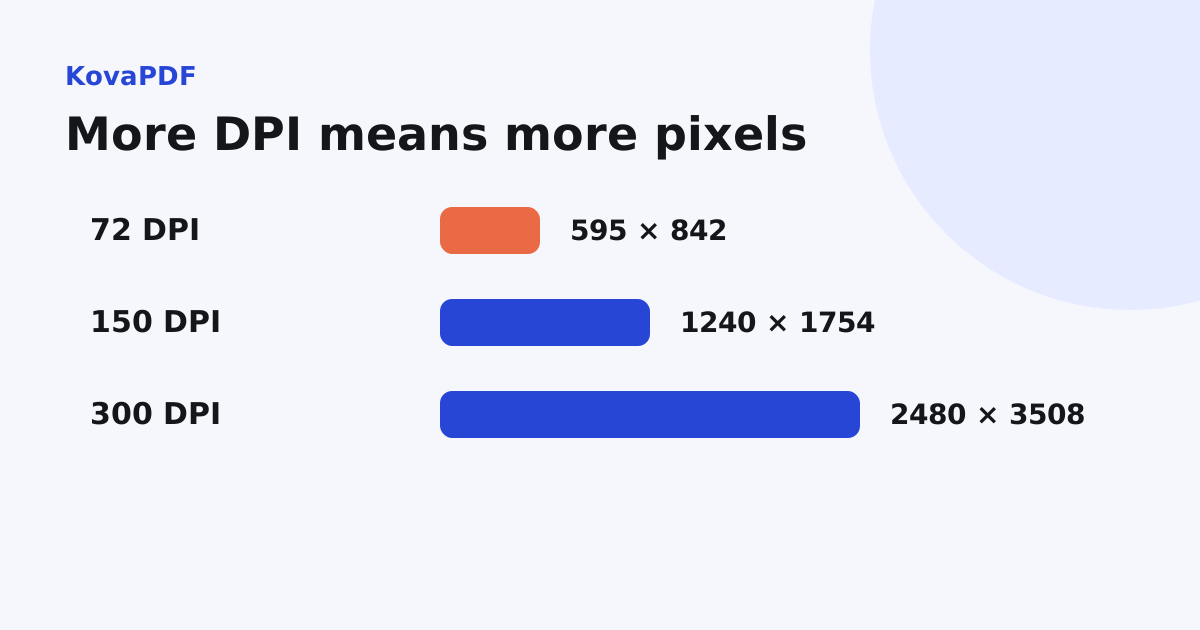
We rendered the same A4 report page with PDF to JPG at three resolutions. The JPG outputs measured 595 by 842 pixels at 72 DPI, 1240 by 1754 at 150 DPI and 2480 by 3508 at 300 DPI. Their file sizes were 14,472, 48,678 and 167,296 bytes respectively.
The dimensions rose predictably, but the encoded file size did not follow an exact fourfold rule. Content and compression affect it too. These are measurements of one text fixture, not a quality score or a promised output size for your pages.
How should I choose a resolution?
Start with the number of pixels the destination can actually show. If a portrait page will occupy 1200 pixels of screen width, a 595 pixel wide export must be enlarged and will look softer. A 2480 pixel wide export has more room for that use, though its file may be unnecessarily heavy for a small preview.
For printing, relate pixels to physical size. A page printed larger than its intended dimensions needs more pixels for the same density. Always check a sample containing the smallest type. Tiny labels can be unreadable on paper even when the whole page appears crisp on screen.
When should I use PNG instead?
Use PDF to PNG for text, diagrams or an editing workflow where preserving the rendered pixels matters. PNG avoids the additional lossy JPG encoding step. It still starts with a raster render, so it does not retain infinitely scalable vector text.
Our 150 DPI text page produced a 12,401 byte PNG, smaller than its 48,678 byte JPG. A photograph may reverse that relationship. The format selection guide explains the broader tradeoffs without treating one format as universally better.
What should I avoid after exporting?
Avoid saving, editing and resaving the same JPG repeatedly. Keep a lossless intermediate if several editing passes are needed, and create the delivery JPG at the end. Do not use a screenshot of the PDF viewer when a controlled page render is available: the screenshot can include viewer scaling, cropped margins or interface elements.
If only one page needs exporting, select it before rendering. That reduces the work and makes it easier to inspect the exact output rather than a large archive of similar images.
What if even PNG looks blurry?
Inspect the source again. A scan with motion blur, clipped letters or missing strokes cannot be restored just by changing the output extension. Scan quality review helps decide when to clean a scan and when a fresh capture is necessary.
Keep the original PDF if you need selectable text, links or signature verification. A visually good image is not a substitute for those document features.
Common questions
Can JPG conversion be completely lossless?
No. Rendering fixes a pixel grid and JPG encoding is lossy. You can minimise visible loss for a specific use.
Why is a high DPI JPG still blurry?
The source may already be blurry or low resolution. More output pixels do not recreate missing detail.
Does PNG preserve vector text?
PNG preserves the rendered pixels without JPG loss, but it is still a raster image rather than scalable text.
How much did 300 DPI increase the test image?
It doubled both dimensions compared with 150 DPI, from 1240 by 1754 to 2480 by 3508 pixels.
Is a viewer screenshot equivalent to a render?
No. A screenshot depends on viewer zoom, screen size and cropping. A page render gives explicit resolution control.
Should I keep the original PDF?
Yes, particularly when you need selectable words, working links, forms or verifiable digital signatures.
KovaPDF on your computer and phone
Use KovaPDF on your computer, where many tools work with no internet, and on your phone. The same account works in both.