Summarize a long PDF
Drop in a long report, contract or manual and get its key points beside the document, each with a link to the page it came from.
- Free to use
- Works on any device
- Nothing to install
- The points, not the prose
- Every figure from the page
- Beside the document itself
- Only the text is sent, not the file
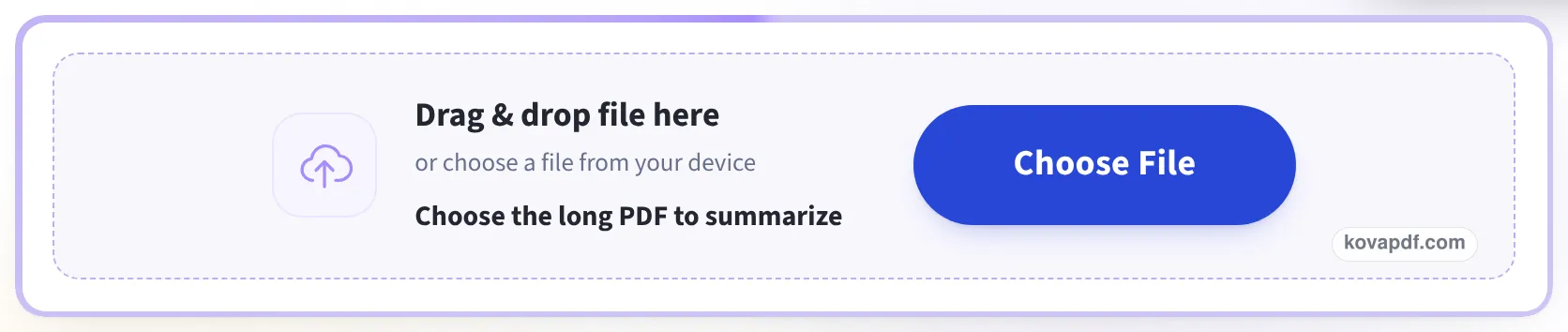
Drag & drop file here
or choose a file from your device
Choose the long PDF to summarize
On your computer? Get the Windows appOn your phone? Get the phone app
Your PDF stays on your device. The file is never uploaded. To write the summary, the text inside it is sent to an AI service, and we do not keep it. Every figure comes from the document itself.
Everything Summarize PDF can do
Hand it a PDF and get back what the document is, who it concerns and the figures it turns on. The file itself stays on your device.
What you get back
- A title naming what the document actually is
- One fact to a line, each with its own short label
- The amounts, dates and parties pulled out of the page
- Figures quoted exactly as the document writes them
- Written in the same language as the document
How it reads a document
- Labelled fields from an invoice, a receipt or an order
- Rows, columns and date ranges from a table
- Section headings in order from a long policy
- The key sentences from a document written in prose
Beside the document
- The PDF open next to the summary as you read
- Page count and word count on the bar above it
- Every figure checkable against the page it came from
Taking it with you
- Copy the whole summary in one click
- Download it as a .txt named after your file
- Start on another document without leaving the page
How it works
Summarize a long PDF in three steps
Open the PDF
Choose the file. It is read in your browser, page by page, and never uploaded.
Read the points
The key points appear beside the document, each with the page it came from.
Check and keep
Click a page link to see the sentence in place, then copy the summary or save it as .txt or PDF.
Summarize a long PDF: a visual walkthrough
The summary sits next to the document rather than replacing it. These pictures show a 29-page annual report going through the tool.
Choose the long PDF
Drop the file in the box or press Choose File. It is opened in your browser; the note under the box says what is sent to write the fuller summary.
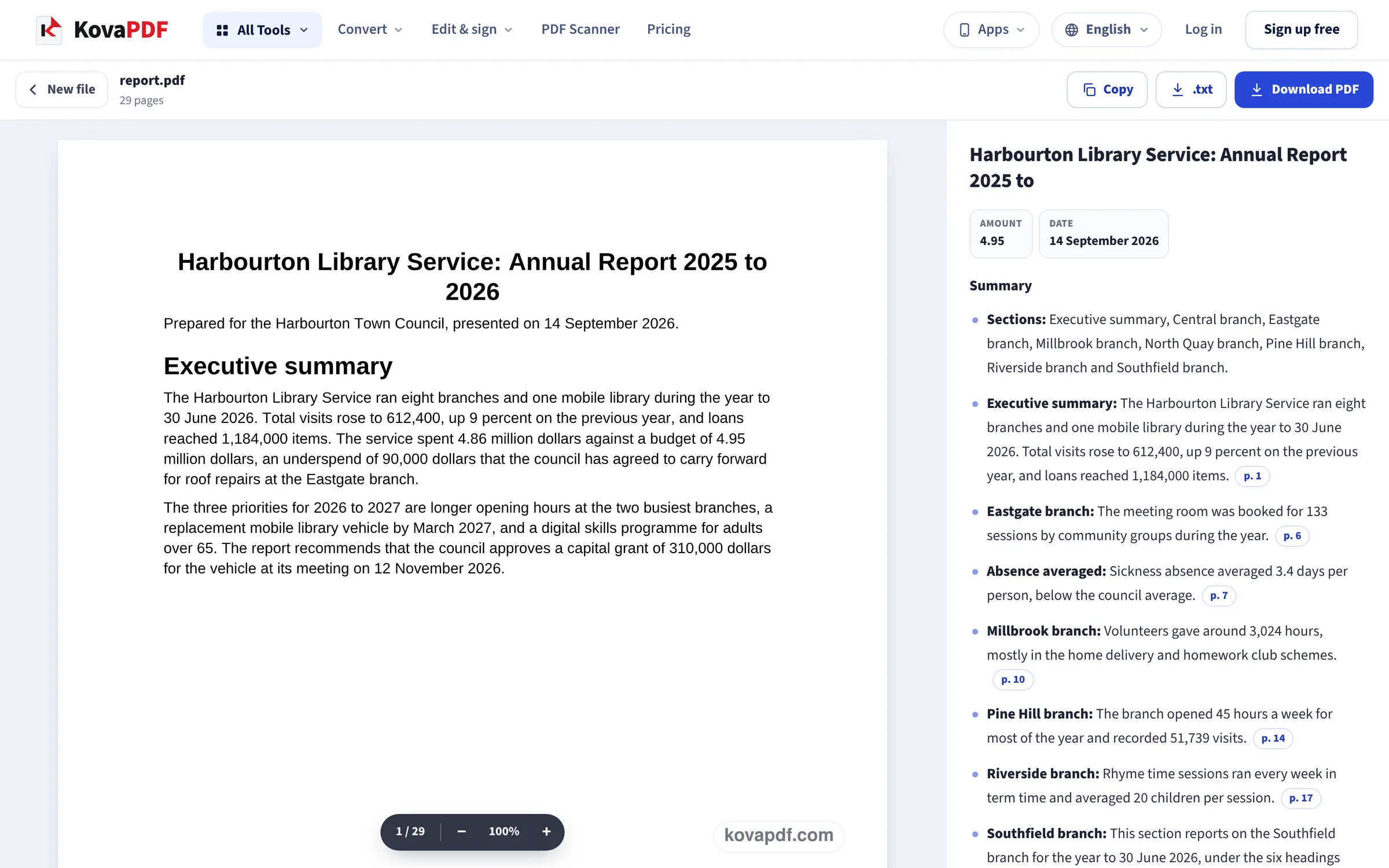
The key points, beside the pages
The report opens on the left and the summary on the right: a title, key facts, then the points, each ending with a page link such as p. 14.
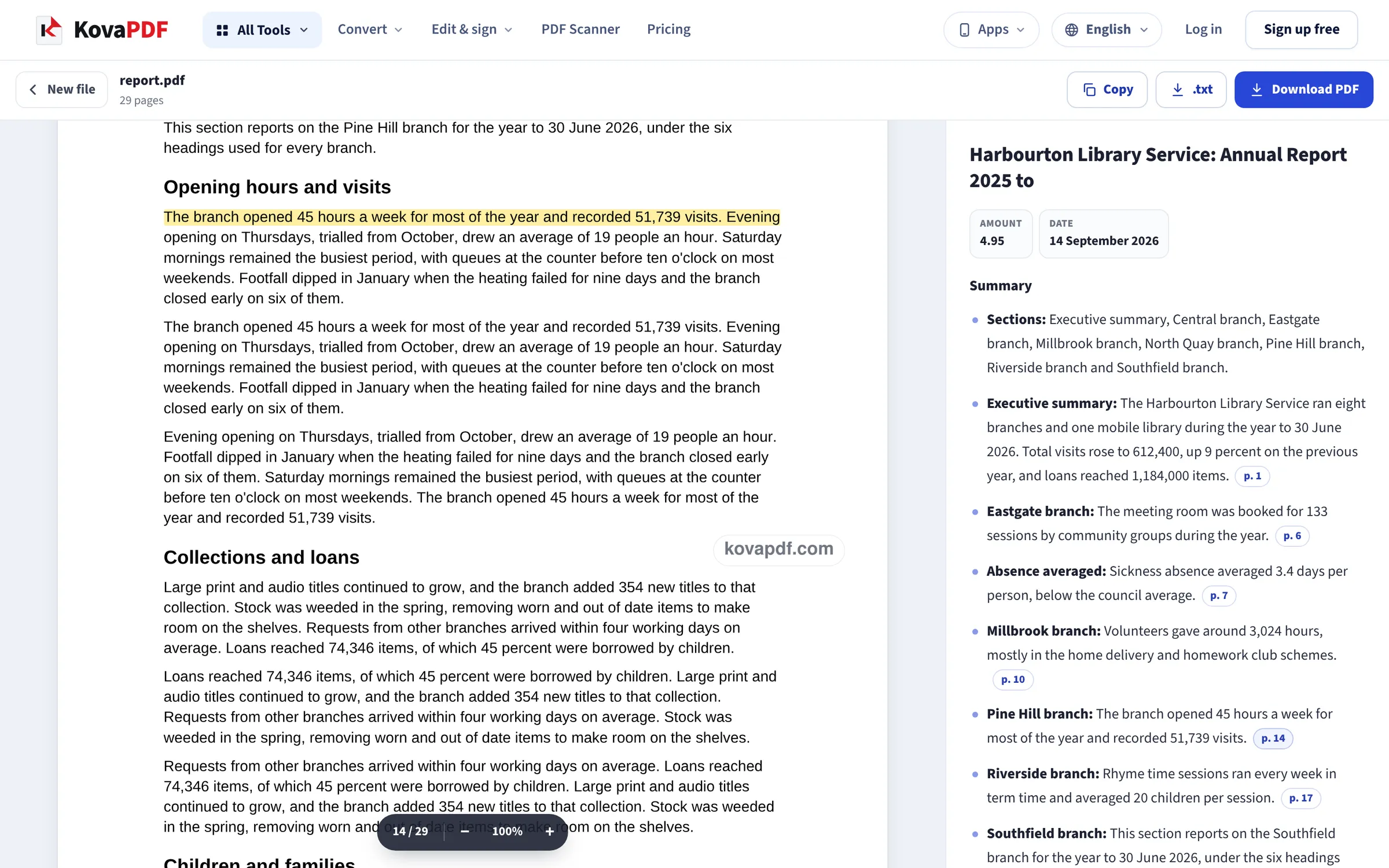
Follow a point to its page
Clicking a page link scrolls the document to that page and marks the sentence the point was taken from. Copy, .txt and Download PDF sit at the top.
A 29-page report, summarized on this page
Our test file was a 29-page annual report we wrote for a fictional town library service: 9,687 words, twelve sections, eight branch reports, a finance table and recommendations at the end. We dropped it on this page at 1366 px and again at phone size (390 × 844), with no AI service connected, so what we measured is the quick summary made on the device. Measured on October 24, 2026.
| What we checked | Result |
|---|---|
| Time until the summary was on screen | 2.6 s at 1366 px, 1.2 s at phone size |
| Points in the summary | 10: one listing the sections, nine taken from the text |
| Points with a page link | 9 of 10, pointing at pages 1, 6, 7, 10, 14, 17, 20, 23 and 24 |
| Key facts shown | 2: a date (14 September 2026, correct) and an amount shown as 4.95, without the word million |
| Saved summary PDF | 1 A4 page, 3,999 bytes, the same title, facts and points as on screen |
| Saved .txt file | 1,654 bytes |
| Message under the summary | Quick summary made on your device. The full summary is not available right now. |
The quick summary got the shape of the report right: the opening figures from the executive summary (612,400 visits, 1,184,000 loans) and one line from each branch report. It did not pick up the finance section or the four recommendations on the last page, and its title stopped at Annual Report 2025 to.
That is the honest use of the quick summary: a map of a long document and where to look, not a replacement for reading the parts that ask you to decide something. The written summary, when it is available, is the fuller account; we could not measure it in this test.
Getting a useful summary from a long document
Long PDFs are summarized best when their text is real text. A report exported from Word or a web page works straight away. A scan is read with text recognition first, which takes longer and can misread a figure, so check the numbers that matter.
- Start with the section list: it tells you how the document is built before you read a word of it.
- Use the page links on anything you will act on, quote or forward.
- For a contract, read the clauses the summary points to in full. A summary is for deciding what to read, not for signing.
- Scans: only the first 20 scanned pages are read with text recognition, and the summary says so when a scan is longer.
What happens to your file
Your browser opens the PDF and reads the words out of it on your own device, as a PDF reader would. The quick summary is made there too. Only for the fuller written summary are those words sent to an AI service, which writes the summary and sends it back; neither the text nor the summary is kept. The tool says so above the upload box before you choose a file.
When to use something else
To read a PDF written in another language, use Translate PDF. To keep all of the text rather than a summary, use PDF to Text. A scan with no text at all can first be made searchable with OCR PDF, which also lets you correct what was misread before you summarize it.
Read next: Summarize PDF · Copy text from a scanned PDF
Frequently asked questions about Summarize a long PDF
How do I summarize a long PDF?
Drop it in the box on this page. The document opens on the left and its key points appear on the right, each with a link to its page. Copy them, or save them as .txt or PDF.
How long does a long PDF take?
Our 29-page, 9,687-word report had its summary on screen in 2.6 seconds on a desktop. Scanned pages take longer, because their words are recognised in the browser first, and only the first 20 of them are read.
Is my PDF uploaded?
No. The file is opened and read on your device. To write the fuller summary, the words found in it are sent to an AI service, which does not keep them.
How do I know the summary is right?
Each point taken from the document has a page link. Click it and the document scrolls to that page and marks the sentence. Check figures there before you use them.
What is the quick summary made on my device?
A summary built from the document's own structure and sentences while the AI service is not available. In our test it gave ten points and a section list, but missed the recommendations on the last page.
Can I save the summary?
Yes. Copy puts it on the clipboard, .txt saves a text file and Download PDF saves a one-page PDF with the file name, page count and date.
Summarize a long PDF guides and articles



Related tools
All PDF tools · 15 step-by-step guides · How your files are handled
Also: Summarize PDF