Receipt to Excel
Read a receipt, compare the result with the source and correct the cells before downloading. Merchant, date, currency and amounts land in columns you can sort and add up.
- Free to use
- Works on any device
- Stays on your device
- Merchant, date, currency and amounts
- Checked beside the source
- Real Excel cells or CSV
- Read in your browser
PDF · JPG · PNG
Everything Receipt to Excel can do
Read receipts into spreadsheet cells you can edit, check each one beside its source and download Excel or CSV. Free, in your browser.
Reading receipts
- PDF, JPG and PNG, up to 10 files and 10 PDF pages a batch
- Selectable PDF text read directly, scans and photos read with English OCR
- OCR on PDF pages too, when their text is incomplete or garbled
- Paste receipt text instead, one receipt at a time
Checking the cells
- Merchant, date, currency, subtotal, tax, tip and total, each editable
- Item rows with description, quantity, unit price and amount
- Warnings when the amounts do not add up
- Select words in the recognised text and copy them into a field
What you get back
- An Excel workbook with Receipts and Items sheets, real date cells and numeric amount cells
- A CSV with one summary row per receipt
- A separate layout workbook that keeps the words in their receipt positions
- Exports only after every receipt is marked as reviewed
How it works
Receipt to Excel in three steps
Add your receipts
Drag receipt photos or PDFs onto the panel, or pick them from your device. Up to 10 files, one receipt per image or PDF page. They are read in your browser and never uploaded.
Check each receipt against its source
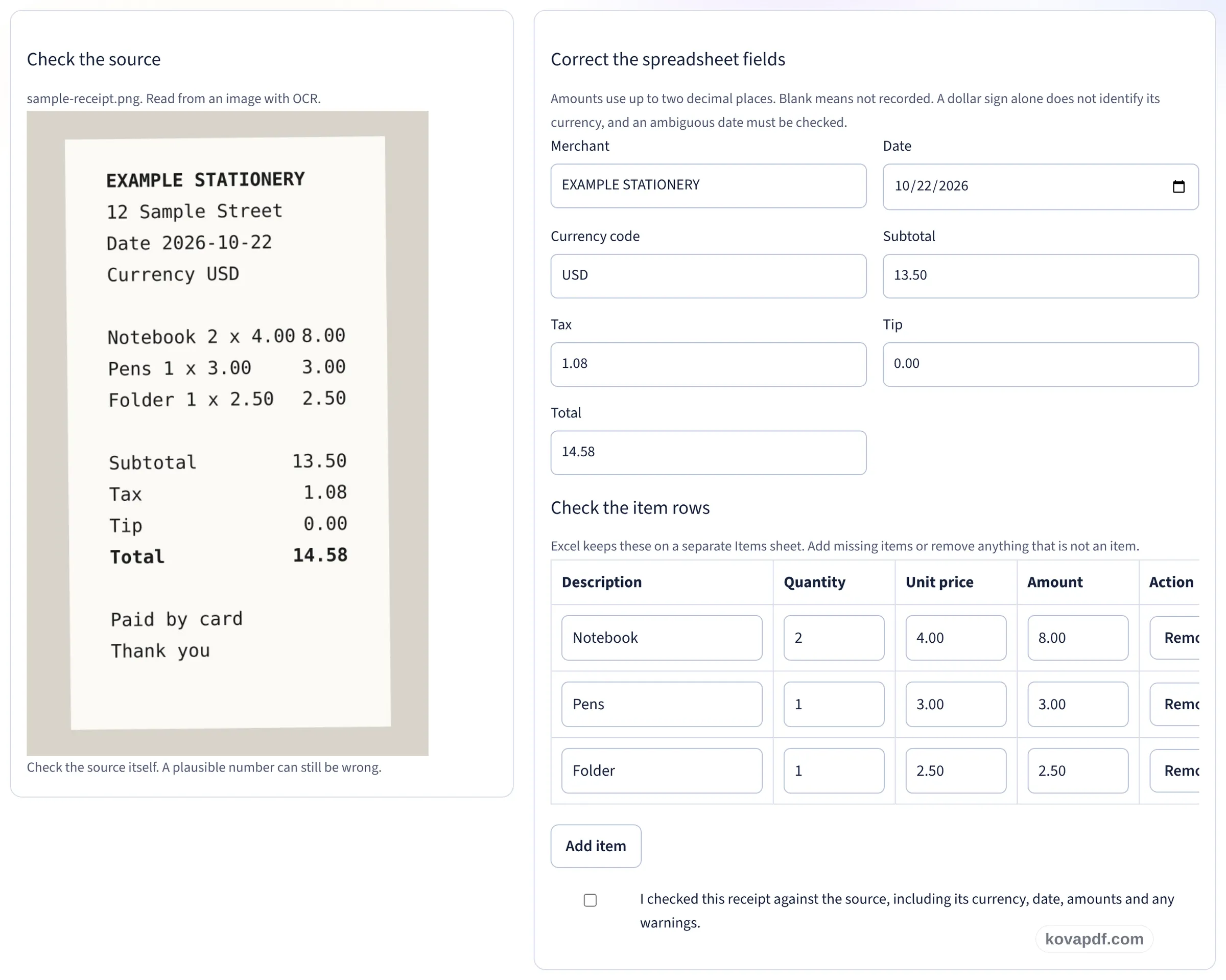
The receipt sits beside the fields read from it: merchant, date, currency, subtotal, tax, tip, total and the item rows. Correct anything that was misread, then confirm that you checked it.
Download Excel or CSV
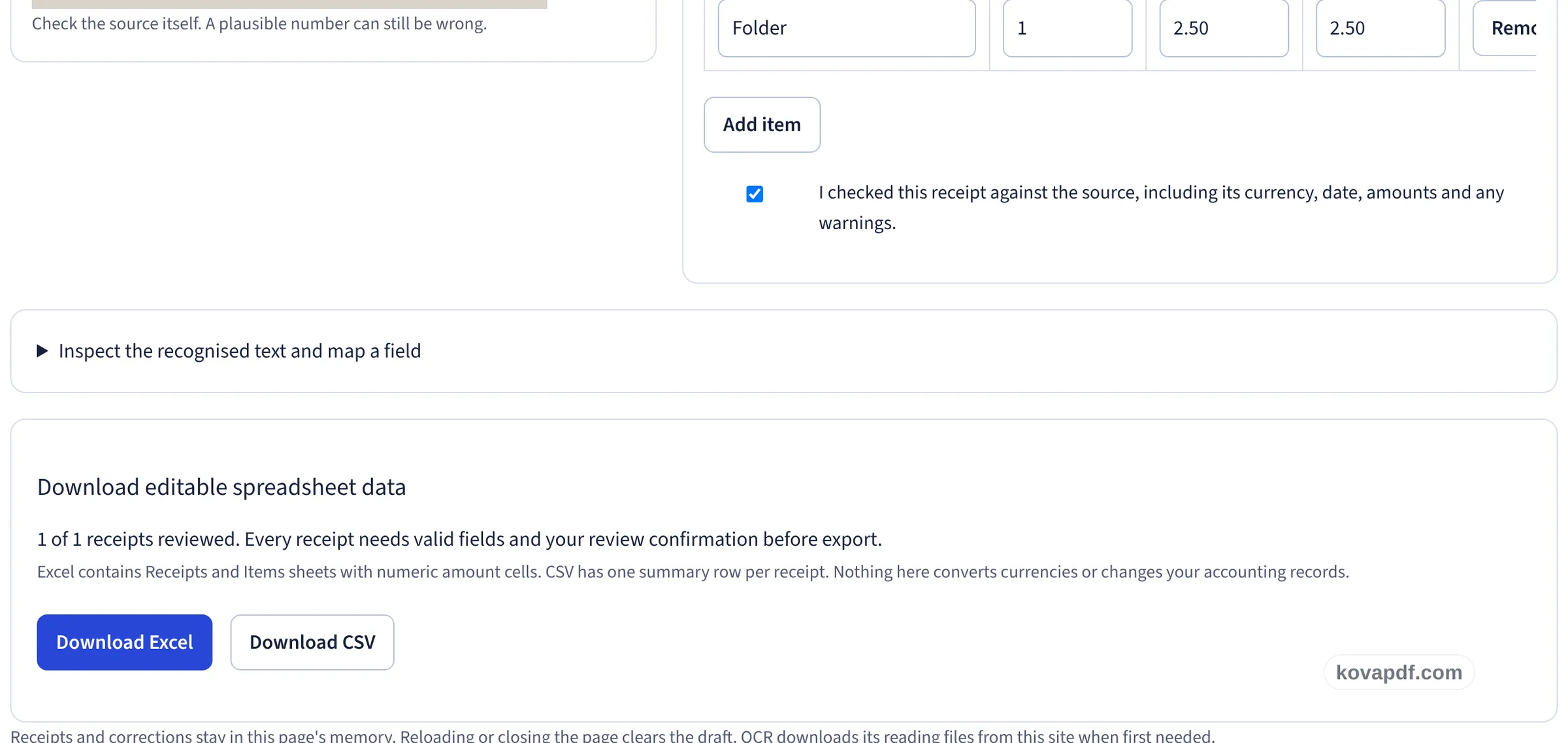
Once every receipt is marked as reviewed, download an Excel workbook with Receipts and Items sheets, real date cells and numeric amount cells, or a CSV with one row per receipt.
Receipt to Excel: a visual walkthrough
Read receipts into editable cells, check each one against its source, then download Excel or CSV.
Add your receipts
Drag receipt photos or PDFs onto the panel, or pick them from your device. Up to 10 files, one receipt per image or PDF page. They are read in your browser and never uploaded.

Check each receipt against its source
The receipt sits beside the fields read from it: merchant, date, currency, subtotal, tax, tip, total and the item rows. Correct anything that was misread, then confirm that you checked it.
Download Excel or CSV
Once every receipt is marked as reviewed, download an Excel workbook with Receipts and Items sheets, real date cells and numeric amount cells, or a CSV with one row per receipt.
Make the figures useful, not just visible
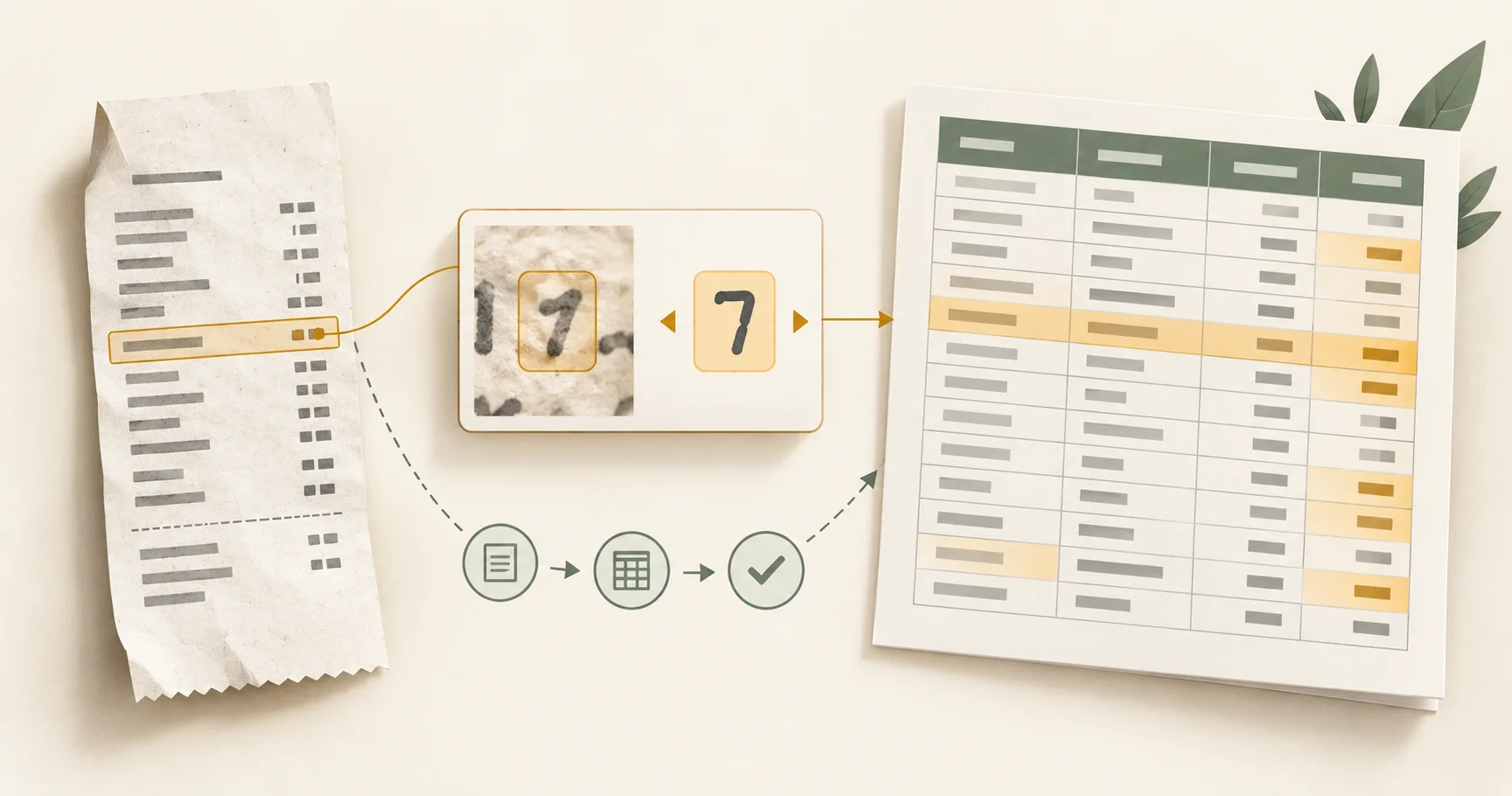
A receipt pasted into a worksheet is still a picture. This tool reads the text and maps it to fields you can edit, so you can correct the merchant, pick the date, name the currency and check the amounts while the receipt stays beside the form.
For a table that already exists in a report, PDF to Excel is the better fit, and a bank statement has its own page: convert a bank statement PDF to Excel keeps every transaction in one table and checks the balances. For text you want to copy without building a spreadsheet, use Image to Text. Need to issue a receipt rather than read one? The Receipt Generator makes a payment receipt PDF.
The guide to turning scanned receipts into an editable spreadsheet walks through a worked example, the column layout and the checks to make before importing anything into your records.
Frequently asked questions about Receipt to Excel
What happens to my file?
Nothing is uploaded. The receipt reader runs in your browser and downloads its reading files from this site the first time it is needed. There is no server fallback for your receipts in this tool.
What can I import?
Up to 10 PDF, JPG or PNG files, each no larger than 25 MB. A batch can hold no more than 10 PDF pages in total. Use one receipt per image or PDF page. Scans are read in English.
Will every character and amount be correct?
Not always. Faint printing, folds, shadows and crowded columns can produce reading errors. Compare each receipt with its source and confirm your review before exporting.
Does the spreadsheet contain a picture of the receipt?
No. The export holds editable fields, real date cells and numeric amount cells. The Excel file has a Receipts sheet and a separate Items sheet. The CSV has one summary row per receipt.
Can I keep the words in their receipt positions?
Yes. Review the positioned text boxes, correct missing words or positions and download the separate layout workbook. It uses editable text cells and includes a position audit. Fonts, logos and paper texture are not reproduced, and spreadsheet apps can render text differently.
Does this convert currencies or decide the tax treatment?
No. Currency and amounts are recorded as they appear on the receipt. The tool does not convert currencies, work out what you can claim or update your accounting records.
Is it free?
Yes. Every tool works without paying and without an account. Files can be up to 200 pages and 50 MB, and a run that fails costs you nothing. Pro removes the limits.
Do I need to create an account?
No. All tools work without signing in. An account raises your allowance and lets you see what you have processed.
Receipt to Excel guides and articles

Related tools
All PDF tools · 15 step-by-step guides · How your files are handled