PDF to PowerPoint, Editable Slides
One slide per page, with titles, bullets and labels as real text boxes you can click into and change.
- Keeps your layout
- Works on any device
- Deleted after processing
- One slide per page
- Text back as editable boxes
- Slides sized to the first page
- Opens in PowerPoint
Drag & drop file here
or choose a file from your device
PDF files only
On your computer? Get the Windows appOn your phone? Get the phone app
Everything PDF to PPT can do
Turn every page of a PDF into a PowerPoint slide with its words still editable.
Page becomes slide
- Every page becomes one slide, in order
- Slide size set from the PDF's own page dimensions
- Background rendered at 150 dpi, crisp on a large screen
Text you can move
- The page's words come back as genuine PowerPoint text boxes
- Each box sits where its text sat on the page
- Font, size, bold, italic, underline and colour kept per run
- A line that changes style half way keeps both looks
- Line spacing set from the baselines the page itself used
Nothing printed twice
- The background is rendered with the text left out
- Drag or retype a line with no ghost of it underneath
- Logos, rules and photographs stay in the background image
More from one upload
- Switch the target to Word or Excel without re-uploading
- Download another Office format from the result screen
- Open the same PDF in the PDF Editor and finish as slides
How it works
PDF to PowerPoint, editable in three steps
Add the PDF
Drop in a slide deck saved as PDF, or any other PDF.
Create PowerPoint
Each page becomes one slide of the same shape.
Download the .pptx
Open it in PowerPoint, Keynote or Google Slides and edit the text.
PDF to PowerPoint, editable: a visual walkthrough
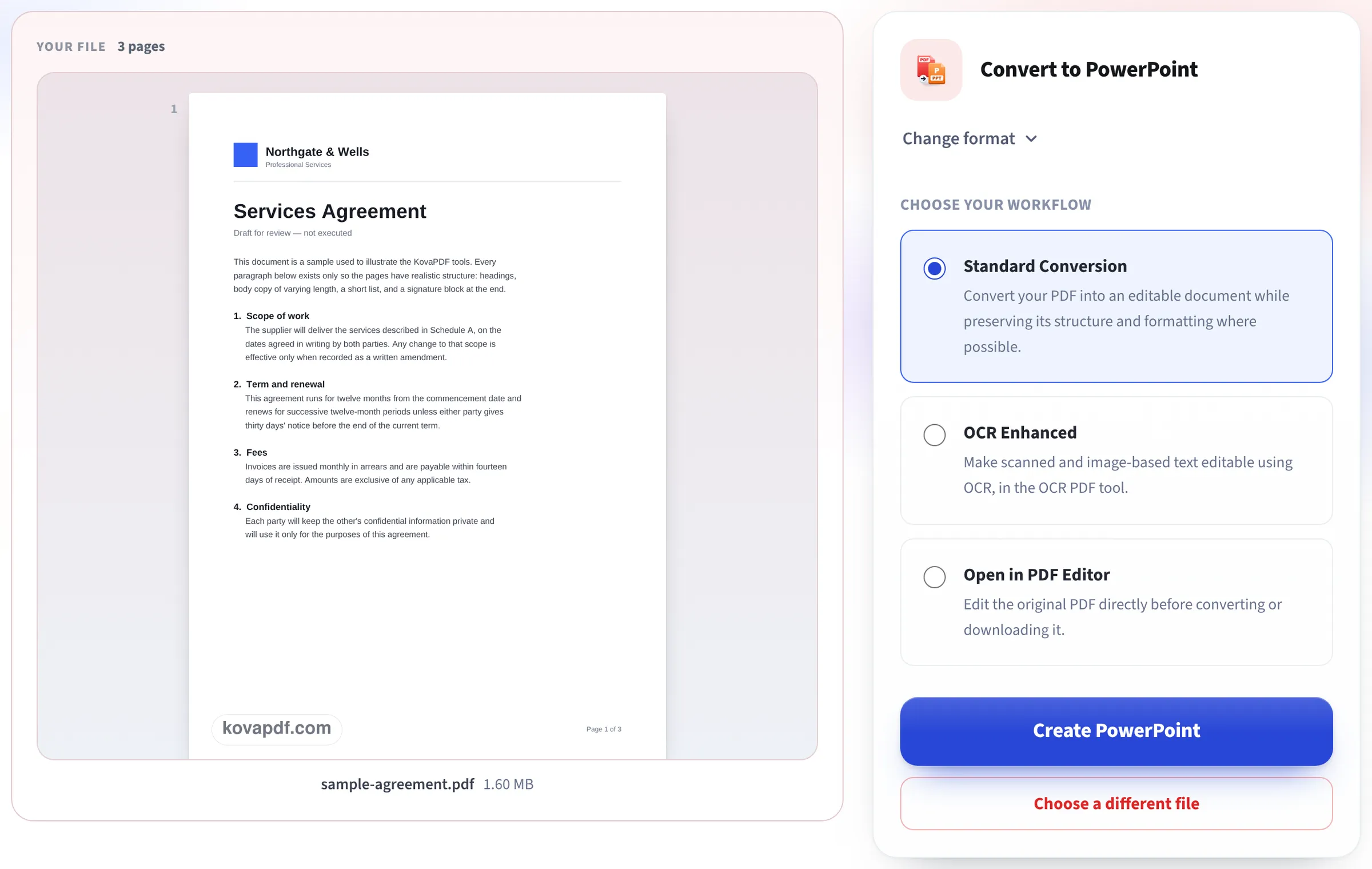
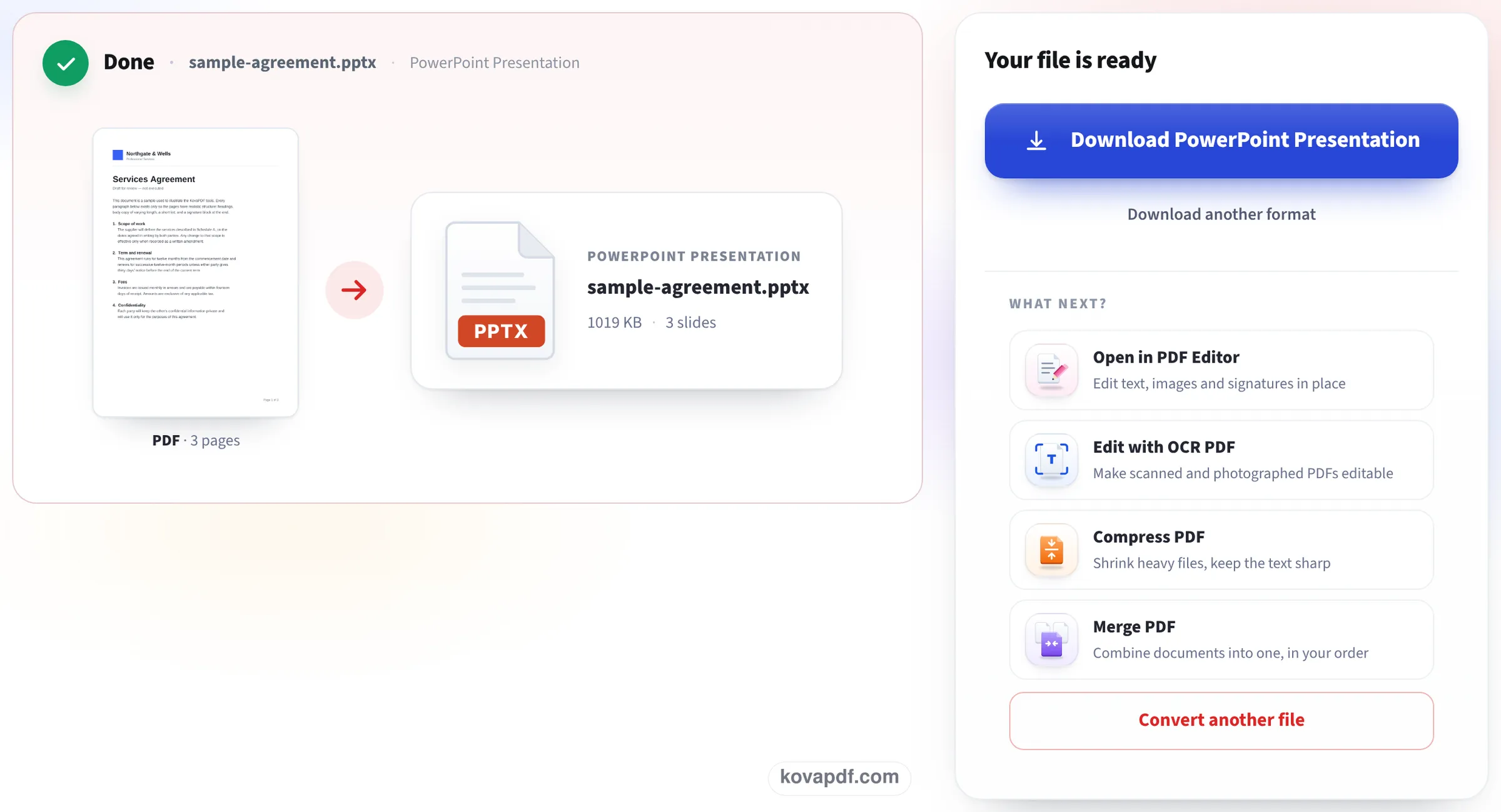
This page photographed while turning our sample agreement into slides: the upload box, the PDF read and ready to convert, and the PowerPoint file waiting to be saved.
Add the PDF you want as slides
Drop the file in the box. A deck someone exported to PDF is the usual case, but any PDF works: each of its pages will become one slide.

Press Create PowerPoint
The first page shows on the left with the page count. Standard Conversion is the route that gives text boxes; the PowerPoint file is then built on our server.
Download the presentation
Done shows the .pptx with its size and the number of slides, one per page of the PDF. Download PowerPoint Presentation saves it; open it and click any title or paragraph to change the words.
Our 4-slide deck, back from PDF
We made a 4-slide widescreen deck with a title slide, two bullet lists and a column chart, saved it as PDF, converted it on this page and opened the .pptx. Measured on October 24, 2026.
| Slide | Editable text boxes | Pictures | What we found |
|---|---|---|---|
| 1 Title | Title and subtitle | 1 | Both lines editable |
| 2 Bullets | Title, 4 bullets in one box | 1 | Bullet marks kept |
| 3 Column chart | Title and 12 labels: the legend, 7 axis values, 4 quarter names | 1 | Labels editable; the bars are part of the picture |
| 4 Bullets | Title, 3 bullets in one box | 1 | All text editable |
The deck came back as 4 slides at 13.33 × 7.5 inches, the size it was made at, in a 119 KB file, 1.3 seconds after pressing Create PowerPoint. Our 3-page Letter document became 3 portrait slides of 8.5 × 11 inches (134 KB), with each paragraph in its own text box.
Charts and diagrams are not rebuilt as PowerPoint charts: their words become text, their shapes stay a picture. To change the data, rebuild the chart.
When this is the right tool
Someone sent you their slides as a PDF and you need to update a date, fix a typo, translate the titles or reuse a few slides in your own deck. Converting gives you slides whose words you can change without retyping them.
If you need the deck's original charts and animations, ask for the .pptx itself: a PDF does not carry them, so no converter can bring them back.
Working with the converted slides
Some tips once it is open:
- Click a title or a bullet to edit it like any text box.
- The picture behind the text holds lines, shapes and photos; send it to the back or delete it to start a cleaner design.
- Missing fonts are shown in a similar font; choose your own theme fonts if they look off.
- Want the slides as pictures instead, for a video or a post? PDF to JPG gives one picture per page.
Good to know
A scanned PDF has no text to edit; its slides come out as pictures. A password-protected PDF needs unlocking first. Keynote and Google Slides open the .pptx too.
Read next: Convert PDF to editable Word · PDF to JPG in high resolution
Frequently asked questions about PDF to PowerPoint, editable
How do I convert a PDF to an editable PowerPoint?
Add the PDF here and press Create PowerPoint. Each page becomes a slide with its text in editable text boxes.
Will the charts be editable?
Their titles, labels and values become text you can edit; the bars and lines stay a picture. A PDF does not contain the chart's data.
Will the slide size stay the same?
Yes. Our widescreen deck came back at 13.33 × 7.5 inches and a Letter page as an 8.5 × 11 inch slide.
Can I open it in Google Slides or Keynote?
Yes. It is a standard .pptx file.
Does it work with scanned PDFs?
The slides come out as pictures, because a scan has no text. Read the words first with OCR PDF if you need them.
Is my PDF uploaded?
Yes, PowerPoint files are built on our server. The upload is deleted as soon as the file is ready.
PDF to PowerPoint, editable guides and articles



Related tools
All PDF tools · 15 step-by-step guides · How your files are handled
Also: PDF to PowerPoint