Sidebar
A dark side column for your contact details and skills, with your experience at full width beside it.
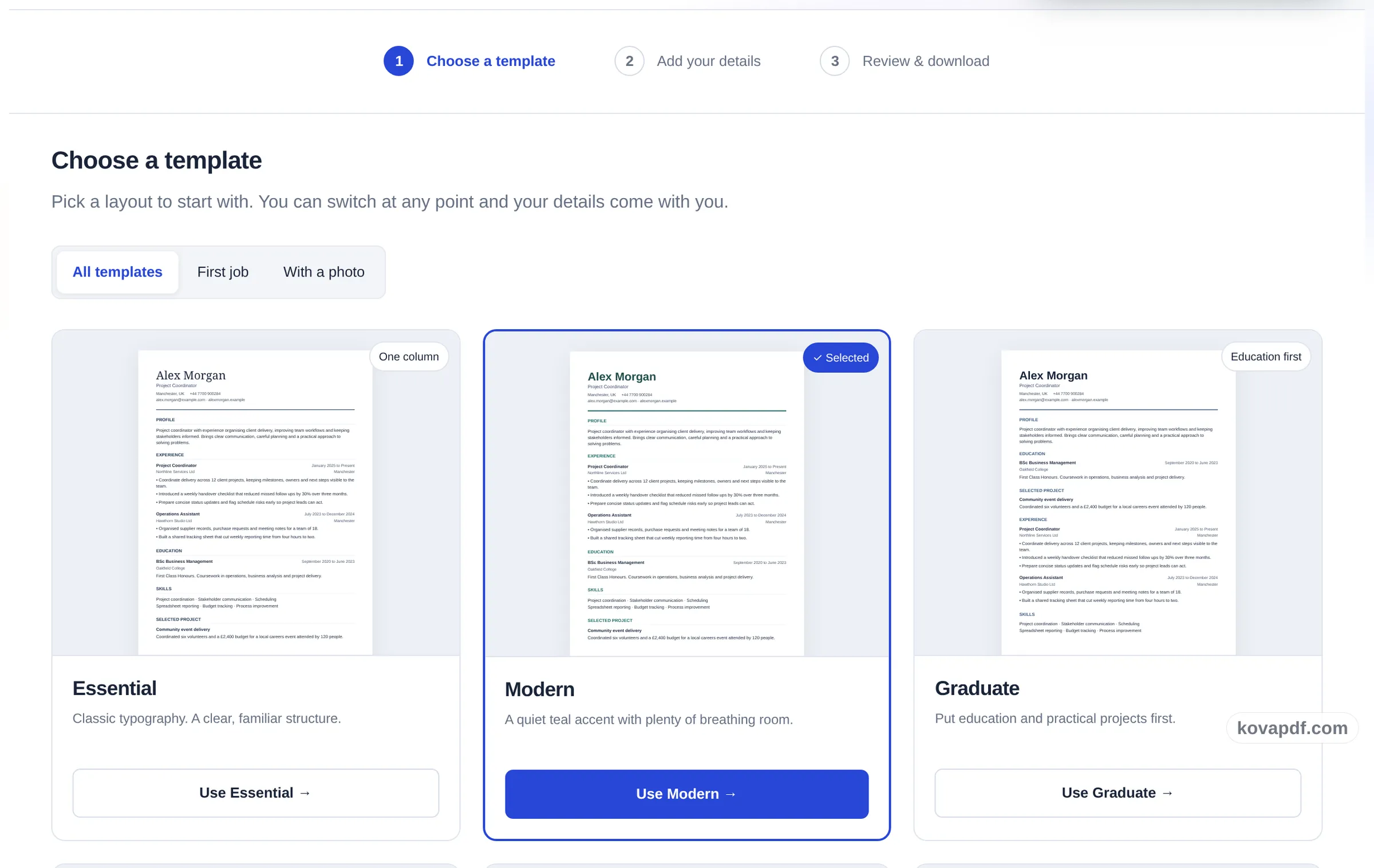
Pick a layout to start with. You can switch at any point and your details come with you.
A dark side column for your contact details and skills, with your experience at full width beside it.
A coloured band across the top that puts your name and contact details first.
Classic typography. A clear, familiar structure.
A quiet teal accent with plenty of breathing room.
Dates in a column of their own, so a reader follows your career at a glance.
A tinted side column, a round photo and skill tags, with a little more personality.
A centred serif heading with experience and achievements first.
A light side column on the right, quiet and well organised.
A navy heading with skills, projects and a clear work history.
Centred serif headings in a calm, formal style.
Put education and practical projects first.
An optional photo. Your experience stays centre stage.
Smaller type and tighter spacing, for a lot of experience on one page.
Black text in one column, for application systems that ask for a simple file.
Your form starts empty. Example details are fictional and are added only when you choose them. See every template with a full preview.
Choose a CV template from the gallery, fill in your details one section at a time with a live preview, then download a PDF or an editable Word document, with a matching cover letter.
CV
A CV and resume builder that runs in your browser: a gallery of layouts with real pictures, a form split into sections, a preview that follows your typing, a matching cover letter, and PDF or Word downloads.
Pick a layout, write one section at a time while the preview updates, then download the file the employer asked for.
Each layout is shown as a filled in page. Filter by one or two columns, with a photo, simple or creative, then pick one. Switch whenever you like: your details move with you.
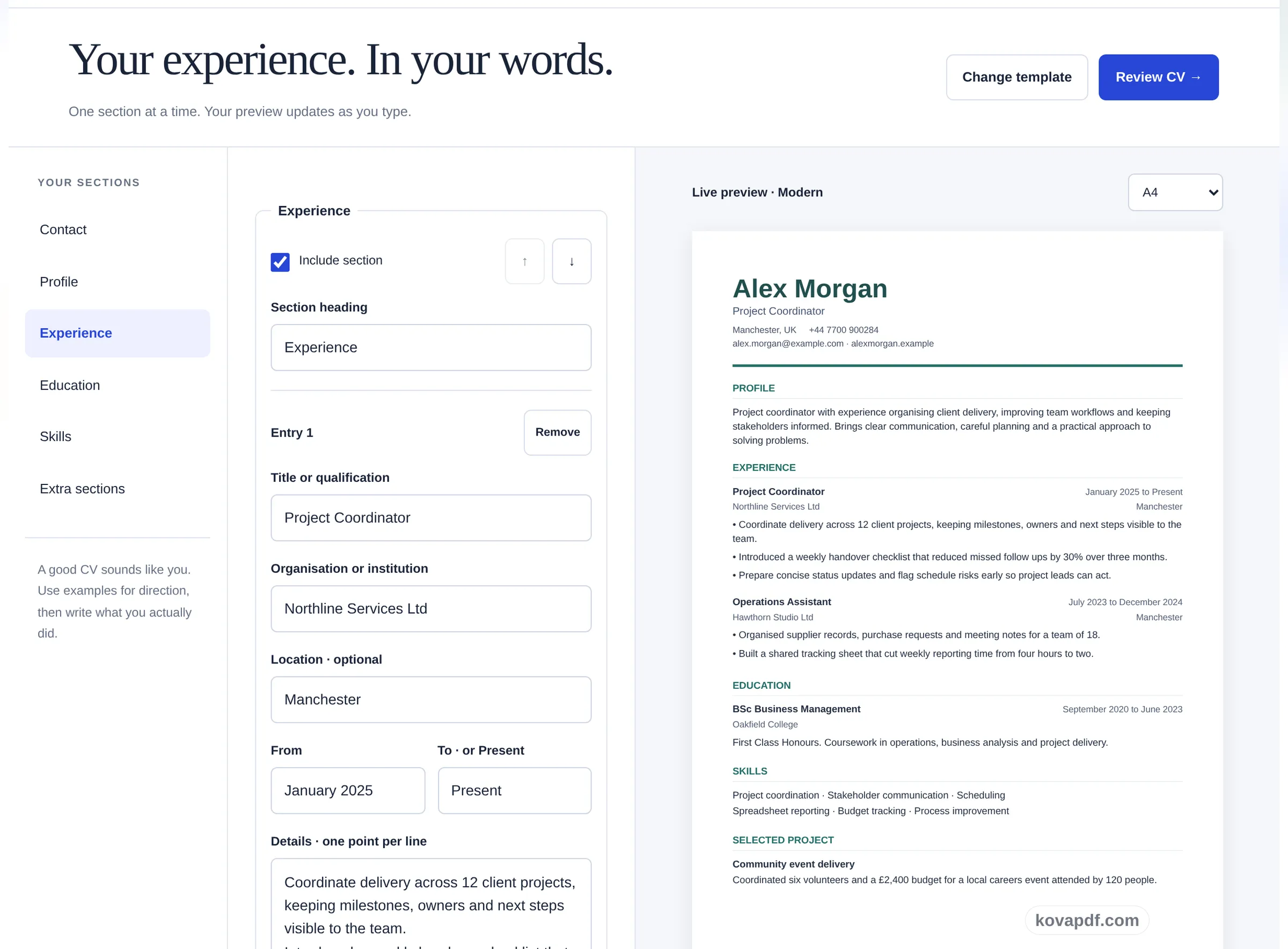
Contact details, a short profile, experience, education and skills, one section at a time. Training, certifications, languages, projects, volunteering and references are there if they help your application. The page beside the form redraws as you type.
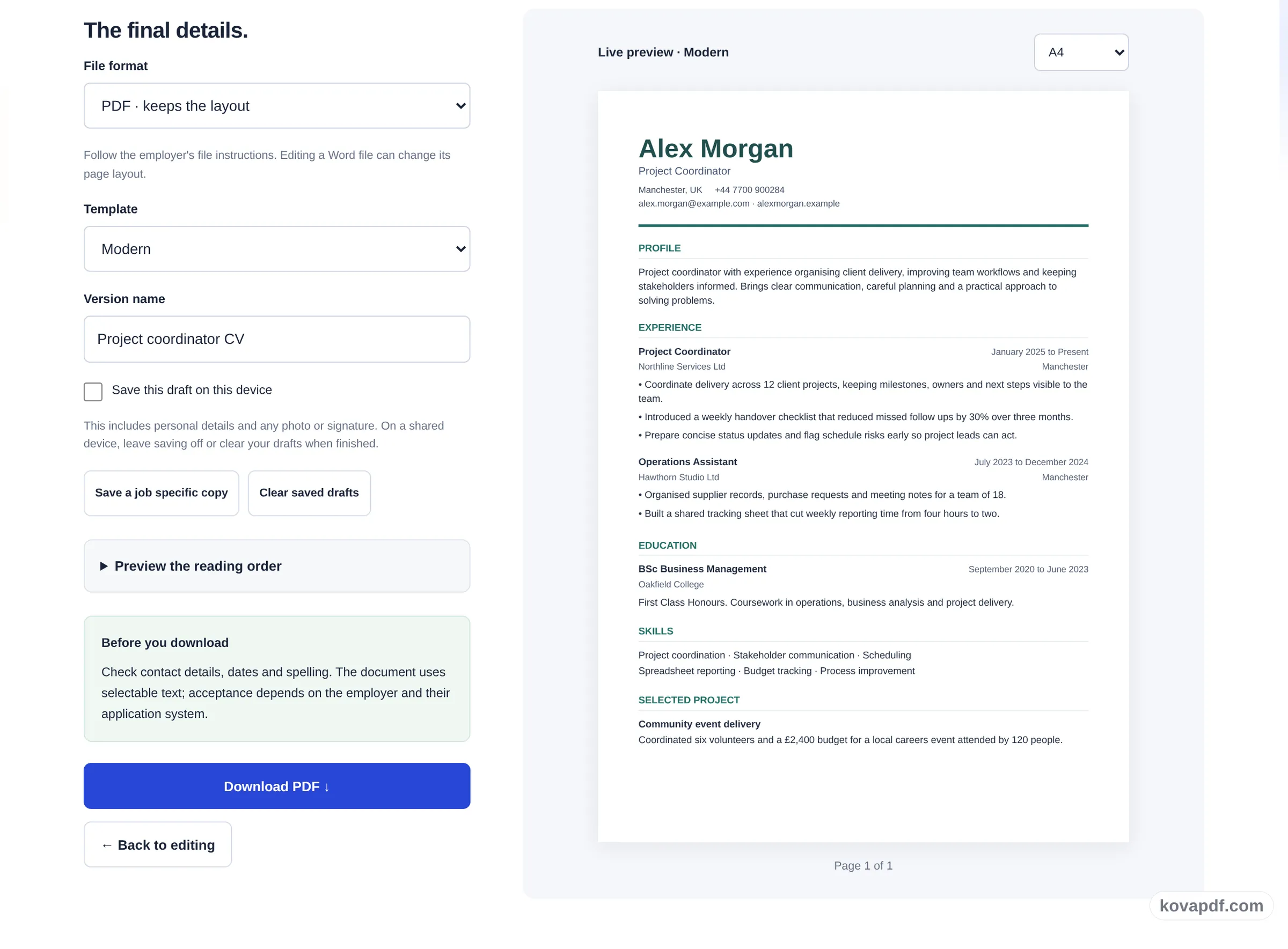
Open Design to choose the colour, font and spacing while the preview updates. Then use Review CV to check the reading order and download PDF or editable Word in A4 or US Letter. The Cover letter tab writes a letter in the same design. Everything is put together in your browser, so nothing is uploaded.
Yes. You can build, preview and download as many CVs as you like without paying or signing in, and the files carry no watermark.
Nothing is uploaded. Your CV is laid out and turned into a PDF or Word file inside your browser. A draft is kept on this device only if you switch on saving, and you can clear saved drafts at any time.
Send whatever the job advert asks for. If it does not say, a PDF keeps the layout exactly as you see it. Choose Word when a recruiter wants to edit the file or an application form only accepts .docx. Word may reflow the text on another computer, so open the download and check it.
Yes. Pick US Letter instead of A4 above the preview, and rename section headings if you like (Experience to Work History, for example). For US applications people usually leave out the photo, date of birth and marital status.
Yes. Everything you have typed moves with you when you switch, including extra sections, references and a photo. Graduate and Technical reorder the sections for you unless you have set your own order.
That depends on how much you write. Nothing is shrunk or cut off to force a page count: longer content flows onto a second page, and the preview shows the page count as you type. Shorten older roles first if you need one page.
No, and we do not give a score. What the tool does is keep the text selectable, in a single reading order, with plain section headings. You can read that order as plain text before downloading. How a particular employer's system reads it is up to that system.
No. All tools work without signing in. An account raises your allowance and lets you see what you have processed.