Working with scans
Why is my scanned PDF so large?
In short
A scanned PDF stores page pictures, often with more pixels or colour information than the task needs. Doubling scan resolution roughly quadruples the pixel area. Choose capture settings for the smallest meaningful detail, then measure and inspect the saved PDF rather than treating a DPI setting as a quality guarantee.
Try it on your file
Shrink your scanned PDF
Recommended took our one-page scan from 1.7 MB to 176 KB. Use To a size if a form gives you a limit.
Make a heavy PDF smaller
Text stays sharp at every level · your upload is deleted as soon as the smaller file is built
Drag & drop file here
or choose a file from your device
What makes a scan different from typed text?
A typed page can describe characters and positions compactly. A scan must describe a picture of the entire sheet, including the paper background. Shadows, texture and colour variation all become image information. A nearly empty form can therefore be heavy when photographed at high resolution.
The general PDF size diagnosis also covers fonts and document structure. For a scan, start with the page images: their dimensions, colour requirements and encoding usually offer the most useful clues.
How much does resolution change the image?
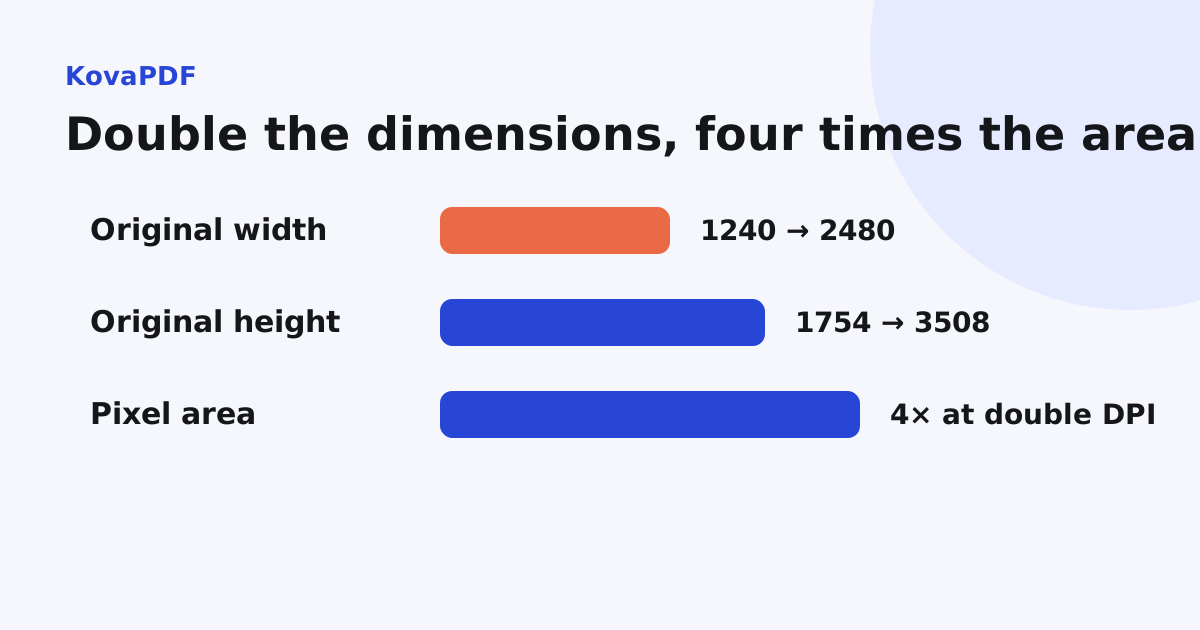
Our A4 render fixture measured 1240 by 1754 pixels at 150 DPI and 2480 by 3508 pixels at 300 DPI. The areas are 2,174,960 and 8,699,840 pixels. Both dimensions doubled, so the area became four times larger.
Encoded PDF bytes will not necessarily quadruple. Compression and page content affect them too. The arithmetic explains memory and sampling growth, not an exact prediction of the final file size.
How do I choose capture settings?
Check the smallest required text or mark and the recipient's rules. Use enough detail to preserve it at the intended reading size. Avoid increasing resolution solely because the highest setting looks safest; capture quality also depends on focus, lighting and a flat page.
Keep colour when it distinguishes stamps, highlighted terms or handwritten corrections. Grayscale can reduce unnecessary colour information, but a hard black and white threshold can erase faint marks. The scan cleanup guide explains those tradeoffs.
What did compression do to our scan?
We built a three page scanned PDF using separately embedded page images. It measured 129,988 bytes. Compress PDF produced 46,611 bytes for quality, 49,521 for basic and 36,245 for strong. Every output still had three pages.
The ordering is worth checking: the basic result was larger than the quality result for this fixture. A preset name is not a monotonic file-size promise. Compare actual bytes and the smallest visible details instead of assuming stronger sounding choices always give a predictable size.
Should I enhance or recognise it first?
Improve visibility only when the source needs it, then inspect the result. Scan quality preparation covers missing edges, orientation and recapture decisions. Use OCR when text selection or search is required, and proofread critical values afterwards.
These steps can affect file structure and size. Do your final byte measurement on the actual delivery copy after all required processing, not on an earlier compressed intermediate.
What if the scan still exceeds the cap?
Follow the upload rejection workflow and find the exact required bytes. For a very small cap, under 100 KB may require a fresh, more efficient capture or an accepted alternative submission route.
Keep the original scan. Do not delete required pages or erase meaningful marks merely to make the total smaller. If legible preservation and the cap conflict, ask the receiving organisation how it accepts a complete readable copy.
Common questions
Does double DPI mean double the data?
It doubles each dimension and roughly quadruples pixel area. Encoded file size also depends on image content and compression.
Should every scan be black and white?
No. Colour and faint shades can carry meaningful stamps, notes or highlights.
Does the stronger preset always make a smaller file?
Compare actual outputs. Our basic preset result was larger than the quality result for the measured fixture.
When should I measure the delivery size?
After all required enhancement, recognition and other processing, on the actual copy you will submit.