Add Bates numbering to a PDF
A Bates-style label is ready: change the prefix and the first number, then stamp it on every page, bottom right.
- Free to use
- Works on any device
- Stays on your device
- Cover page left unnumbered
- A custom starting number
- 'Page 3 of 12' formats
- Any corner, or centred
Choose the PDF to Bates-number
.pdf · numbered in your browser, so your file stays on your device
Drag & drop file here
or choose a file from your device
On your computer? Get the Windows appOn your phone? Get the phone app
Everything Add Page Numbers can do
Stamp page numbers onto a PDF and see where they will land before you convert.
Where it sits
- Six positions: top or bottom, left, centre or right
- Three distances in from the edge
- Facing pages swap the number to the outer edge
- Lands correctly on pages that are rotated
What it says
- The bare number, Page 3, or Page 3 of 12
- A dashed style such as - 3 -
- Type your own wording using {n} and {p}
- Begin the count at any number you like
- Leave a cover page clean and start on page two
How it looks
- Sans serif, serif or monospace
- Text size anywhere from 6pt to 28pt
- Six ready colours, or one you pick yourself
- A white backing to keep it readable over artwork
Before you convert
- A live page that redraws as you change a setting
- Facing pages shown to you as a spread
- The result tells you how many pages were numbered
How it works
Add Bates numbering to PDF in three steps
Add the PDF
Drop in the document, or the first of a set.
Set prefix and first number
The format reads ABC000{n}: replace ABC with your prefix, keep the zeros you need, and type the first number.
Add page numbers
Every page gets its label at the bottom right. Download, then start the next file where this one ended.
Add Bates numbering to PDF: a visual walkthrough
In these pictures our 3-page sample agreement is given the labels SMITH000101 onwards: the prefix and the first number are the only things we changed.
Bring in the document to label
Drag the PDF onto the box or press Choose File. It is numbered in your browser, so the file stays on your device. For a set of files, start with the first one.

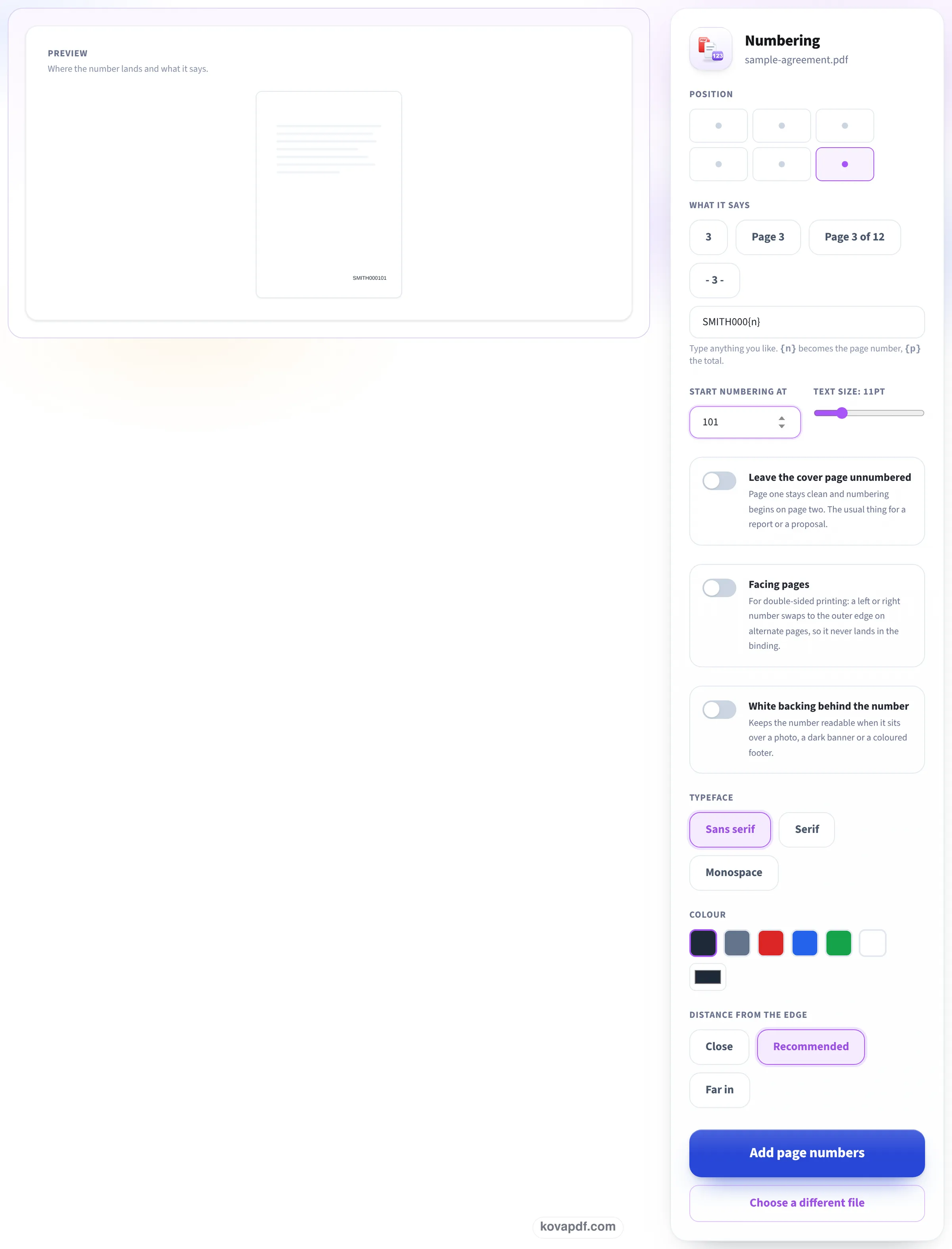
Type the prefix and the starting number
The bottom right position is already picked in the grid, and the format box starts as ABC000{n}. We replaced it with SMITH000{n} and typed 101 under Start numbering at; the preview page shows SMITH000101 in its corner. White backing behind the number is there for pages with print in that corner. Then press Add page numbers.
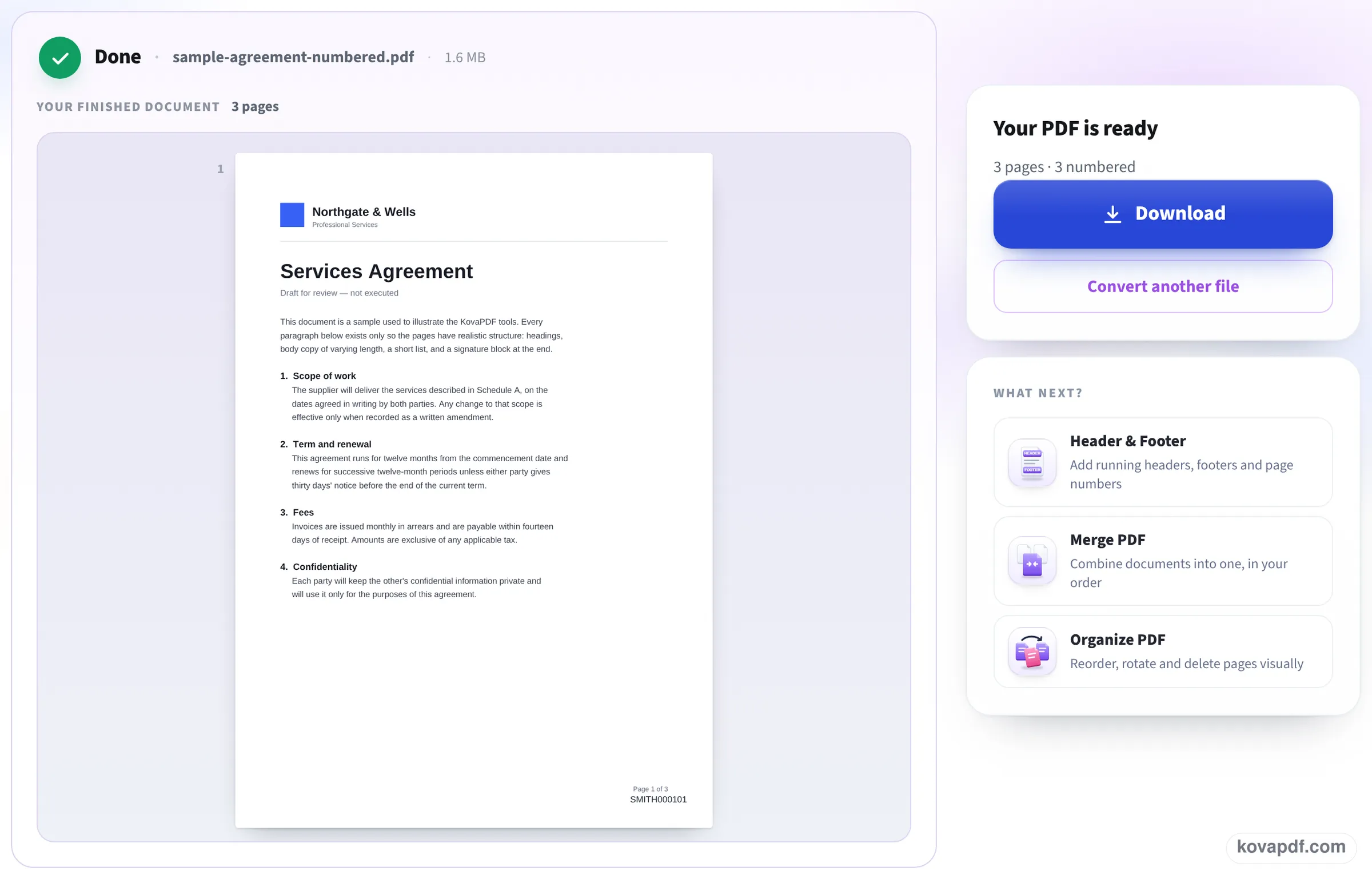
Every page carries its label
The finished file shows page 1 with SMITH000101 in the bottom right corner, under the page's own footer, and the panel confirms 3 pages numbered. Press Download and note the last label, so the next file can carry on from it.
Labels read back from our numbered files
On 24 October we numbered our files on this page and read the label at the bottom right of every page of the saved PDFs. Measured on October 24, 2026.
| File | Format and first number | Labels in the saved PDF | Size |
|---|---|---|---|
| 10-page report, 52.2 KB | SMITH000{n}, from 101 | SMITH000101 to SMITH000110, one per page, and each one found by a text search | 50.1 KB |
| 3-page 300 DPI scan, 3.15 MB | EXH-A-{n}, from 1 | EXH-A-1 to EXH-A-3, as text over the scan | 3.15 MB, pictures still 300 DPI |
| 10-page report, 52.2 KB | DOC00{n}, from 95 | DOC0095 to DOC0099, then DOC00100 to DOC00104 | 50.1 KB |
The last row shows the one thing to watch: the zeros are typed text, so when the counter gains a digit (99 to 100), the label gets one character longer. Pick enough zeros for the highest number in the set, or use Pro's Bates numbering, which pads the counter to a fixed width.
Each file was ready about a second after Add page numbers was pressed. The label sits about 32 points in from the right edge of the page.
What Bates numbers are for
Bates numbering gives every page of a set of documents its own number, so anyone can refer to "SMITH000107" and mean exactly one page. It is used for court filings and discovery productions, audits, insurance claims and any large paper trail several people work from.
Each page number is unique across the whole set, not just within one file. That is why the label carries a prefix (often a party or matter name) and why each new file starts where the previous one ended.
Numbering a set of files
To keep the numbers running across several PDFs:
- Number the first file starting at 1 (or your agreed start).
- Note the last label, for example SMITH000110, and start the next file at 111.
- Or merge the files first with Merge PDF, then number the whole set in one go.
- Keep a simple list of which file holds which range; it is what people will ask for.
Good to know
Put the label where nothing is printed: bottom right is the usual place, and the tool can add a white backing behind the label if a page has text there. Any court or agency rules on format and placement take priority over these defaults; check them before you number a production.
Read next: Merge PDF on Mac · Add a confidential watermark
Frequently asked questions about Add Bates numbering to PDF
How do I add Bates numbers to a PDF for free?
Add the PDF here. The format is set to a Bates-style label: change the prefix and the zeros, type the first number, and press Add page numbers.
Can I start from a number other than 1?
Yes. Type it under Start numbering at. We started one file at 101 and got SMITH000101 to SMITH000110.
How do I number several PDFs in one sequence?
Start each file one after the last number of the previous file, or merge the files and number them together.
Why did my label get longer after page 99?
The zeros in the format are typed text, so a counter that goes from two to three digits makes the label one character longer. Type enough zeros for the highest number, or use Pro's Bates numbering, which keeps a fixed width.
Can I Bates-number a scanned PDF?
Yes. The label is added on top of the scan as real text; the scan itself is not changed.
Is this a legal Bates stamp?
It produces the standard prefix-plus-number label. Courts and agencies set their own rules for format and placement, so check those first.
Add Bates numbering to PDF guides and articles



Related tools
All PDF tools · 15 step-by-step guides · How your files are handled
Also: Add page numbers to PDF