Unlock bank statement PDF
Bank and card e-statements often arrive locked with a password. Type it here one time and keep a copy that opens without it, for your records, your accountant or a loan application.
- Free to use
- Works on any device
- Stays on your device
- A password you know, removed
- Or restrictions stripped
- Pages left exactly as they are
- Opens anywhere afterwards
Choose your password-protected statement
.pdf · your file stays on your device
Drag & drop file here
or choose a file from your device
Everything Unlock PDF can do
Remove a password you know from a PDF, or strip printing and copying restrictions from one that opens without a password. Free, in your browser.
Two kinds of lock
- Removes the open password from a file you have the password for
- Removes owner restrictions on printing and copying with no password at all
- Handles AES-256 and AES-128 encrypted documents
- Says which of the two locks your file carries
Being asked for a password
- You are asked for one only when the file genuinely has one
- A Show password switch, so you can check what you typed
- A restrictions-only file goes straight to the button
The unlocked copy
- Opens with no password afterwards, and prints and copies freely
- Every page carried across in its original order
- Title, author, subject and keywords kept on the new file
- The result screen says the page count and what was removed
- One unlocked PDF, named after your document
How it works
Unlock bank statement PDF in three steps
Add the locked statement
The page checks the file at once and asks for the password only when it needs one to open.
Type the password once
Exactly as the bank set it: capitals count. Tick Show password to check what you typed.
Save the open copy
Download a copy that opens with no password. The original stays locked in your email or downloads.
Unlock bank statement PDF: a visual walkthrough
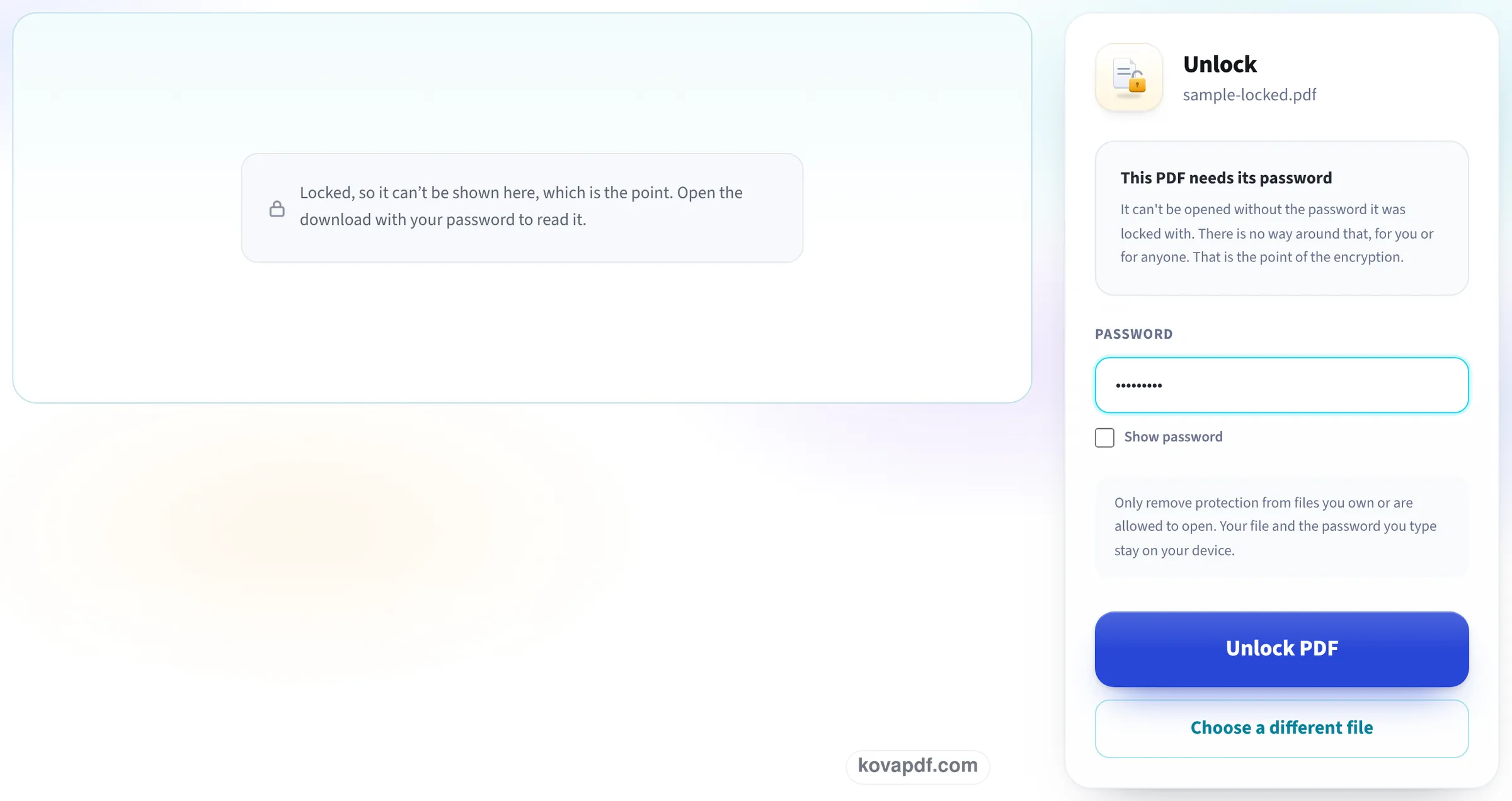
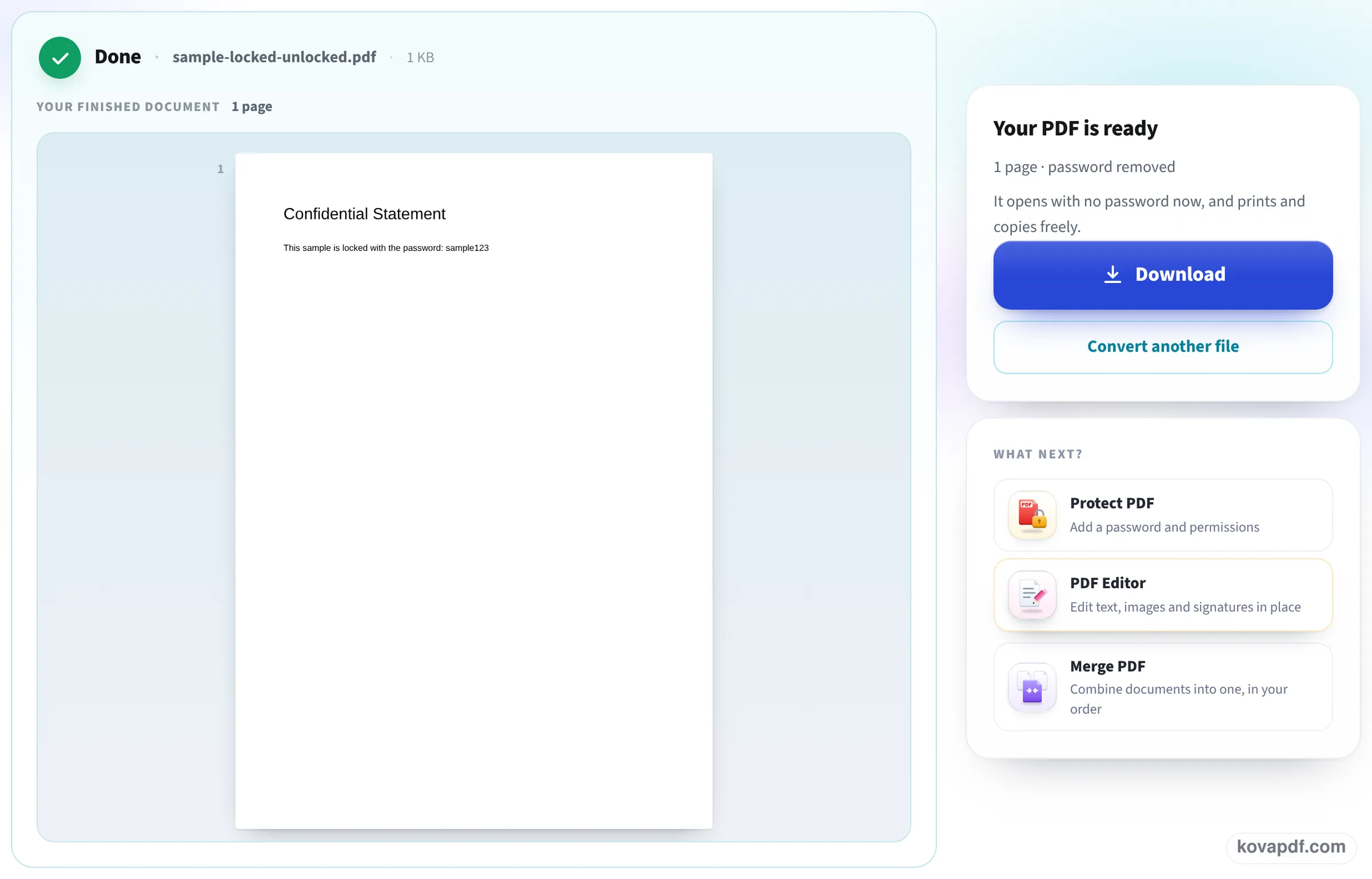
What you see on this page with a locked sample statement: the upload box, the password field the page shows for a file that needs one, and the unlocked copy ready to save.
Choose the statement
Drop the PDF from your email attachments or downloads onto the box, or press Choose File. One statement at a time.

Type the statement's password
The page says This PDF needs its password and shows a field for it. Type it, then press Unlock PDF. Nothing you type leaves your device.
Download the copy that opens freely
The result reads password removed, with the number of pages. Press Download and save it where you keep your statements.
Three locked statements, unlocked here
We made a 2-page sample statement for a fictional account (38 transactions), locked it with an open password three ways, typed the password once on this page and opened each download again. Measured on October 24, 2026.
| Lock on the statement | Before | After | Text |
|---|---|---|---|
| AES 256-bit, open password | 42.3 KB, asks for password | 38.6 KB, opens freely, not encrypted | 1,921 characters, identical |
| AES 128-bit, open password | 42.0 KB, asks for password | 38.6 KB, opens freely, not encrypted | 1,921 characters, identical |
| RC4 128-bit, open password | 41.4 KB, asks for password | 38.6 KB, opens freely, not encrypted | 1,921 characters, identical |
Both pages were kept in every case, and print, copy and edit were all allowed in the unlocked copies.
Passwords are case sensitive: typing our password in lower case instead of capitals was refused with That password did not open the PDF, and nothing was saved.
Why statements come locked, and why people unlock them
Many banks and card companies lock e-statements with an open password so that a forwarded or misdirected email does not expose your account. The email or the bank's help pages usually explain what the password is made of.
That lock gets in the way once the file is safely yours: every opening asks for it, some accounting and loan portals cannot read a locked file, and merging a year of statements into one PDF fails. One unlocked copy solves all three.
Keep the open copy safe
An unlocked statement is readable by anyone who gets the file, so:
- Store it in a folder only you can open, not in a shared drive.
- Before you email it, think about putting a new password on it with Protect PDF and sending the password another way, such as by text message.
- Delete copies you no longer need, such as the one in your downloads folder after you file it.
If you do not know the password
Then the statement cannot be opened, here or anywhere, which is what the lock is for. Download it again from your online banking, where statements are often offered without a password, or ask the bank how its statement passwords are formed.
Read next: Remove PDF restrictions · Password protect a PDF without Adobe · Reduce PDF size for USCIS upload
Frequently asked questions about Unlock bank statement PDF
How do I remove the password from my bank statement PDF?
Add the statement here, type its password once and press Unlock PDF. The copy you download opens with no password, prints and copies.
Can I unlock a statement without knowing the password?
No. The password is what decrypts the file, so without it nobody can read the statement. Download it again from online banking or ask the bank how the password is formed.
Is it safe to type my statement password here?
The file and the password stay in your browser: the check and the unlocking run on your device, and nothing is sent to us.
Why does it say the password is wrong when I am sure it is right?
Capitals matter. In our test the right password typed in lower case was refused. Tick Show password to see exactly what you typed.
Will the statement look any different?
No. Our three test statements kept both pages and every one of their 1,921 characters of text. Only the password is gone.
Can I merge my statements after unlocking them?
Yes. Unlocked copies are ordinary PDFs, so Merge PDF can put a year of statements into one file.
Unlock bank statement PDF guides and articles



Related tools
All PDF tools · 15 step-by-step guides · How your files are handled
Also: Unlock PDF · Remove PDF restrictions