Password protect a PDF without Adobe
Type a password and download a PDF that will not open without it. AES-256 encryption, and the file never leaves your device.
- Free to use
- Works on any device
- Stays on your device
- A password to open it
- Printing and copying controlled
- Editing and extraction too
- Nothing else is changed
Choose the PDF to lock with a password
.pdf · your file stays on your device
Drag & drop file here
or choose a file from your device
Everything Protect PDF can do
Lock a PDF with a password and say what a reader may do with it once it is open. Free, in your browser, every control included.
The password
- AES-256 encryption, or AES-128 for an older reader
- A password that is needed to open the file at all
- A strength meter that rates it as you type
- Reveal both boxes to check they match
- A separate owner password that lifts the restrictions
Printing
- Leave printing allowed at full quality
- Allow draft-quality printing only
- Mark printing as not allowed
Usage restrictions
- Choose whether readers may copy text and images
- Choose whether the page contents can be edited
- Choose whether comments and mark-up are allowed
- Choose whether form fields can be filled in
- Choose whether pages can be inserted, deleted or rotated
- Choose whether assistive software may read it aloud
What comes back
- One encrypted PDF, with every page kept
- A summary naming each restriction you set
- Your password is used once and never stored
How it works
Password protect a PDF without Adobe in three steps
Add your PDF
Drop it in or pick it. It is encrypted in your browser, not on a server.
Type a password twice
Choose one you can remember or keep in a password manager: it cannot be recovered.
Download the locked PDF
Anyone who opens it is asked for the password first.
Password protect a PDF without Adobe: a visual walkthrough
Our sample agreement locked on this page, from choosing the file to the finished, encrypted copy.
Choose the PDF to lock
Drag it onto the box or press Choose File. No Acrobat is involved: the browser does the encryption on your own computer or phone.

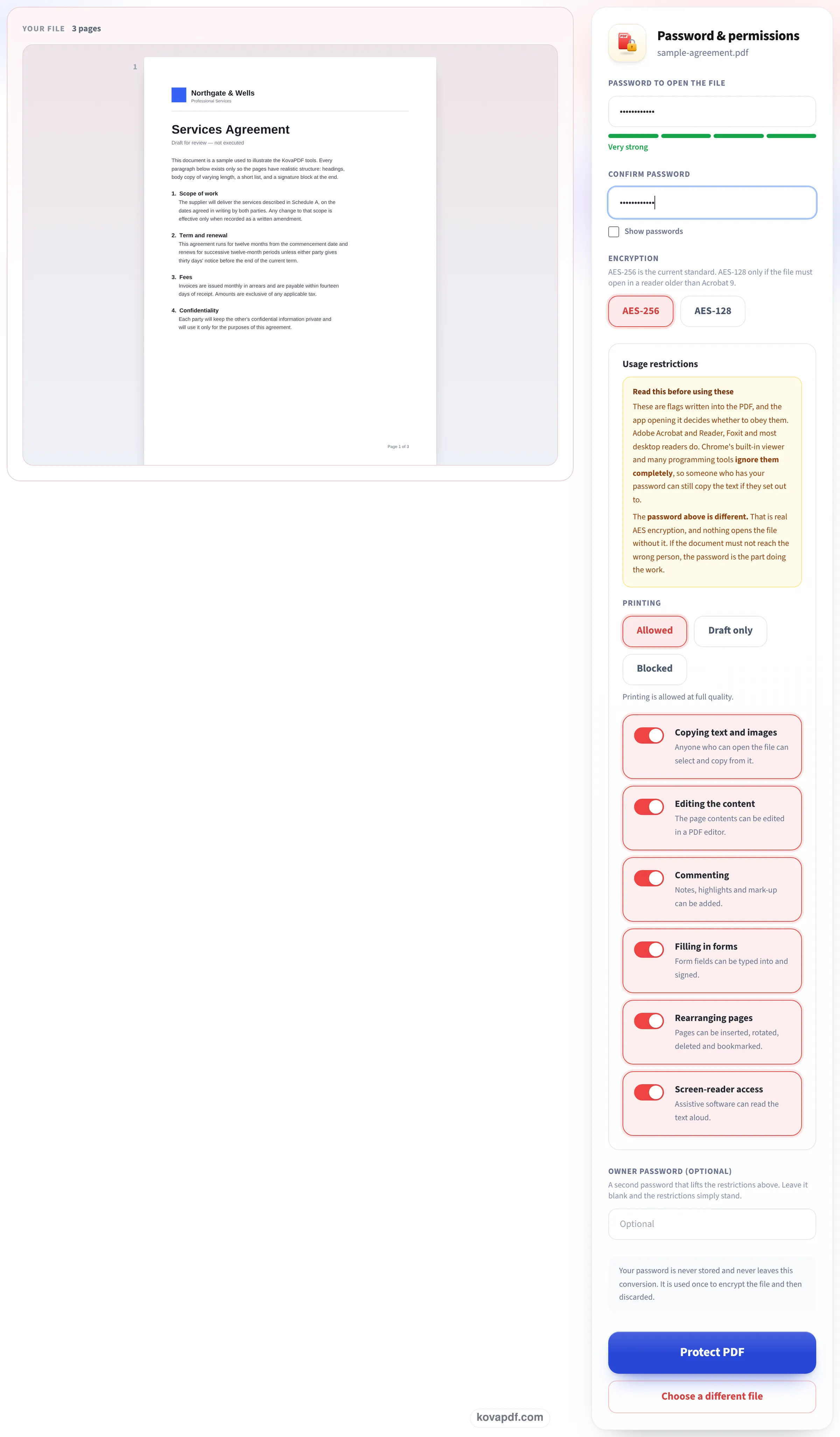
Type the password twice, keep AES-256
Enter the password and the same again under Confirm password; a bar under the first box rates its strength. AES-256 is already selected. The usage restrictions below it (printing, copying, editing and more) are all allowed unless you switch them off, and an owner password is optional. Press Protect PDF.
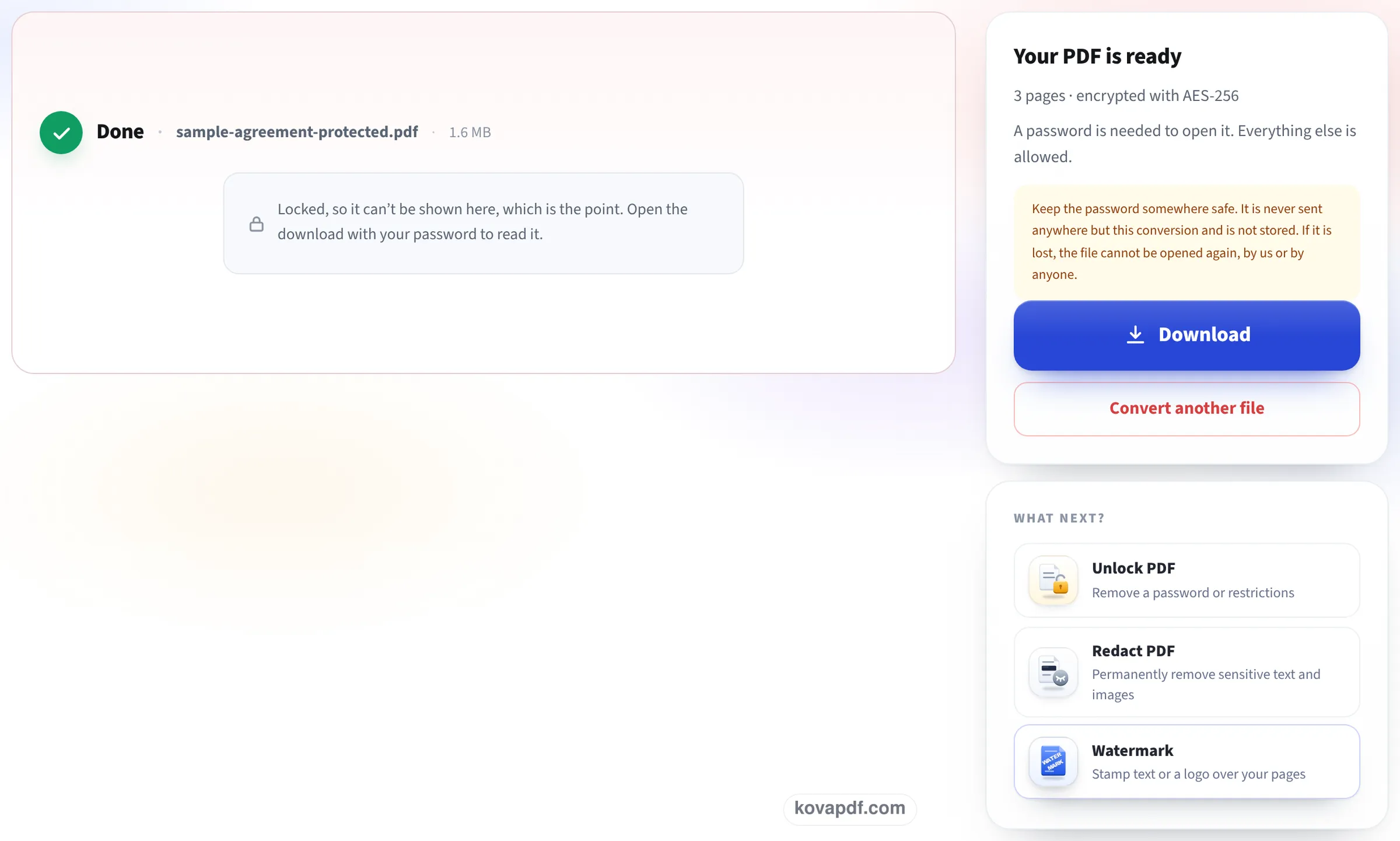
Locked, so the preview stays blank
The result screen cannot show the pages, because they are now encrypted, and says so. The panel confirms 3 pages encrypted with AES-256 and reminds you that a lost password cannot be recovered. Press Download to save the locked copy.
What our locked test files contained
On 24 October we locked two files on this page with the default settings, then opened the downloads in a PDF reading library: once with a wrong password, once with the right one. Measured on October 24, 2026.
| File | Encryption in the saved PDF | Wrong password | Right password |
|---|---|---|---|
| 3-page typed letter, 26.2 KB, saved as 25.7 KB | AES, 256-bit key (standard revision 6), every permission allowed | Refused | Opens: 3 pages, all 1,071 words |
| 3-page 300 DPI gray scan, 3.15 MB, saved as 3.15 MB | AES, 256-bit key (standard revision 6) | Refused | Opens: 3 pages, pictures still 300 DPI |
Locking does not make a file noticeably bigger: the letter came out 481 bytes smaller, the scan 937 bytes bigger. Each lock was ready about a second after Protect PDF was pressed.
Other ways to do it without Acrobat, and their catches
On a Mac, Preview can add a password when you export (File, Export, then Encrypt). In Microsoft Word, Save As PDF has an Options button with Encrypt the document with a password. Both work, but only for the file you have open in that program, and Word's option is for a Word document you are turning into a PDF, not for a PDF someone sent you.
This page takes any PDF, on any computer or phone, and lets you also set what the file may be used for once it is open.
Open password or owner password?
A PDF can carry two kinds of password, and they do different jobs:
- The open password (the one asked for above) stops anyone without it from opening the file at all. This is real protection: the content is encrypted.
- The owner password only sets rules for people who can open it: no printing, no copying text, no editing. Readers that follow the rules obey them, but they are rules, not encryption of what is on the page.
- For a document you are emailing, the open password is what matters. Send the password by a different route, such as a text message, not in the same email.
Before you lock it
Keep an unlocked copy. A forgotten open password cannot be reset by us or by anyone: that is what the encryption is for. Some upload portals, including many government and court systems, refuse encrypted PDFs, so check before you lock a file you need to upload.
Read next: Remove PDF restrictions · Add a confidential watermark
Frequently asked questions about Password protect a PDF without Adobe
How do I password protect a PDF for free without Adobe?
Add the PDF here, type the password twice and download. The file is locked with AES-256 in your browser, with no Acrobat and nothing to install.
Is it safe to use an online tool for this?
This one runs in your browser: the PDF and the password are never sent to us. The locked copy is made on your device and saved straight to it.
Which readers will ask for the password?
All standard ones: Adobe Reader and Acrobat, Preview on Mac, Chrome, Edge, Firefox, and the PDF viewers on iPhone and Android.
Can I stop people printing or copying the text?
Yes, with the permission settings and an owner password. Readers that follow the PDF rules will then block printing or copying, while the file still opens with the open password.
I forgot the password. Can you unlock it?
No. An open password with AES-256 cannot be bypassed, by us or anyone else. Keep an unlocked copy of anything you protect.
How do I remove the password later?
Use Unlock PDF and type the password once. You get a copy that opens without one.
Password protect a PDF without Adobe guides and articles

Related tools
All PDF tools · 15 step-by-step guides · How your files are handled
Also: Protect PDF · Remove PDF restrictions