Split PDF into single pages
Every page of your PDF becomes its own PDF file, numbered in order and packed into one ZIP.
- Free to use
- Works on any device
- Stays on your device
- Pull out a page range
- Or break it into separate files
- Pages stay as they were
- The original is untouched
Choose the PDF to split into pages
Cut a document into one file per page, or pull out just the pages you need · one PDF or many at once · your files stay on your device and are never uploaded
Drag & drop files here
or choose a file from your device
Everything Split PDF can do
Pull a page range out of a PDF, or turn every page into a file of its own. Free, online, nothing to install.
Two ways to split
- Every page separately, as one single-page PDF per page
- Just these pages, gathered into one new PDF
- Both modes work from the same file
Naming the pages
- Single pages, ranges, or both together: 1-3, 7, 12-14
- Commas or semicolons, spaced however you type them
- Pages come out in document order, each one only once
- The page box is checked as you type it
What comes out
- Separate pages arrive together in a ZIP
- Each file in the ZIP named by its page number
- A range comes back as a single new PDF
- The result screen says how many pages or files you got
- Several PDFs split at once, each in its own folder of one ZIP
What each page keeps
- Text stays selectable, not flattened to a picture
- Fonts, images and vector art copied across untouched
- Every page keeps its own size and rotation
- Your original document is left as it was
- Done in your browser, so your file is never uploaded
How it works
Split PDF into single pages in three steps
Add your PDF
Drop it in or pick it. You can add several PDFs; each gets its own folder in the ZIP.
Every page separately is chosen
Nothing to type. Every page will become its own file.
Download the ZIP
Open it to find page-1.pdf, page-2.pdf and so on, one for each page.
Split PDF into single pages: a visual walkthrough
Here our 3-page sample agreement goes through this page and comes back as three single-page PDFs in one ZIP.
Add the PDF to take apart
Drag it onto the box or press Choose Files. More than one PDF can go in at once; the ZIP then holds a folder for each.

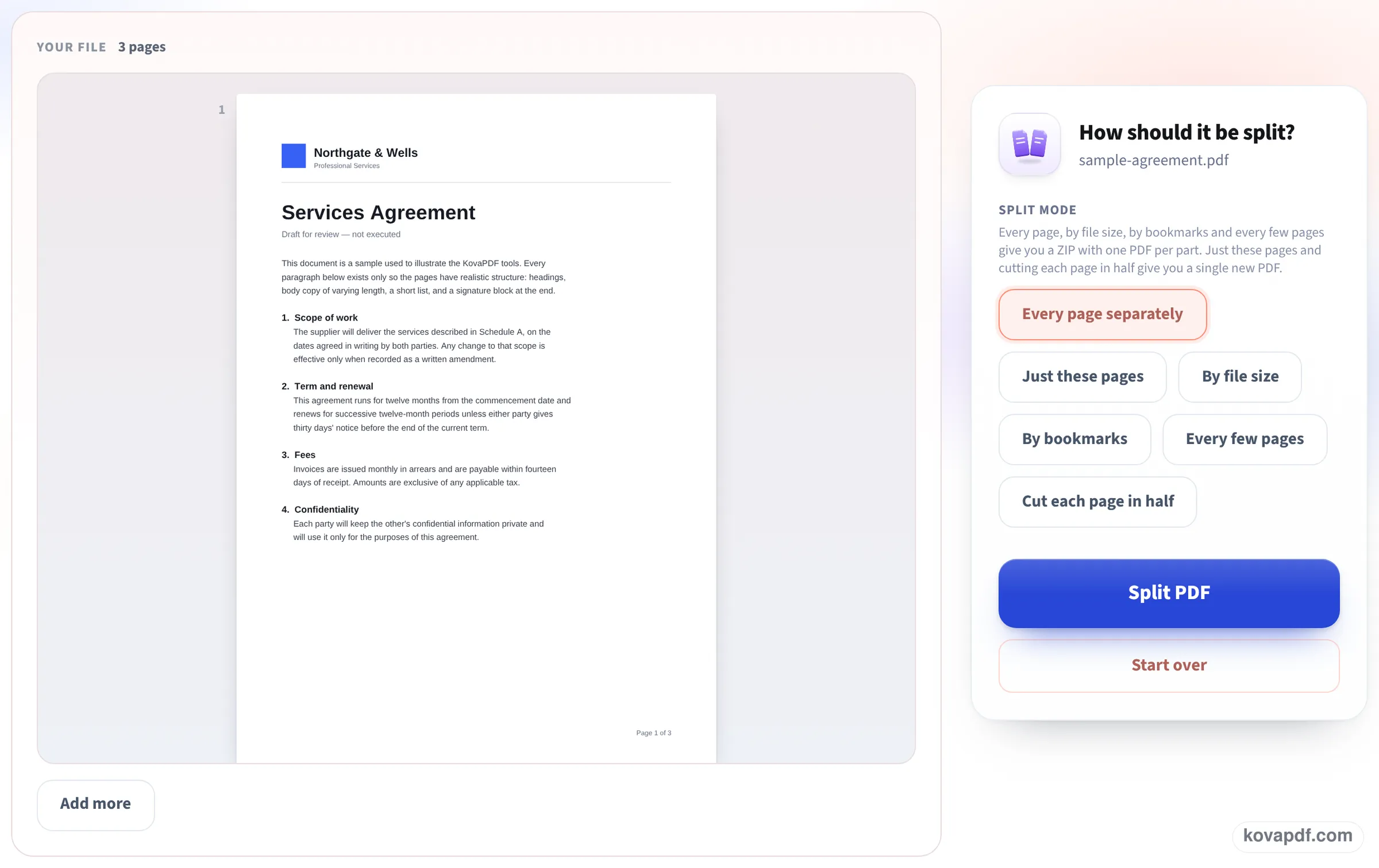
Every page separately, nothing to type
The file opens on the left with its page count. On the right the split mode Every page separately is already highlighted, so there is no page list to fill in: press Split PDF.
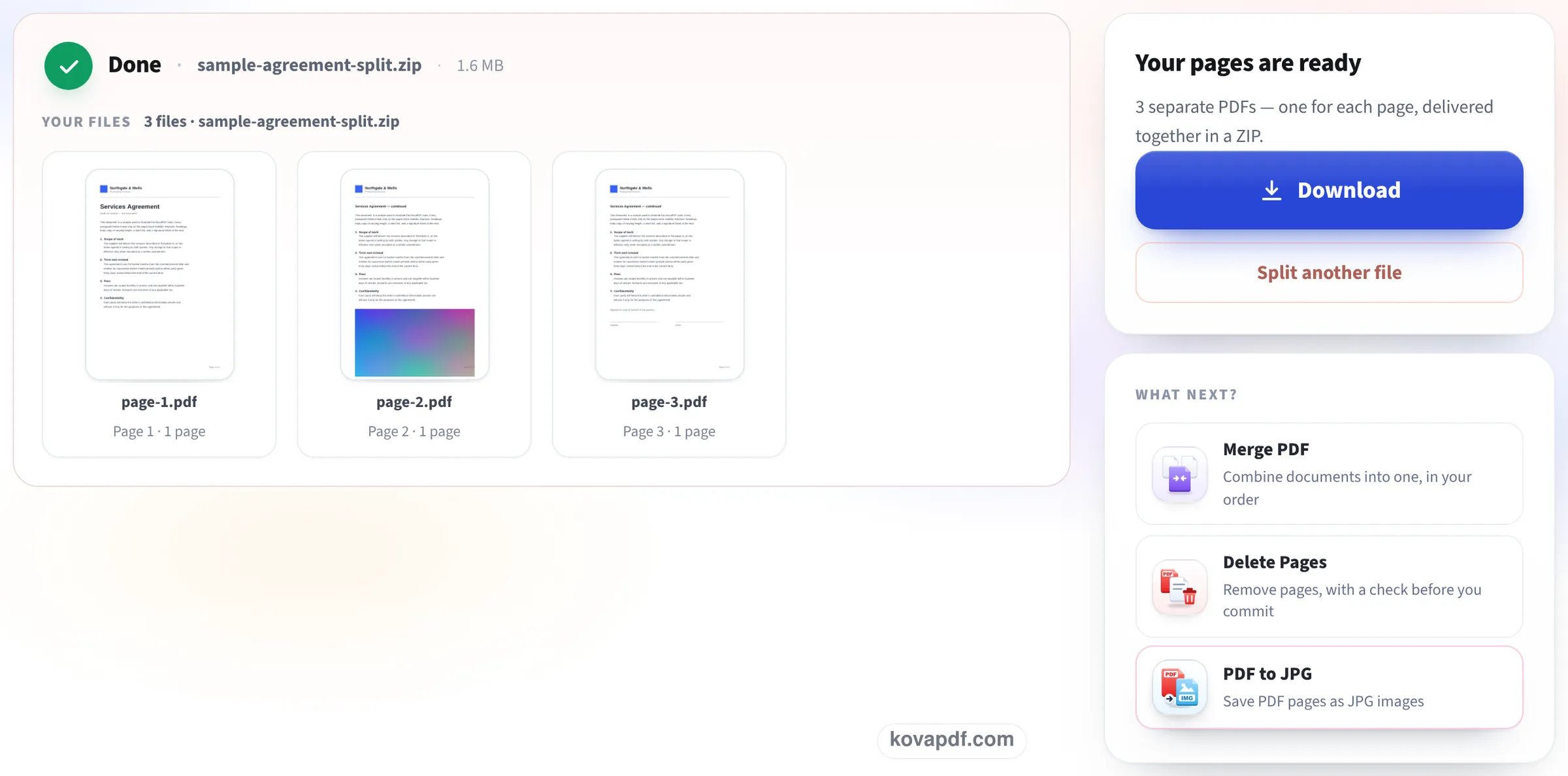
One card per page file
The result lists page-1.pdf, page-2.pdf and page-3.pdf, each with a thumbnail of its page, all packed in sample-agreement-split.zip. Press Download to save the ZIP.
What the ZIP held after our test splits
On 24 October we split each file on this page with Every page separately, then unpacked the ZIP and opened every file in it. Measured on October 24, 2026.
| File | ZIP | Files inside | Each page file |
|---|---|---|---|
| 10-page typed report, 52.2 KB | 392.5 KB, ready in 0.9 s | page-1.pdf … page-10.pdf | About 39 KB; all 2,430 words of the report across the ten files |
| 10-page color scan, 9.95 MB | 9.98 MB, ready in 1.0 s | page-1.pdf … page-10.pdf | About 1 MB, still 300 DPI |
| Letter (3 p) and invoice (1 p) together | 102.9 KB | letter/page-001.pdf … invoice/page-001.pdf | 21.8 to 36.9 KB |
Typed pages add up to far more than the original once split, because every page file must carry its own copy of the fonts. Our 52 KB report became ten files of about 39 KB each. Scanned pages barely change, since each page is one picture.
When several PDFs are split together, page numbers are padded (page-001) so they sort correctly in any file manager.
When one file per page is what you need
Upload forms that take one page per slot, a set of scanned receipts or certificates that each need to be filed on their own, slides you want to send one at a time, or a batch of forms someone scanned into a single PDF: in each case, one file per page saves opening, printing and saving every page by hand.
If you only need some of the pages, type them instead under Just these pages, or use Extract pages from PDF, which comes back as a single PDF rather than a ZIP.
Opening the ZIP
The download is one ZIP file, so many pages arrive as a single download:
- Windows: right-click the ZIP and choose Extract All.
- Mac: double-click it; a folder with the pages appears next to it.
- iPhone and iPad: tap it in Files and it unpacks into a folder.
- Android: open it in the Files app and tap Extract.
Good to know
Page sizes, links and form fields on each page are kept. A PDF locked with an open password has to be unlocked first. To join pages back together later, Merge PDF takes the page files in any order you set.
Read next: Extract pages from PDF · Merge PDF on Mac · PDF to JPG in high resolution
Frequently asked questions about Split PDF into single pages
How do I split a PDF into separate pages?
Add the PDF here and press Split PDF. Every page separately is already chosen, so you get a ZIP with one PDF per page.
Why is it a ZIP and not separate downloads?
A browser asking to save ten or a hundred files one by one is slow and easy to lose track of. One ZIP keeps the pages together and in order.
How are the files named?
page-1.pdf, page-2.pdf and so on for one PDF. When you split several PDFs together, each gets a folder with its own name and the pages are numbered page-001, page-002 so they sort correctly.
Why are the page files bigger than I expected?
Each one carries its own copy of the fonts its page uses. In our test a 52 KB report split into ten files of about 39 KB each. Scanned pages do not grow this way.
Can I get the pages as pictures instead?
Yes, with PDF to JPG, which saves every page as an image; type one page number to get just that page.
Does it work on any device?
Yes. Splitting runs in any current browser on Windows, Mac, iPhone, iPad or Android.
Split PDF into single pages guides and articles

Related tools
All PDF tools · 15 step-by-step guides · How your files are handled
Also: Split PDF · Extract pages from PDF