Fix an upside-down scanned PDF
180° is already chosen. Add the scan, name the wrong pages if it is not all of them, and download it the right way up.
- Free to use
- Works on any device
- Stays on your device
- Written into the file
- Not just into your viewer
- One page or all of them
- Quarter turns either way
Choose the upside-down scan
The rotation is written into the file itself, so it stays fixed in every viewer · one PDF or many at once · your files stay on your device and are never uploaded
Drag & drop files here
or choose a file from your device
Everything Rotate PDF can do
Turn sideways or upside-down pages the right way up, saved into the PDF itself rather than just into your viewer. Free, in the browser.
Which way to turn
- 90° right, 180°, or 90° left
- The turn is applied on top of however the page sits now
- A diagram of the turn, which follows the angle you pick
Which pages turn
- Every page at once, or only the pages you name
- Single pages and ranges together: 1-3, 7, 12-14
- Pages you leave out keep the way they are now
What you get back
- The rotation written into the PDF, so every viewer opens it upright
- Text stays selectable, and images stay where they sit on the page
- The result screen says how many pages turned, and which way
- One rotated PDF, named after your document
- Several PDFs rotated at once, all the same way, in one ZIP
Seeing the document
- The whole file shown on screen before you commit to a turn
- Nothing but the page angle is changed
- Rotate the next file straight from the result screen
- Done in your browser, so your file is never uploaded
How it works
Fix an upside-down scan in three steps
Add the scan
Drop the PDF in. It stays on your device.
180° is set
Leave Pages empty to flip every page, or type the wrong ones, such as 2, 4-5. Sideways? Pick 90° right or 90° left.
Download it upright
The flip is saved in the file, so it stays right in email, print and upload forms.
Fix an upside-down scan: a visual walkthrough
For these pictures we used our sample agreement saved upside down, so you can see the problem on screen and the page standing the right way up afterwards.
Drop in the scan that came out wrong
Drag the scanned PDF onto the box or press Choose Files. It is read in your browser and stays on your device.

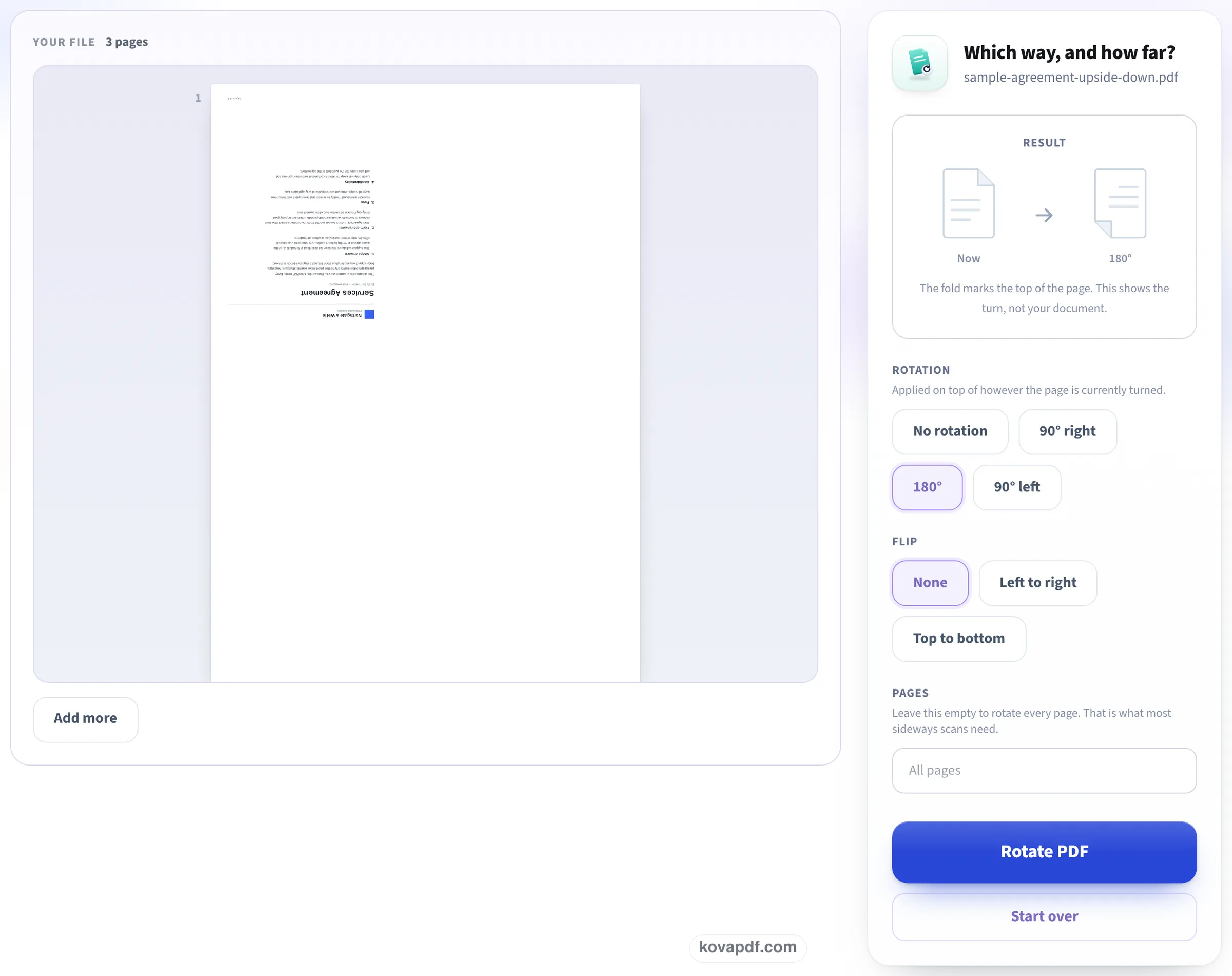
See it upside down, with 180° already chosen
The first page appears on the left exactly as the file stores it, here with the heading at the bottom and the text upside down. On the right, 180° is already highlighted and Pages reads All pages. Type page numbers only if some pages are fine, then press Rotate PDF.
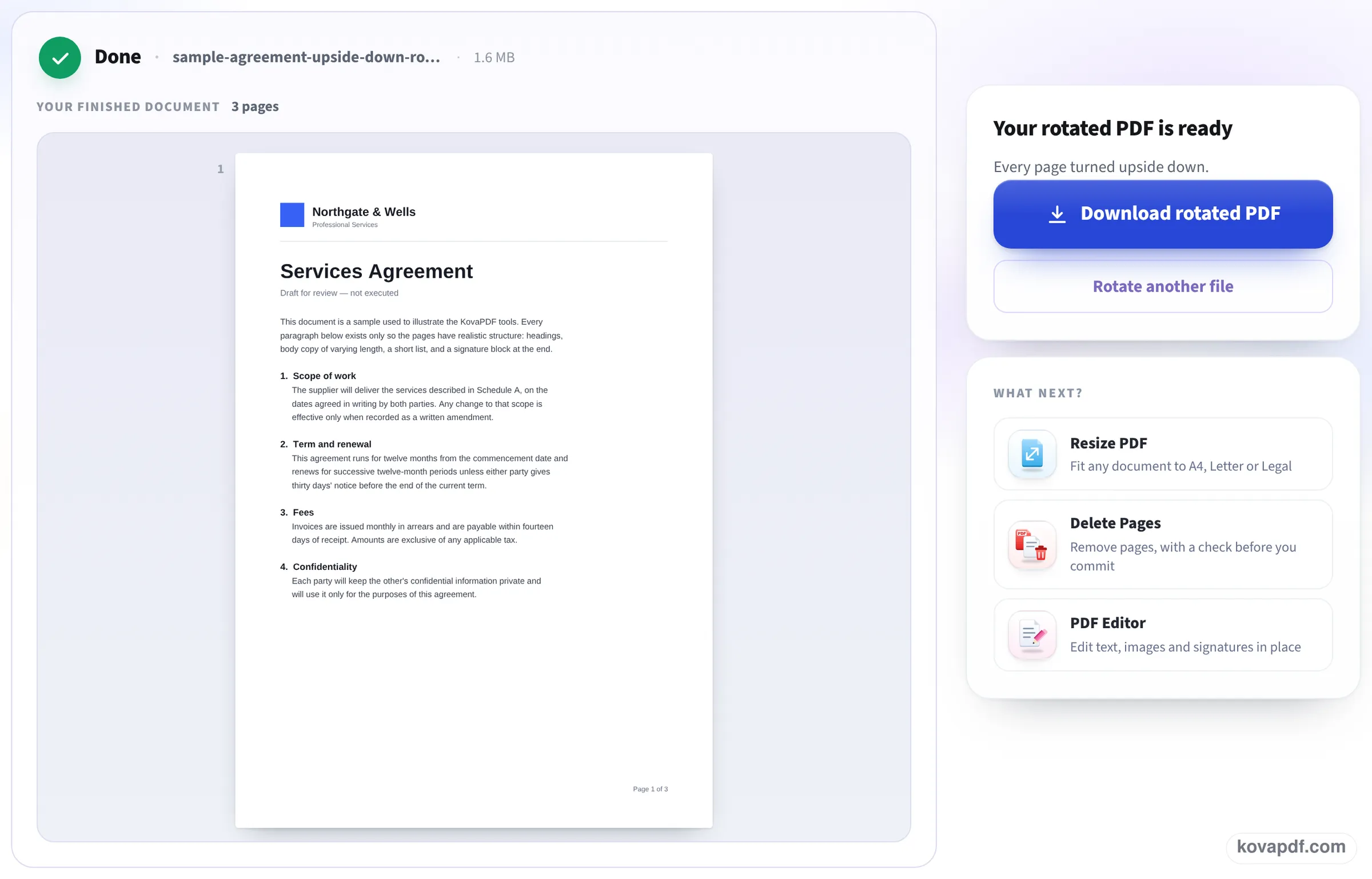
The page stands the right way up
The saved copy opens with the heading back at the top and the text readable. Download rotated PDF keeps it that way: the turn is in the file, not just on this screen.
Our upside-down and sideways scans, before and after
We made a 3-page 300 DPI scan of a letter, then copies of it upside down and lying on its side. On 24 October each copy went through this page and the result was compared with the upright scan. Measured on October 24, 2026.
| Scan | Setting | Match with the upright scan | Size before and after |
|---|---|---|---|
| Upside down | 180° (already chosen), all pages | Before: 0.08 (no match). After: 0.96 on every page | 3,304,109 and 3,303,831 bytes |
| On its side (top on the left) | 90° right, all pages | 0.96 on every page | 3,303,314 and 3,303,038 bytes |
The match score compares the page pictures pixel by pixel at low resolution: 1 would be identical, 0 unrelated. 0.96 means the turned scan lines up with the upright one, the small gap being the grain of each copy.
The size stays within a few hundred bytes because the pictures are not saved again; only the direction the page is shown in changes. Both runs finished about a second after the button was pressed.
Why scans come out upside down
Sheet feeders scan whichever way the paper went in, so one sheet put in the wrong way round gives one upside-down page in the middle of the file. Phone scanning apps decide which way is up from how the phone was held; held flat over a desk, the phone often guesses wrong. Duplex scanners can flip every back page when the paper is set to turn on the short edge instead of the long one.
None of that is fixed by turning the page in a viewer, because the view resets the next time the file is opened. Saving the turn into the file is what makes it last.
Only some pages wrong?
Find the page numbers first, then type them:
- Open the scan and note the numbers of the upside-down pages, as the viewer counts them (the first page is 1).
- Type them in Pages: 2, 4-5 flips pages 2, 4 and 5 and leaves the rest alone.
- If some pages are upside down and others are sideways, run the file twice: once with 180° for the first set, then the result again with 90° for the second.
- Want to see every page while you fix it? Rearrange PDF pages shows thumbnails with a rotate button on each.
After the flip
If the scan should also be searchable, run the fixed file through OCR PDF: text recognition works much better on pages that are the right way up. If it is too big to send, Compress PDF can shrink it afterwards.
Read next: Rotate PDF and save · Compress a scanned PDF · Copy text from a scanned PDF
Frequently asked questions about Fix an upside-down scan
How do I flip an upside-down PDF?
Add it here and download: 180° is already chosen. Every page is flipped and the flip is saved in the file.
How do I fix only the upside-down pages?
Type their numbers in Pages, for example 2, 4-5. The other pages are left exactly as they are.
Will flipping the scan make it blurry or bigger?
No. The pictures are not saved again. Our 3-page scan came back 278 bytes smaller after the flip, with the same 300 DPI pictures.
I rotated it before and saved, but it is still upside down. Why?
Most readers only rotate the view, and some save the turn in a way other programs ignore. This tool writes the turn into each page, which every reader respects.
Why are my phone scans upside down?
Scanning apps guess which way is up from how the phone is held. Held flat over a table, the guess is often wrong. Fix the file here, or hold the phone slightly tilted towards you next time.
Does it work on a phone?
Yes. The page works in a phone browser and the tool fits on the first screen.
Fix an upside-down scan guides and articles

Related tools
All PDF tools · 15 step-by-step guides · How your files are handled
Also: Rotate PDF · Rotate PDF and save