Check if PDF was modified after signing
Choose the original PDF to separate altered signed bytes from content added in a later revision.
- Secure & private
- Works on any device
- Nothing to install
- Every signature in the file
- Intact, or changed since signing
- Who signed, and when
- Trust reported separately
Upload a signed file to check it
.pdf, .p7m, .p7s, .m7m, .tsd, .tsr · checked, then deleted. Nothing is kept
Drag & drop files here
or choose a file from your device
On your computer? Get the Windows appOn your phone? Get the phone app
Trust your own certificate (optional)
Add a root or intermediate certificate (.cer, .crt, .pem, .p7b) to treat it as trusted for this check only. It is not stored.
How it works
Verify Signature in three steps
Upload the signed PDF
Drag the .pdf onto the panel, or click it to pick one. The check starts at once; nothing is kept afterwards.
Read the result
Each signature starts with one plain sentence: green if the document is unchanged since that person signed it. Below it, every check has its own line, and "Certificate details" shows who the certificate belongs to, who issued it and its fingerprint. "Not trusted" only means the issuer is not one we recognise. Normal for a company's own certificates.
If the file was changed after signing
The sentence turns amber and the changes are listed page by page. In this example, a comment was added on page 2. "Download the version that was signed" gives you the file exactly as it was signed. If there is no digital signature at all, the page says so and points out any signature picture it found. "Download report (PDF)" saves the whole result.
Verify Signature: a visual walkthrough
See whether a signed PDF is intact, who signed it and when, each answered on its own line.
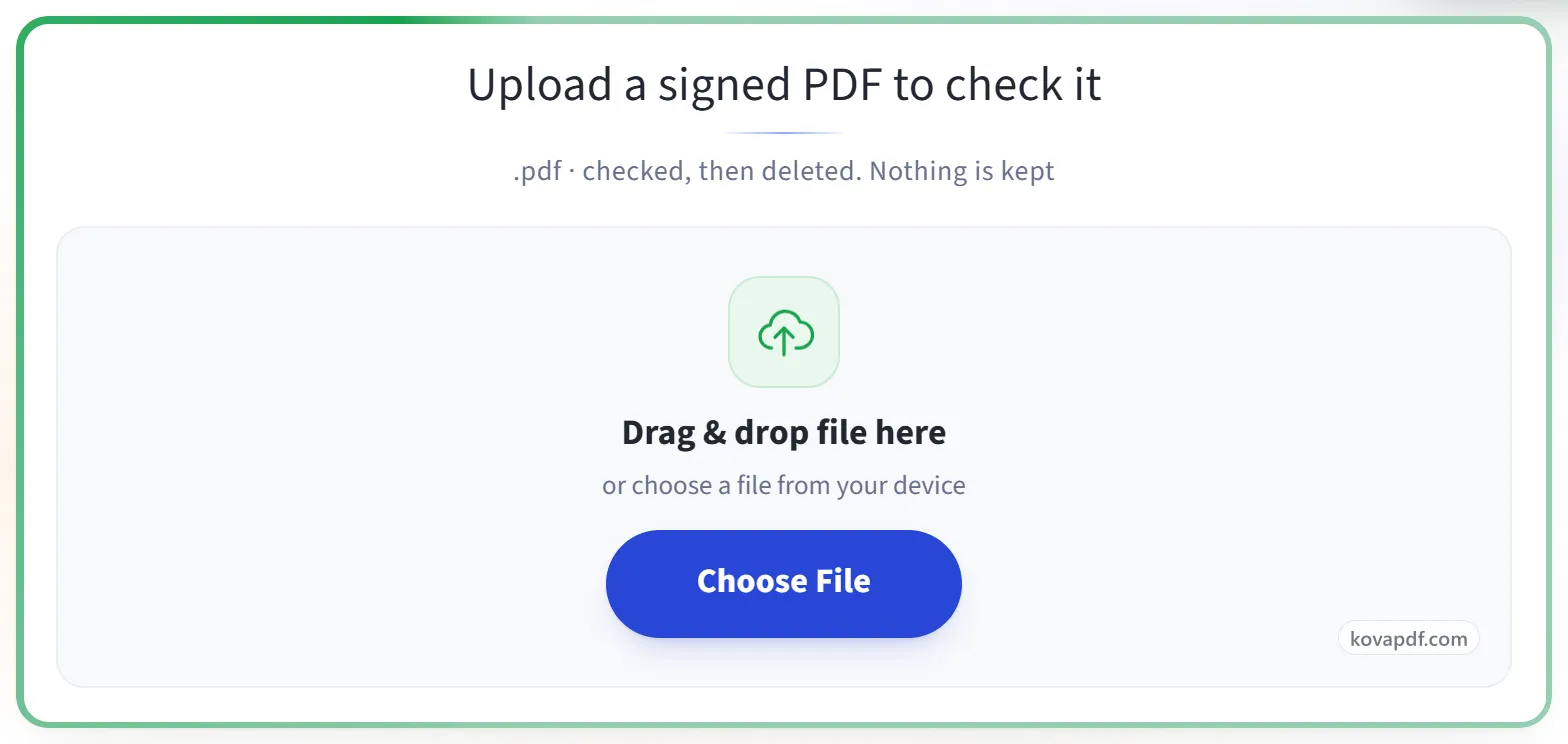
Upload the signed PDF
Drag the .pdf onto the panel, or click it to pick one. The check starts at once; nothing is kept afterwards.
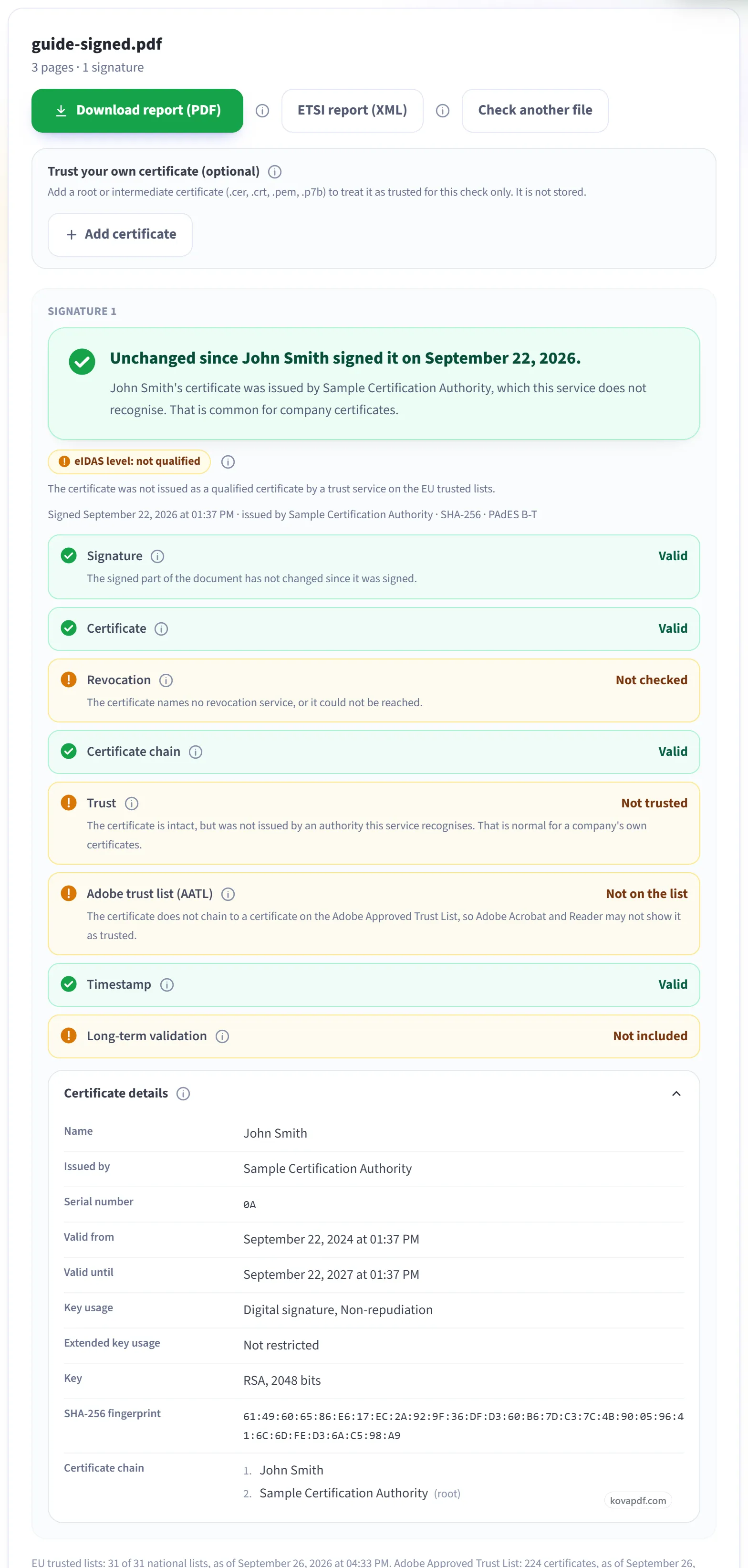
Read the result
Each signature starts with one plain sentence: green if the document is unchanged since that person signed it. Below it, every check has its own line, and "Certificate details" shows who the certificate belongs to, who issued it and its fingerprint. "Not trusted" only means the issuer is not one we recognise. Normal for a company's own certificates.
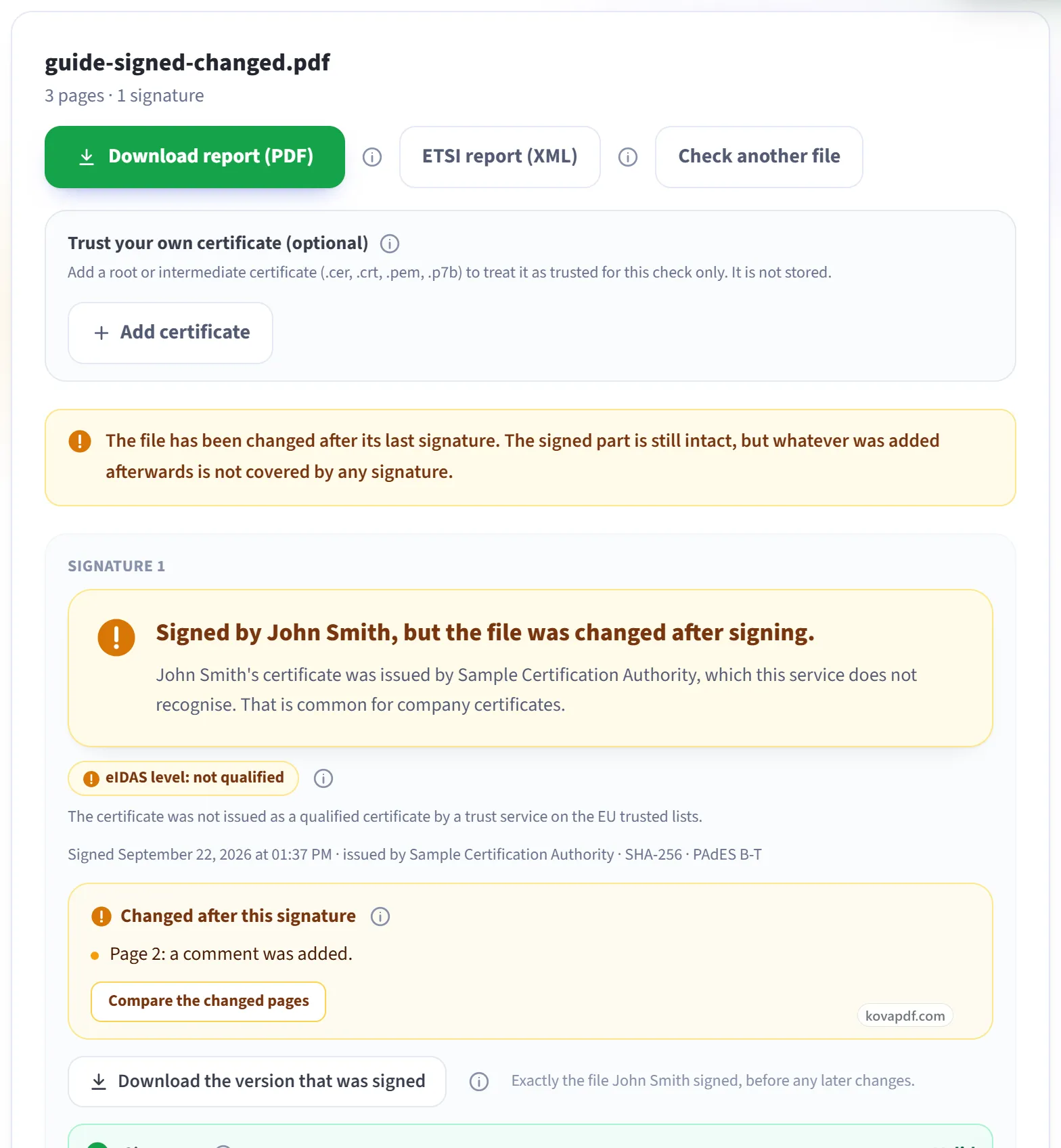
If the file was changed after signing
The sentence turns amber and the changes are listed page by page. In this example, a comment was added on page 2. "Download the version that was signed" gives you the file exactly as it was signed. If there is no digital signature at all, the page says so and points out any signature picture it found. "Download report (PDF)" saves the whole result.
Everything Verify Digital Signatures can do
Check every digital signature in a PDF: whether it still matches the document, who signed it, and whether their certificate can be trusted. Free, online, nothing kept.
Is the document intact
- Tells you plainly whether the document changed after signing
- Shows what changed, page by page, against the signed version
- Download the exact version that was signed
- Every signature in the file reported separately, in order
- Flags a signature image that has no real digital signature behind it
Who signed, and can they be trusted
- Full certificate details and the chain up to the root
- Revocation checked live by OCSP and CRL
- EU Trusted Lists: says whether it is a qualified signature or seal under eIDAS
- AATL: says whether Adobe trusts the issuer
- Add your own root certificate for a check we could not otherwise make
Time and long-term validity
- Timestamp checked, with the authority that issued it
- LTV and DSS data detected, so you know the signature survives certificate expiry
- Certification and permission rules (DocMDP) reported as the signer set them
Proof you can keep
- Download a PDF report of the whole check
- Download an ETSI TS 119 102-2 validation report in XML
- One plain-language verdict, with every fact shown on its own line
Three different results need different follow-up
| What you find | What it means | Next action |
|---|---|---|
| Signed portion is intact, later content exists | What it meansThe earlier signature can remain valid without covering the additions. | Next actionRead the changes and inspect the version that was signed. |
| Signed portion or signature is damaged | What it meansThe cryptographic check fails for that signature. | Next actionKeep this copy and request the original signed download. |
| No digital signature found | What it meansThere may be a visible signature image with no embedded certificate signature. | Next actionAsk which original file contains the digital evidence. |
A valid signature can leave later content unsigned
To check if a PDF was modified after signing, examine both the signed part and what came afterwards. A later comment can be outside an earlier signature even when the earlier signed bytes still verify. One green result is not enough to describe the current file.
Imagine a fictional venue agreement for Orchard Hall. Owen signs the approved PDF. A coordinator then adds a comment about room access. The checker can report that the signed part is intact and that the file has a later revision. That does not establish that Owen agreed to the new comment.
Read the timeline and each check
The Signature line concerns the bytes covered by that signature. Valid means those signed bytes remain intact. Invalid can mean the covered content changed or the signature itself is damaged.
The changes section can list supported page differences, field changes or annotations after signing. A comparison can also be unavailable or fail. An empty or unavailable visual comparison is not proof that nothing changed. Download the version that was signed, when offered, extracts that earlier version from the file you supplied.
Certificate says whether the signing certificate was in date and intended for signing. Certificate chain checks how its certificates fit together. These checks do not extend the signature to a later revision.
Trust identifies whether the chain ends in a recognised root, or one you added for this check. Adobe trust list (AATL) reports that specific trust source. A trusted issuer does not mean every later addition was signed.
Revocation reports cancellation evidence. If it says Not checked, the answer is unavailable. Timestamp reports independent evidence of signing time; None leaves the displayed date without that evidence.
Long-term validation can show included material as Present (not checked). That is not a statement that every archival check passed. The overall assessment and findings explain what remains uncertain.
Preserve both versions
Keep the received file before editing it. Save the extracted signed version separately if the tool offers it. Open Certificate details to record the certificate's subject, issuer, validity dates and fingerprint alongside the report. Those details help identify the credential, but they do not tell you whether a later business change was authorised.
For Owen's agreement, compare the added comment with the terms he accepted. If the change matters, ask for a fresh agreement rather than treating an unsigned note as consent. When several signatures exist, inspect each one and its position in the revision sequence.
Verify Signature is the underlying checker. Validate digital signature online explains the result for a first-time reader. For a longer example, read how to check if a signed PDF was changed.
Check if PDF was modified after signing: common questions
Can a PDF change while its signature remains valid?
Yes. A PDF can append a later revision outside an earlier signature's coverage. Check the changes and the version that was actually signed.
Does this find every possible visible edit?
The tool reports supported differences when comparison succeeds. An unavailable or failed comparison cannot prove the absence of changes.
What should I do with an added comment?
Decide whether it changes the agreement and whether the relevant person accepted it. File integrity does not make that business decision for you.
Can I recover the earlier signed version?
When the tool offers Download the version that was signed, it extracts the covered version from the PDF you supplied.
What if there is only a signature picture?
A drawn or scanned mark does not provide the embedded certificate signature this checker needs. Ask for the original digitally signed file if that evidence is required.
Related tools and pages
Adobe, Acrobat, Reader are trademarks of their owners. KovaPDF is not connected with, or endorsed by, any of them. This page compares products; it is not legal advice.