Signatures explained
What is a digital certificate, and what does it prove in a PDF?
In short
A digital certificate binds a public key to a named subject and is signed by an issuer. A PDF signature uses the corresponding private key to protect a particular document revision. Whether a recipient should trust the name depends on the issuer, identity checks and validation policy.

What does a certificate say?
It identifies a subject and a public key. Depending on the certificate, the subject may be a person, organisation or device. It also names the issuer, a validity period and permitted uses. The issuer signs those statements so that altering them breaks the issuer's signature.
The name is not automatically a verified legal identity. A certificate you create yourself can contain a name you typed. An issued certificate can carry identity checks, but their scope depends on its policy. Read the actual certificate and the recipient's requirements before treating the name as proof.
How does that relate to the PDF?
The certificate is reusable identity information. The document signature is a new result created for a specific revision of a specific PDF. Signing uses the private key. Verification uses the public key and checks that the protected bytes match what was signed.
That distinction explains why pasting a signature image onto a page does not create certificate evidence. An image may be an acceptable electronic signature for a workflow, but it does not establish the same cryptographic link. Digital Signature is the tool for certificate signing; Sign PDF places a drawn, typed or uploaded signature.
Why can an intact signature be untrusted?
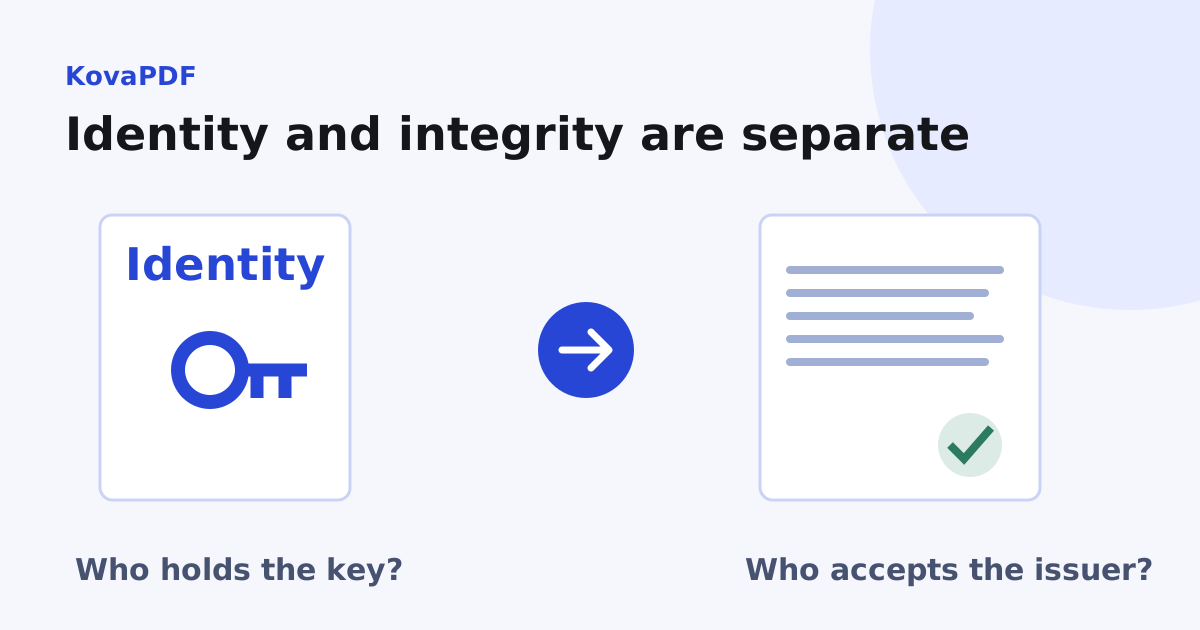
A checker can confirm the mathematics while lacking an accepted path to the issuer. Trust asks who vouches for the certificate and whether that issuer is accepted for this purpose. Integrity asks whether the signed bytes changed. Those are different questions with different evidence.
In our own tool test, a one page agreement produced one signature whose cryptographic signature and document digest both checked correctly. The fixture contained a three certificate chain, but its root was made for testing. The general trust result was false. Adding more certificates to the container would not, by itself, make that test root publicly trusted.
Use Verify PDF Signature to inspect the separate results. Do not reduce a report to the colour of a visible stamp or assume a familiar looking name establishes trust.
What do the validity dates mean?
The dates limit when the certificate is valid for its intended use. They are not an automatic deletion date for every document ever signed with it. Establishing that an older signature was made while the certificate was valid can require trusted time evidence and revocation information.
If you are dealing with a warning on an old document, follow the expired certificate diagnosis. Buying a new certificate does not retroactively change the evidence in a PDF signed with an older one.
What is the private key, then?
It is the secret that creates signatures. It must correspond to the public key in the certificate. Sharing a public certificate is normal; sharing the private key can let someone act with it.
A portable signing file may carry both. A token may keep the key inside hardware. A remote signing arrangement may keep it elsewhere under a separate authorisation process. If your question is about extensions, export choices or passwords, use the PFX and P12 file guide. That practical task has different failure modes from issuer trust.
When do I need a certificate?
Use one when the receiving process asks for certificate signing, when the signer's identity must be checked through an accepted issuer, or when later integrity verification matters. Ask the recipient which certificate type and issuer they accept before obtaining one. A certificate suitable for an internal approval may not meet a regulated submission's rules.
For an ordinary form that requests a visible signature, confirm whether a drawn signature is enough. A certificate is an evidence mechanism, not a universal requirement for every PDF.
What should I inspect before relying on one?
Read the subject and issuer, check permitted signing use, compare the signing time with the validity interval, and inspect revocation and trust results. Then confirm which document revision the signature covers. A current certificate cannot make modified document bytes match an earlier signature.
Keep the report with the original PDF when you need a review record. Do not print and rescan a signed document as a way to preserve its digital evidence: that makes a picture of the pages and loses the original signature structure.
Common questions
Is a digital certificate the signature itself?
No. The certificate binds identity information to a public key. A document signature is created separately for a particular PDF revision.
Does a certificate always prove a checked identity?
No. A self issued certificate can contain a typed name. Identity assurance depends on the issuer and its checks.
Why is a correct signature marked untrusted?
Its cryptographic checks may pass while the checker has no accepted trust path to its issuer.
Can I share the certificate?
The public certificate can be shared for verification. Keep the corresponding private key and any signing container private.
Does certificate expiry erase older signatures?
No. Earlier signatures still exist, but judging validity at signing time can require trustworthy time and revocation evidence.
Is a signature image a certificate signature?
No. A visible signature image does not create a cryptographic signature over the PDF bytes.
Will any certificate work for an official submission?
The recipient decides which certificate types and issuers it accepts. Confirm that requirement before obtaining one.
Can a new certificate repair an old signed PDF?
It cannot replace the historical evidence associated with the old key and signature. Preserve the original and investigate its validation report.
KovaPDF on your computer and phone
Use KovaPDF on your computer, where many tools work with no internet, and on your phone. The same account works in both.