Signatures explained
PFX and P12 certificate files explained: contents, passwords and PDF signing
In short
PFX and P12 are two extensions for a PKCS#12 container. A usable signing container holds your private key and the matching certificate, usually with issuer certificates too. The extension alone does not prove that the key is present or that the certificate is trusted.

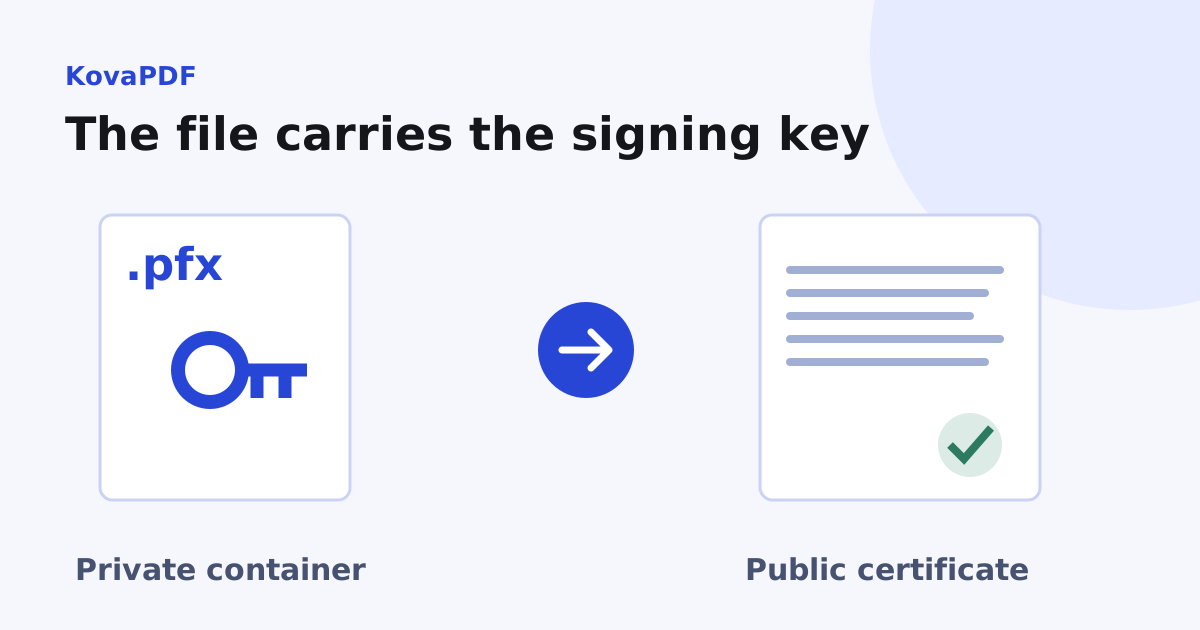
What must the file contain?
Start with the private key. The public certificate describes that key's owner and public key, but cannot make a signature by itself. A container can also hold a certificate without a private key, so a filename ending in .pfx is only a clue.
The signing tool needs a certificate that matches the key and permits the intended signing use. Extra issuer certificates help a recipient build a chain. They do not make an unknown issuer trusted. If you need the identity and trust explanation first, read what a digital certificate proves.
Does renaming P12 to PFX change anything?
No. Both extensions commonly describe the same container format. Renaming a public .cer file to .pfx does not add a key, convert the data or make it signable.
| What you have | What to check next |
|---|---|
| .pfx or .p12 | Does the container hold the matching private key? |
| .cer, .crt or .der | Usually a public certificate; locate the private key separately |
| .pem | Inspect its contents; it may contain certificates, keys or both |
| A token or smart card | The key may be deliberately nonexportable |
KovaPDF's file input in Digital Signature expects a PFX or P12. Other signing arrangements can use a key that never becomes a file. See signing with a token or smart card if that describes your setup.
How do I export a usable copy?
Find the certificate in the place where it was originally installed. Choose the export option that includes the private key, protect the export with a password, and include the certificate chain when that option is offered. Store the result in a private folder. A public certificate export is useful for sharing trust information, but will not satisfy a signing input.
If the private key export option is unavailable, stop there. The key may be on hardware, marked nonexportable or missing from that machine. Ask the issuer or your administrator which signing method you were given. Repeatedly exporting the public certificate cannot fix that problem.
What did our file test show?
We generated a sample signing credential and opened it with KovaPDF's credential loader. It contained three certificates: the signer, an issuing certificate and a root. We signed an 870 byte, one page PDF without a timestamp. The result was 18,460 bytes, and the verifier reported a matching document digest and a valid cryptographic signature.
The test root was deliberately unrecognised. General trust remained false. This is why importing a file successfully and seeing a mathematically correct signature are separate from proving the signer's identity to a recipient. These sizes describe this fixture, not a promised size for your certificate or document.
Why does the password fail?
Use the password for the exported container, which may differ from your computer login or account password. Check keyboard layout, accidental spaces and whether you selected an older export with a different password. Keep the original file while diagnosing the problem.
A loader error can also mean damaged data or an unsupported container. A password message alone is not proof of which cause applies. If a known good backup opens, compare the copies. If the export is damaged, export again from the original key store. If the password is genuinely lost and no usable key remains elsewhere, ask the issuer about replacement and revocation.
What should I do after signing?
Open the output in Verify PDF Signature and check the signer, document integrity, timestamp and trust separately. Send the signed PDF to the recipient, never the private container or its password. Keep a protected backup of the credential according to your organisation's rules.
If you need to decide whether a certificate is necessary at all, the certificate overview covers that decision. For the file workflow, keep the task narrow: correct container, matching key, correct password, then independent verification.
Common questions
Are PFX and P12 different certificate standards?
Both extensions commonly identify a PKCS#12 container. The contents, rather than the suffix, determine whether it can sign.
Does every PFX contain a private key?
No. A container can hold certificates without a usable private key. The signing tool must find a key and its matching certificate.
Can I rename a CER file to PFX?
Renaming changes the filename only. A public certificate does not acquire a private key.
Which password does the certificate input need?
The password chosen for that exported container. It need not match your computer or account password.
What if private key export is disabled?
The key may be nonexportable, missing or stored on hardware. Use the signing method supplied by the issuer rather than repeatedly exporting the public certificate.
Should I send my PFX with the signed document?
No. Send the PDF. The PFX and its password can enable signing with your key and belong in private storage.
KovaPDF on your computer and phone
Use KovaPDF on your computer, where many tools work with no internet, and on your phone. The same account works in both.