Convert HEIC to JPG on Windows
Drop the .heic files your iPhone sent and download JPGs that open in Photos, Paint, Word and every upload form on your PC.
- Free to use
- Works on any device
- Nothing to install
- JPG, PNG or WebP out
- WebP, HEIC, GIF, BMP and AVIF in
- Transparency kept or filled
- Many pictures, one ZIP
JPG · PNG · WebP · HEIC
Choose the HEIC photos on your PC
JPG, PNG, WebP, GIF, BMP, AVIF or HEIC · one picture or many at once. Your pictures stay on your device; only iPhone HEIC photos are sent to our server to be converted
Drag & drop files here
or choose a file from your device
Everything Convert Image can do
Turn pictures from one format into another, one or many at once. Free, and most pictures never leave your device.
Formats
- Into JPG, PNG or WebP
- From JPG, PNG, WebP, GIF, BMP, AVIF and iPhone HEIC
- An animated GIF or WebP becomes a still of its first frame
Settings
- JPG and WebP quality: Best 95, High 90, Medium 80 or Small file 65
- See-through parts kept in PNG and WebP, or filled with white, black or any colour in a JPG
- Original size, or made smaller by width, height or both, the shape kept
Your pictures
- Phone photos come out the right way up
- No location, camera details or other hidden information carried over
- Up to 10 pictures at a time, 50 when signed in, downloaded together in a ZIP
- Converted in your browser; only iPhone HEIC photos are sent to our server, and deleted once converted
How it works
Convert HEIC to JPG on Windows in three steps
Drag the HEIC files in
From File Explorer, straight from the folder your iPhone photos landed in. Several at once is fine.
JPG at High · 90 is set
Keep it for photos that look the same as on the phone, or pick Small file · 65 for email.
Download the JPGs
One photo comes back as a JPG with the same name; several come in one ZIP.
Convert HEIC to JPG on Windows: a visual walkthrough
This page in a desktop browser with two HEIC photos at phone size, from choosing the files to downloading the JPGs.
Choose the HEIC photos
Click the box and browse to the photos, or drag them in from File Explorer. Windows may show them with no thumbnail; that is the problem this page fixes, and the files are fine.

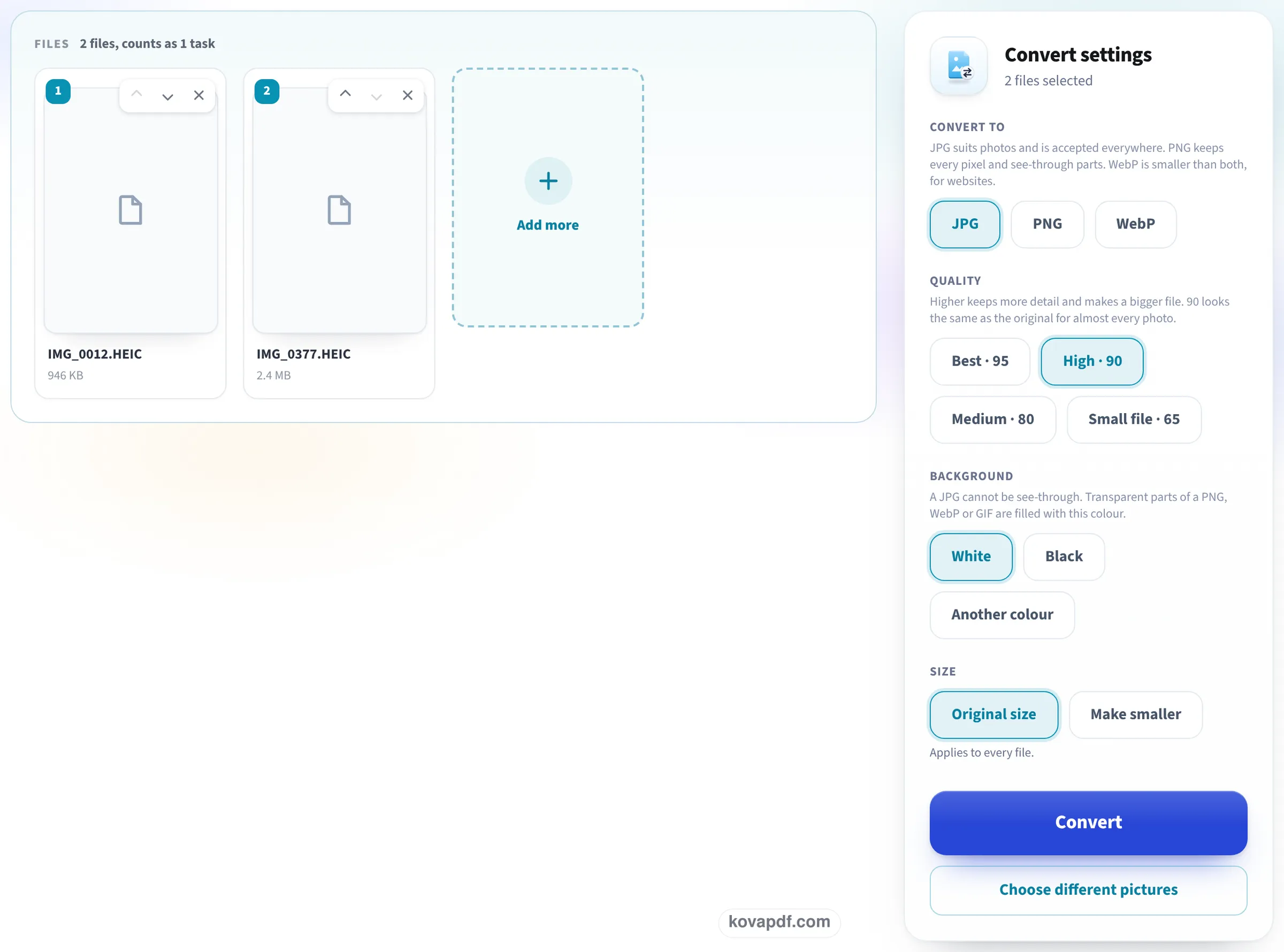
Leave JPG and High · 90 chosen
Each photo gets a card with its name and size (the browser cannot draw a HEIC preview yet). Convert to JPG, quality High · 90 and Original size are already selected, so the JPGs keep every pixel of the photo.
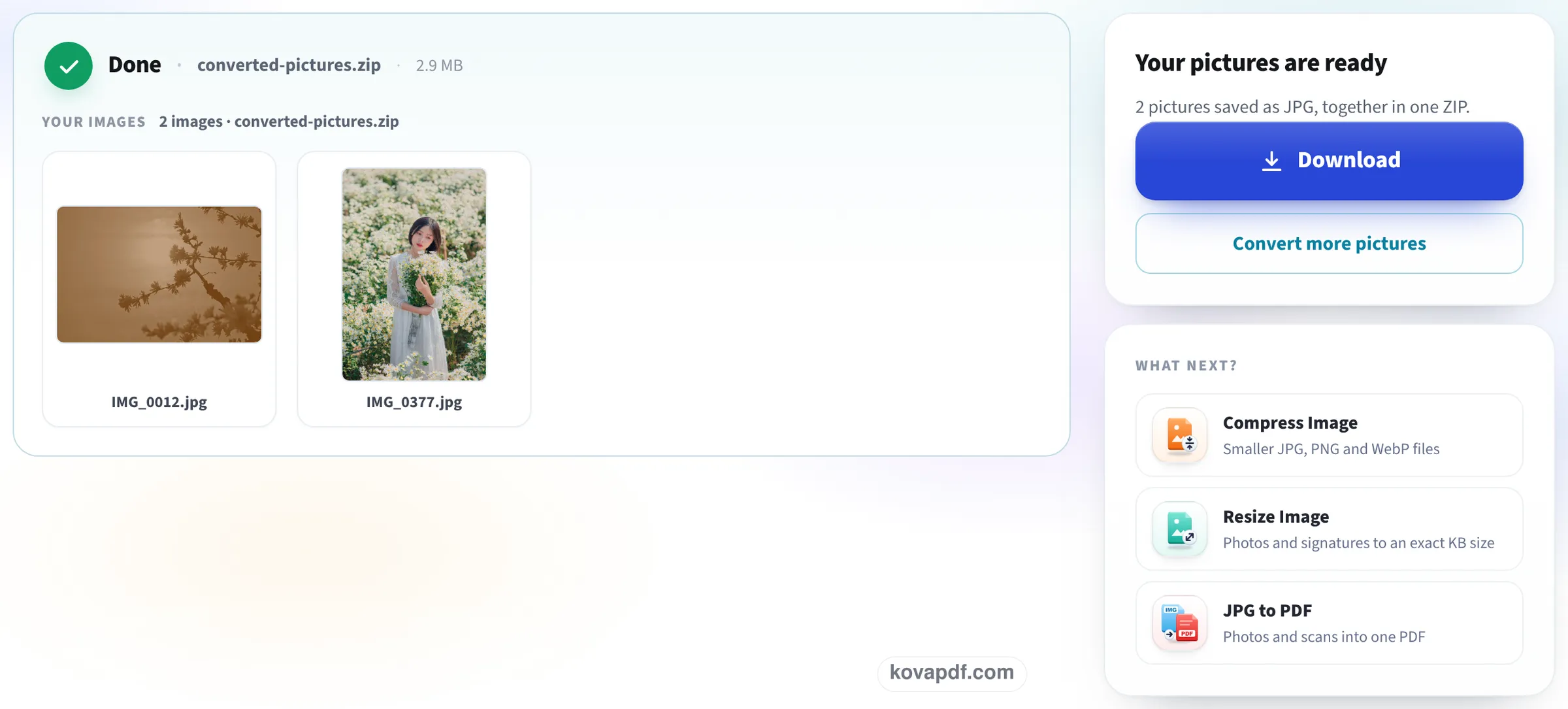
Download and open them
Press Convert. Now the photos show, as JPGs named after the originals, and the screen says how many were saved; Download gives you a ZIP for several photos, which File Explorer opens with a double click.
Five HEIC photos through this page
We made HEIC files at the sizes a phone saves: four at 3840 pixels on the long side and one at 4032 × 3024, stored on its side with a turn-upright note, a location and the camera model in it. Each set was dropped on this page as it opens (JPG, High · 90), converted, and the downloaded JPGs opened again. Measured on October 24, 2026.
| HEIC in | Setting | What came back | Ready in |
|---|---|---|---|
| 1 photo, 4032 × 3024 stored sideways, 3.14 MB | High · 90 | A JPG with the same name, 3024 × 4032 and upright, 2.40 MB, no location or camera data | 2.1 s |
| 5 photos, 9.52 MB together | High · 90 | ZIP of 5 JPGs, 8.32 MB, each at its full pixel size and named after its photo | 7.8 s |
| 1 photo, 3840 × 2562, 1.39 MB | High · 90 | JPG of 1.76 MB | 2.3 s |
| Same photo | Small file · 65 | JPG of 734 KB, same pixels | 2.1 s |
A JPG is usually bigger than the HEIC it came from: HEIC packs a photo into about half the space. Our 1.39 MB photo became 1.76 MB at High · 90 and 734 KB at Small file · 65.
We read the hidden data of every JPG that came back: none held a location, a camera model or any other tag.
Why Windows will not open your iPhone photos
An iPhone saves photos as HEIC unless you tell it not to. To show HEIC, Windows needs two extensions from the Microsoft Store, one for the picture format and one for the video codec it is built on, and the second may cost a small fee. Without them the Photos app cannot open the file and File Explorer shows a blank icon. Converting to JPG ends the problem for every program at once, including Paint, Word, email and upload forms.
Other ways on a PC, and when this page is quicker
You have a few choices, depending on how many photos you have:
- One or two photos, extensions already installed: open each in Photos and use Save as, choosing JPG.
- A whole folder: drop them all here at once and download one ZIP, with no software to add.
- Future photos: on the iPhone, Settings, Camera, Formats, Most Compatible makes new photos JPG.
- Copying with a cable: on the iPhone, Settings, Photos, Transfer to Mac or PC, Automatic hands Windows JPG copies.
What the JPG keeps, and what it leaves out
The JPG has the same pixels as the photo and is turned the way your iPhone showed it, so it never arrives sideways in a form. The location, the camera details and the other hidden data are not copied, which is what you want for photos you send to strangers. The few seconds of a Live Photo are a separate video file on the iPhone and are not part of the HEIC, so only the still photo is converted.
Read next: HEIC to JPG converter · HEIC to PDF · Convert iPhone photos to PDF
Frequently asked questions about Convert HEIC to JPG on Windows
How do I convert HEIC to JPG on Windows 10 or 11?
Open this page in Edge or Chrome, drag the HEIC files in, keep JPG chosen and press Convert. Download the JPG, or the ZIP if you added several photos.
Do I need the HEIF or HEVC extension?
Not for this page. The photos are converted on our server, so your PC needs nothing extra. The extensions only matter if you want to open HEIC files on Windows itself.
Will the JPG lose quality?
At High · 90 it looks the same as the photo and keeps every pixel. Best · 95 keeps a little more detail and makes a bigger file.
Why is the JPG bigger than the HEIC file?
HEIC stores a photo in about half the space of a JPG. Our 1.39 MB HEIC became a 1.76 MB JPG at High · 90; choose Small file · 65 if size matters.
Are my photos uploaded?
Yes, HEIC photos have to be: most browsers cannot open HEIC. They travel over an encrypted connection and are deleted as soon as the JPGs are made.
How do I stop my iPhone taking HEIC photos?
On the iPhone go to Settings, Camera, Formats and choose Most Compatible. New photos are then saved as JPG; the ones you already took stay HEIC.
Convert HEIC to JPG on Windows guides and articles

Related tools
All PDF tools · 15 step-by-step guides · How your files are handled
Also: HEIC to JPG · HEIC to PDF