Reduzir páginas do PDF
Combine as páginas quase vazias em uma só folha, sem encolher o texto nem um pouco.
- Gratuito
- Funciona em qualquer dispositivo
- Apagado após o processo
- Conta páginas, não as comprime
- Junta as páginas quase vazias
- O texto não diminui
- Menos folhas para imprimir
Upload a PDF to see how many pages it could be
.pdf · analysed in seconds, and the copy is deleted as soon as your file is ready
Arraste seu arquivo aqui
ou escolha um arquivo do seu dispositivo
Como funciona
Reduzir páginas do PDF em três passos
Upload your PDF
Drag a .pdf onto the panel, or click it to pick one. Every page is measured to find where the ink actually sits -- a 200-page document takes about a second.
Choose how far to go
Each setting shows the real result for your document before you commit. Lossless never shrinks anything; the others say exactly what size the text would come down to. Click any group in the page grid to leave it alone.
Download your shorter PDF
Before and after page counts, how many pages were saved, and the file size both ways.
How to cut a PDF's page count
Pages that are mostly empty get combined at full size.
Upload your PDF
Drag a .pdf onto the panel, or click it to pick one. Every page is measured to find where the ink actually sits -- a 200-page document takes about a second.
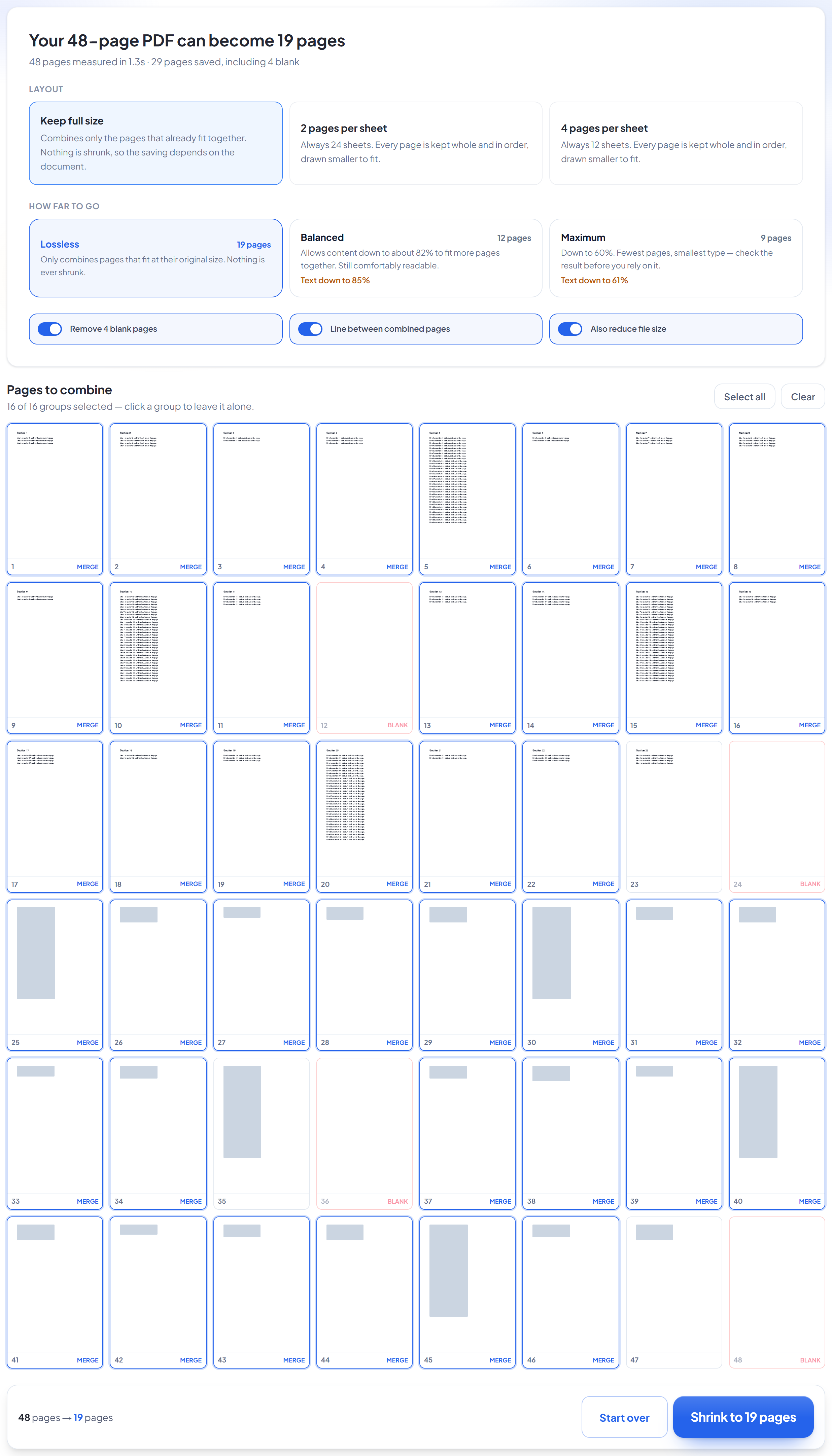
Choose how far to go
Each setting shows the real result for your document before you commit. Lossless never shrinks anything; the others say exactly what size the text would come down to. Click any group in the page grid to leave it alone.
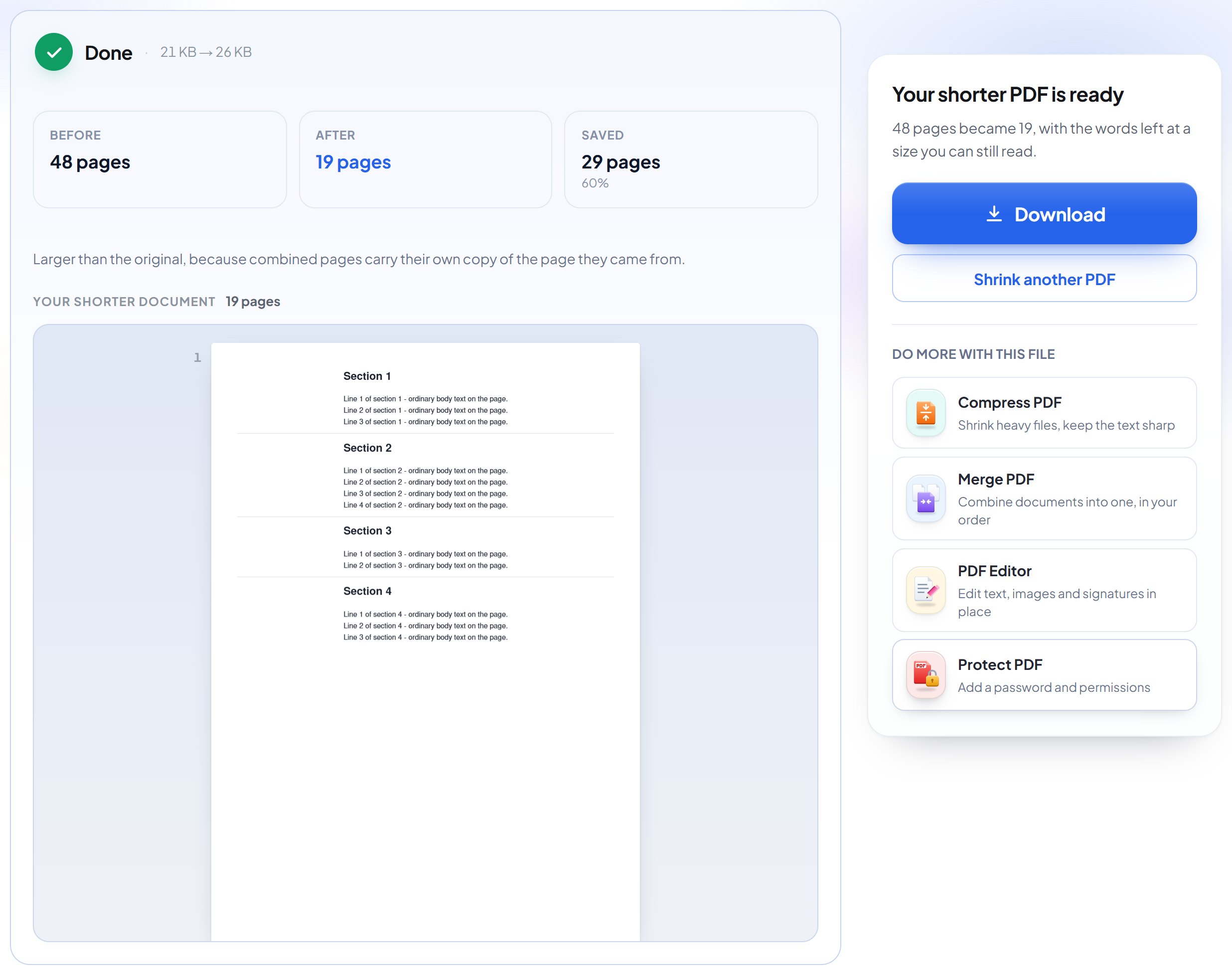
Download your shorter PDF
Before and after page counts, how many pages were saved, and the file size both ways.
Frequently asked questions about Reduzir páginas do PDF
Does this shrink the text to fit more on a page?
Not on the default setting. 'Lossless' only combines pages whose content genuinely fits together at its original size — it measures where the ink actually is on each page, crops to that, and stacks those crops. Same glyphs, same size, still selectable text. The Balanced and Maximum settings do allow scaling down, and each tells you the exact percentage before you commit.
How can 200 pages become 80 without losing anything?
Because most pages are mostly empty. A page with a heading and three lines uses about 4% of the sheet; four of those fit on one page with room to spare. Nothing is removed — the same content is simply not spread across as much paper.
Why does it say my PDF can't be shrunk?
Because its pages are genuinely full. Slides, scans and image-heavy documents fill the sheet edge to edge, so combining any two would mean shrinking them. The tool says so plainly rather than offering a bad merge.
What happens to links and form fields?
Pages carrying them are never combined, and are copied across untouched. Embedding a page keeps its drawn content but not its annotations, so merging such a page really would lose something — the tool refuses instead. That is also why the file-size pass is skipped on documents that have them.
Can I choose the pages myself?
Yes. The suggestions all start switched on, and every group can be switched off individually — the page grid shows which pages would go together, and the running total updates as you change your mind.
Does the file get smaller too?
Usually. Combining pages actually makes the raw file bigger, because each combined page carries its own copy of what it came from — so a final optimisation pass runs afterwards, and the result is normally smaller than the original. Both numbers are shown on the result screen, whichever way they went.
How long is my file kept?
Only while you are using it. SmartShrink works in steps — upload, analyse, choose, combine — so unlike our other tools it has to hold your file between those steps rather than finish in one request. It is deleted as soon as your shrunk file is made, and if you close the tab part-way through it is deleted automatically within 30 minutes.
Is it free?
Yes. Every tool works without paying and without an account. Files can be up to 200 pages and 80 MB, and a run that fails costs you nothing.
Do I need to create an account?
No. All tools work without signing in. An account raises your hourly allowance and lets you see what you have processed.
What happens to my file?
It travels over an encrypted connection into a directory created for that single request, is processed, is returned to you, and the working copy is deleted as the request finishes. We keep a record that an operation ran — never the filename or the contents.
Related tools
Todas as ferramentas de PDF · Como seus arquivos são tratados