Sidebar
A dark side column for your contact details and skills, with your experience at full width beside it.
Choose one of six CV templates, fill in your details one section at a time with a live preview, then download a PDF or an editable Word document.
CV
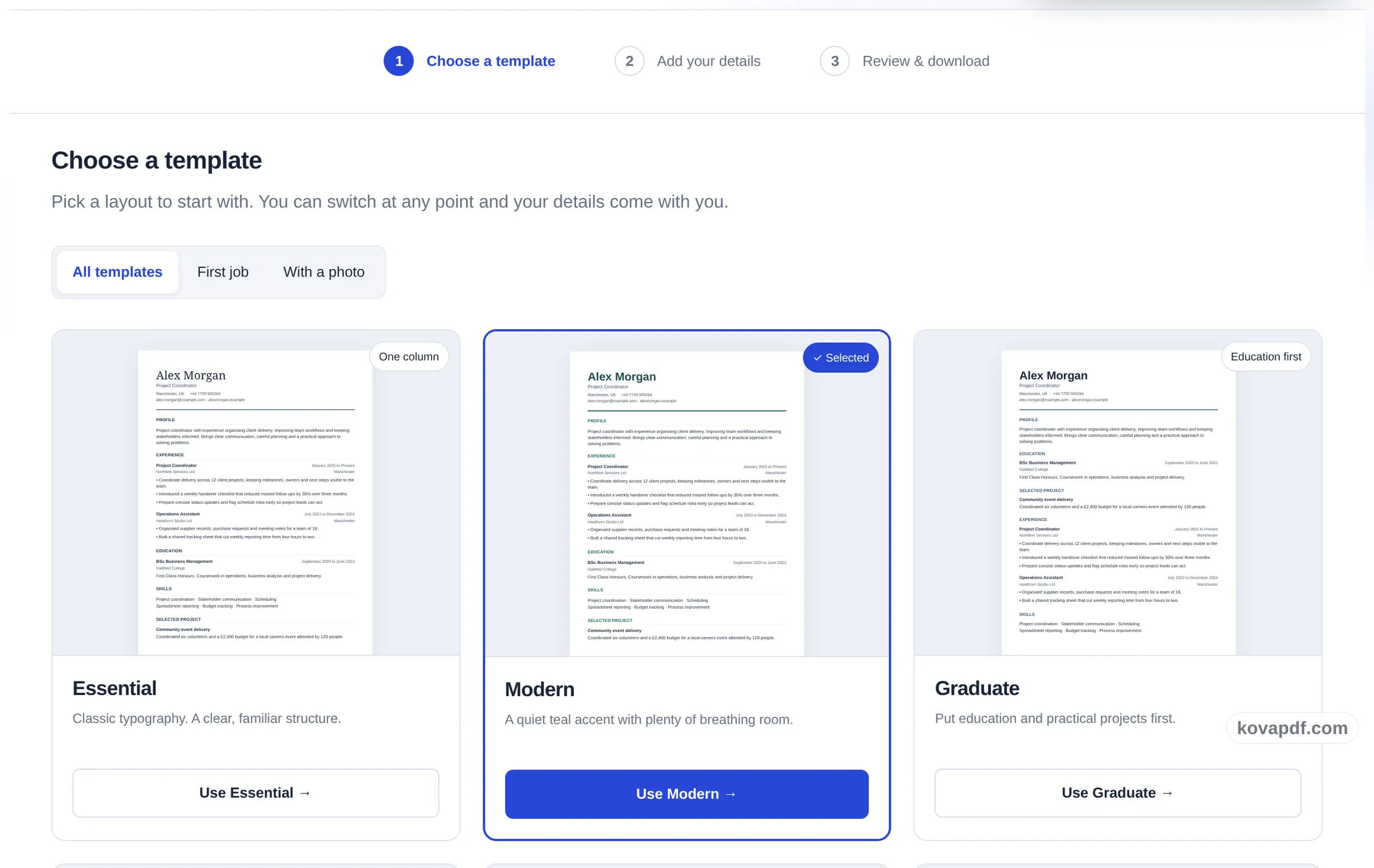
Pick a layout to start with. You can switch at any point and your details come with you.
A dark side column for your contact details and skills, with your experience at full width beside it.
A coloured band across the top that puts your name and contact details first.
Classic typography. A clear, familiar structure.
A quiet teal accent with plenty of breathing room.
Dates in a column of their own, so a reader follows your career at a glance.
A tinted side column, a round photo and skill tags, with a little more personality.
A centred serif heading with experience and achievements first.
A light side column on the right, quiet and well organised.
A navy heading with skills, projects and a clear work history.
Centred serif headings in a calm, formal style.
Put education and practical projects first.
An optional photo. Your experience stays centre stage.
Smaller type and tighter spacing, for a lot of experience on one page.
Black text in one column, for application systems that ask for a simple file.
Your form starts empty. Example details are fictional and are added only when you choose them. See every template with a full preview.
A CV and resume builder that runs in your browser: six layouts, a form split into sections, a preview that follows your typing, and PDF or Word downloads.
CV Maker in three steps
Six layouts to start from. Essential, Modern, Executive and Technical lead with work history, Graduate puts education and projects first, and Portrait has room for an optional photo. Switch whenever you like: your details move with you.
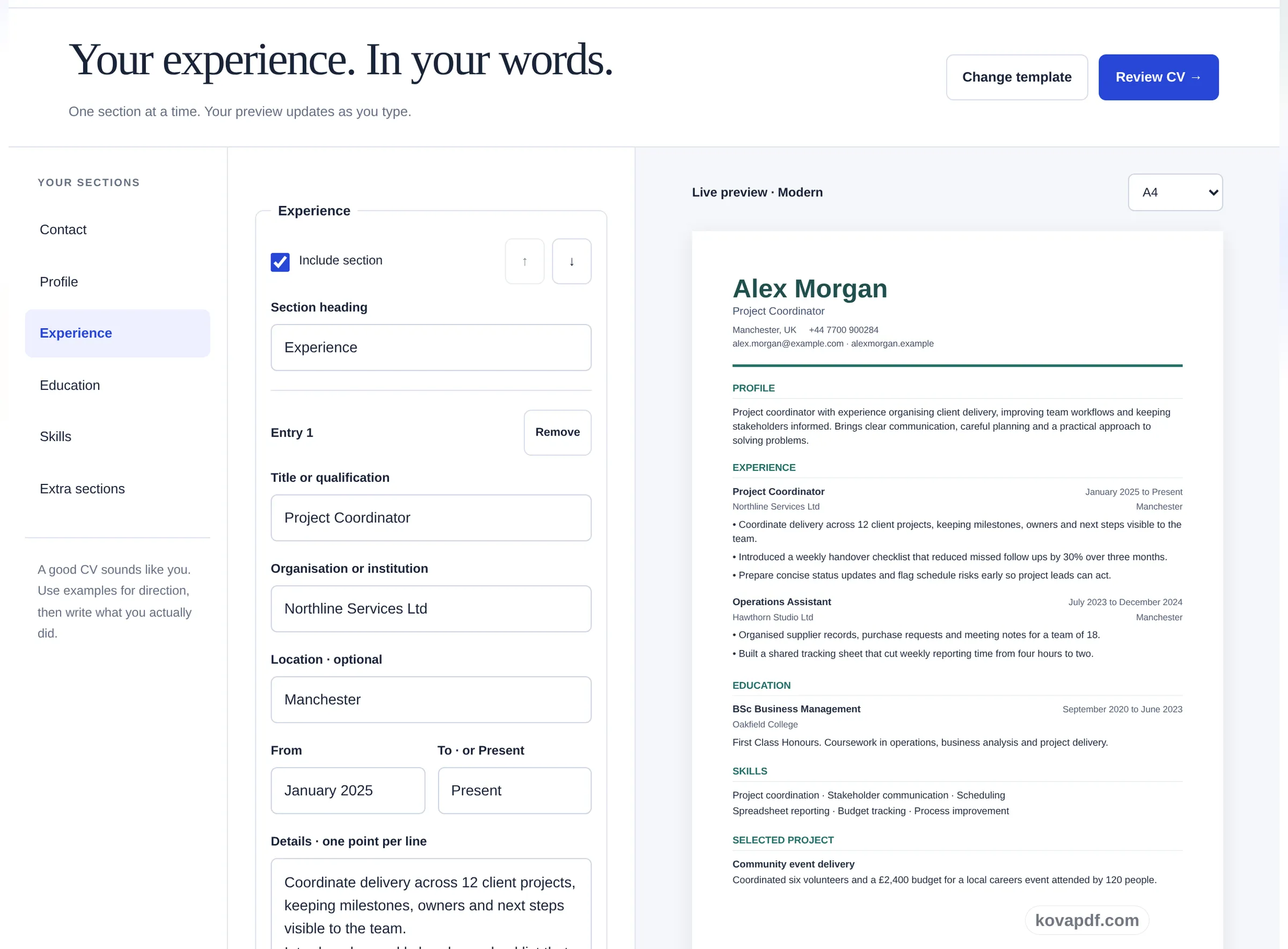
Contact details, a short profile, experience, education and skills, one section at a time. Training, certifications, languages, projects, volunteering and references are there if they help your application. The page beside the form redraws as you type.
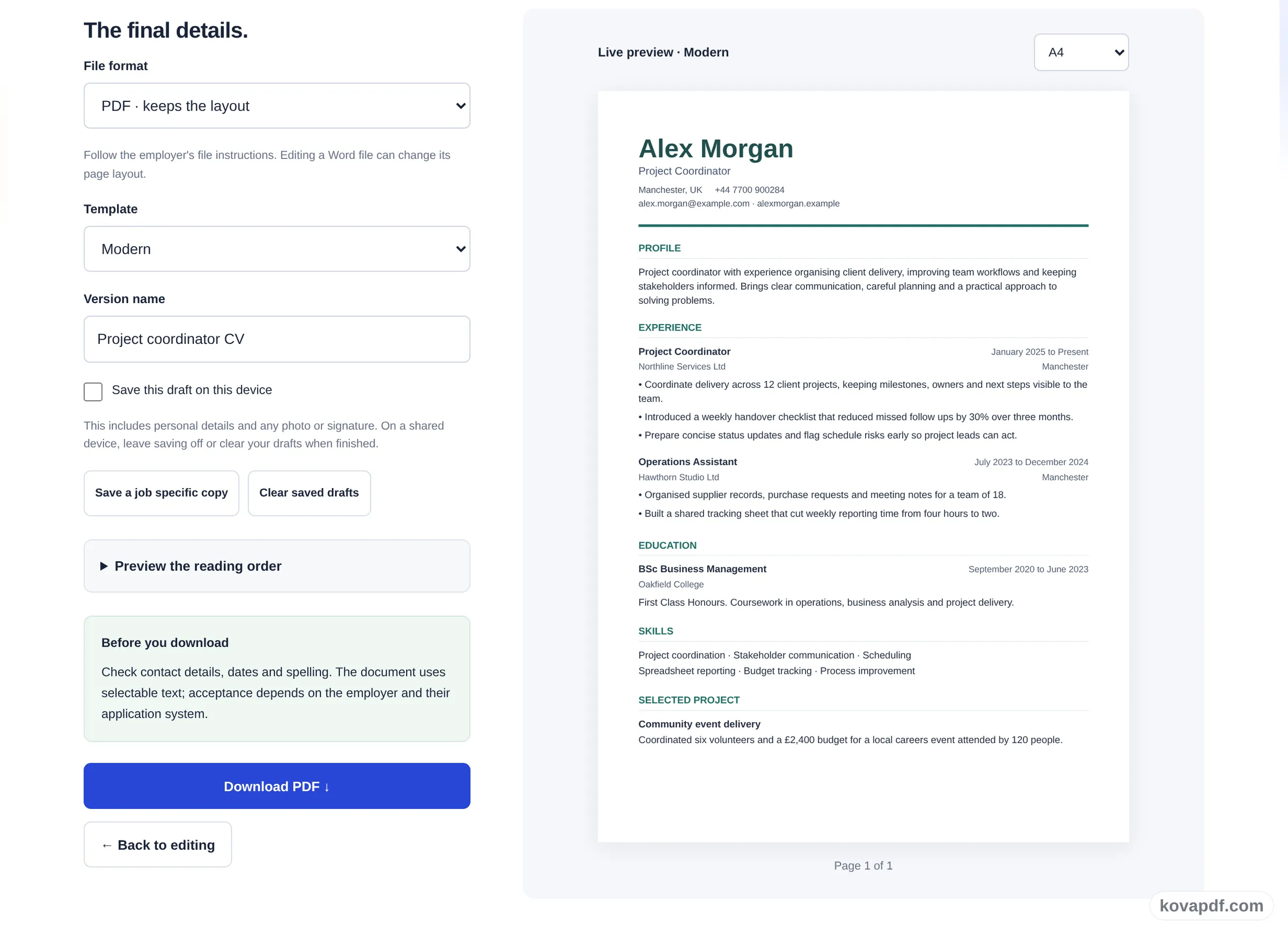
Choose PDF or editable Word, A4 or US Letter, and check the reading order before you download. The CV is put together in your browser, so nothing is uploaded, and saving a draft on this device is optional.
Pick a layout, write one section at a time while the preview updates, then download the file the employer asked for.
Six layouts to start from. Essential, Modern, Executive and Technical lead with work history, Graduate puts education and projects first, and Portrait has room for an optional photo. Switch whenever you like: your details move with you.
Contact details, a short profile, experience, education and skills, one section at a time. Training, certifications, languages, projects, volunteering and references are there if they help your application. The page beside the form redraws as you type.
Choose PDF or editable Word, A4 or US Letter, and check the reading order before you download. The CV is put together in your browser, so nothing is uploaded, and saving a draft on this device is optional.
Yes. You can build, preview and download as many CVs as you like without paying or signing in, and the files carry no watermark.
Nothing is uploaded. Your CV is laid out and turned into a PDF or Word file inside your browser. A draft is kept on this device only if you switch on saving, and you can clear saved drafts at any time.
Send whatever the job advert asks for. If it does not say, a PDF keeps the layout exactly as you see it. Choose Word when a recruiter wants to edit the file or an application form only accepts .docx. Word may reflow the text on another computer, so open the download and check it.
Yes. Pick US Letter instead of A4 above the preview, and rename section headings if you like (Experience to Work History, for example). For US applications people usually leave out the photo, date of birth and marital status.
Yes. Everything you have typed moves with you when you switch, including extra sections, references and a photo. Graduate and Technical reorder the sections for you unless you have set your own order.
That depends on how much you write. Nothing is shrunk or cut off to force a page count: longer content flows onto a second page, and the preview shows the page count as you type. Shorten older roles first if you need one page.
No, and we do not give a score. What the tool does is keep the text selectable, in a single reading order, with plain section headings. You can read that order as plain text before downloading. How a particular employer's system reads it is up to that system.
No. All tools work without signing in. An account raises your allowance and lets you see what you have processed.
All PDF tools · 15 step-by-step guides · How your files are handled